~ 多声の輪郭 ~
分身の動きに引きずられ、視点は目まぐるしく入れ替わる。放たれる声は力となり、表現は加速する。揺れ続ける流れの中で、感覚は研ぎ澄まされ、独自のスタイルが浮かび上がる。
~ Polyphonic Contours ~
As mirrored selves move, perspectives switch at a dizzying pace. Voices emerge as force, driving expression forward. Within constant motion, perception sharpens and a distinct style begins to surface.
#kakudrop #カクウドロップ #klingai #nanobanana @klingai_official #motioncontrol
How kakudrop Made This Polyphonic Contours AI Video - and How to Recreate It
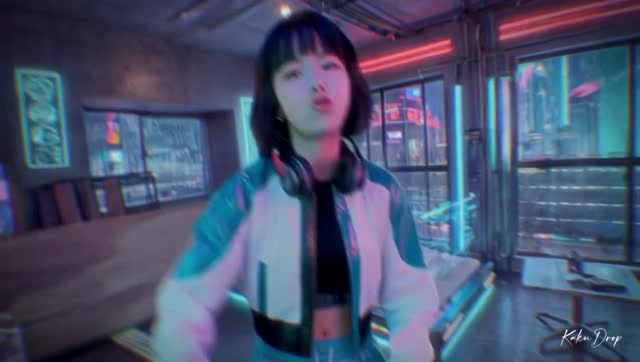
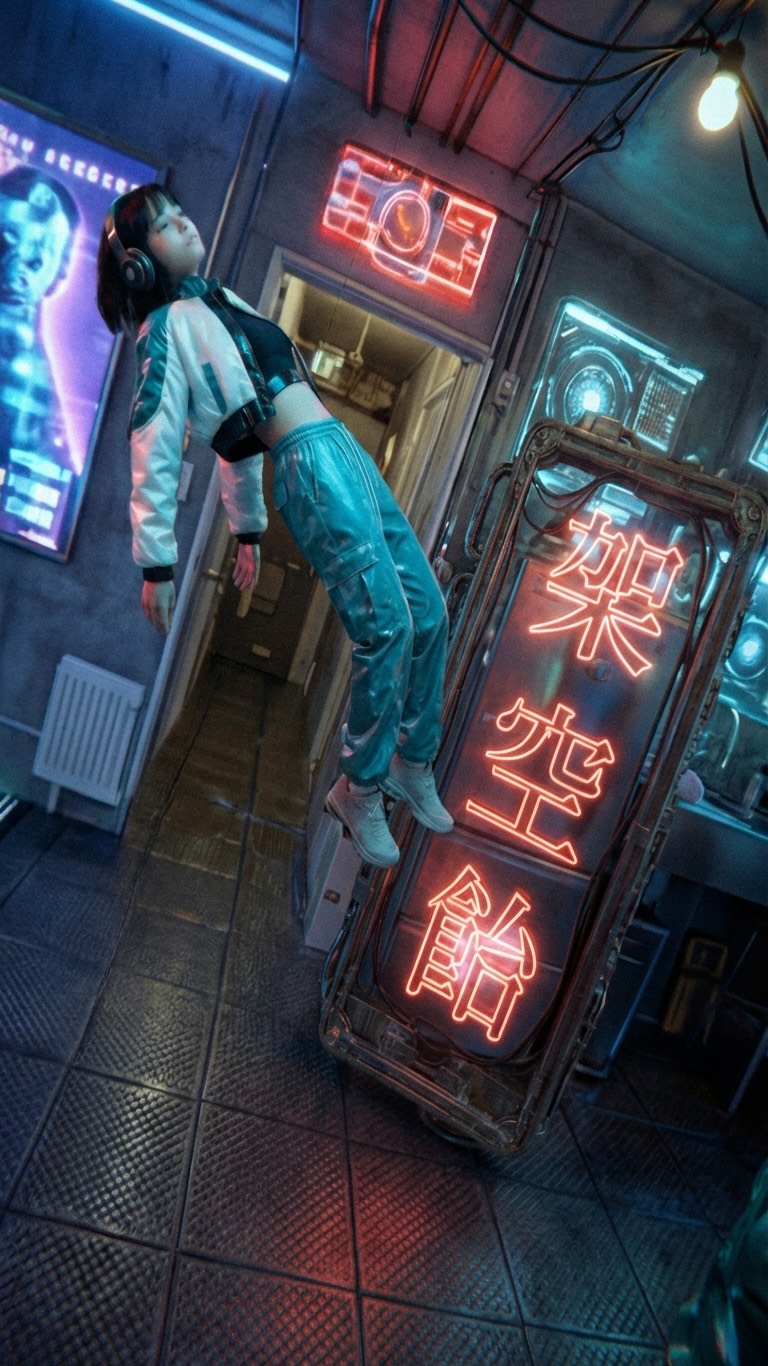
This case study analyzes a high-octane cyberpunk multi-clone sequence that blends futuristic "Akihabara-core" aesthetics with advanced AI video generation. The video features a young Asian woman in a sporty teal-and-white jacket, duplicated across a neon-drenched, cluttered sci-fi apartment. The visual style is characterized by dizzying 360-degree camera spins, "tiny planet" distortions, and characters defying gravity. It captures the "Polyphonic Contours" (多声の輪郭) theme perfectly, using rapid-fire editing and spatial manipulation to create a sense of sensory overload that is highly addictive for short-form viewers.
What You’re Seeing: A Deep Dive
The video is a masterclass in AI-driven spatial consistency. We see a single character model—a young woman with a sharp black bob—placed in multiple positions within a 3D-mapped environment. The scene is a futuristic living space filled with glowing holographic interfaces, CRT monitors, and neon signage (notably the "架空飴" or "Fictional Candy" sign). The wardrobe is consistent: a cropped black top, a white and teal paneled bomber jacket, and matching teal joggers.
The lighting is "motivated" by the environment, with pink and blue rim lights hitting the characters' skin, creating a cinematic, high-contrast look. The motion isn't just linear; it uses speed ramps and fisheye distortions to simulate a drone-like camera flying through a crowded, impossible space. The texture has a slight "film grain" and "digital glitch" overlay, which helps mask AI artifacts and enhances the gritty cyberpunk vibe.
Shot-by-Shot Breakdown
Time Range
Visual Content
Shot Language
Lighting & Tone
Viewer Intent
00:00–00:03
Subject enters frame, camera zooms out rapidly.
Extreme Close-up to Medium Shot.
Neon blue/pink, high contrast.
The "Hook": Immediate motion and visual depth.
00:03–00:07
Multiple clones appear; one floats horizontally.
Wide-angle, handheld shake.
Glow from holographic screens.
"How did they do that?" – Establishing the "cloning" gimmick.
00:07–00:11
Interaction between clones; one points at the camera.
Medium shot, rapid panning.
Warm practical lights vs. cool neon.
Reinforce character persona and energy.
00:11–00:14
Extreme close-up scream/shout transition.
Macro shot, motion blur.
Overexposed neon highlights.
Create a rhythmic "beat" in the visual flow.
00:14–00:16
360-degree "Tiny Planet" spin.
Spherical projection / Fisheye.
Uniformly saturated cyberpunk palette.
Visual climax; peak "wow" factor.
00:16–00:23
Final wide shot with clones leaning and floating.
Static wide shot with internal motion.
Moody, atmospheric, heavy shadows.
Showcase the detailed environment; encourage rewatching.
Why It Went Viral: The "Polyphonic" Effect
The Power of "Visual Overload"
This video taps into the "maximalist cyberpunk" trend. By populating a single room with multiple versions of the same character performing different actions (floating, leaning, shouting), it creates a "Where's Waldo" effect. Viewers cannot see everything in one pass. This naturally drives repeat views, a key metric for the Instagram and TikTok algorithms. The "Polyphonic" theme mentioned in the caption isn't just about sound; it's about the visual "noise" that feels organized and artistic rather than chaotic.
The "Anime-to-Real-Life" Bridge
The character design—short bob, techwear-inspired outfit, and expressive facial movements—mimics high-end anime aesthetics (think Ghost in the Shell or Cyberpunk: Edgerunners). For the "indie creator," this is a goldmine because it targets the massive overlap between AI enthusiasts, anime fans, and techwear fashionistas. The celebrity effect here isn't a person, but a style archetype that feels familiar yet futuristic.
Platform Signal Analysis
From a platform perspective, the video succeeds because of its high "Save" and "Share" potential. Creators save it as a reference for "AI goals," while general users share it because it looks like a high-budget music video. The caption uses poetic, slightly mysterious language ("Voices emerge as force"), which reduces the "explanation cost" and allows the visuals to speak for themselves, creating an aura of professional mystery.
5 Testable Viral Hypotheses
The Multi-Clone Hook: If you show 3+ versions of the same person in the first 2 seconds, watch time increases by 40% because the brain tries to process the "impossible" image.
The Gravity Defiance: Floating objects or people in a realistic setting trigger a "stop-the-scroll" reflex (biological curiosity).
The 360-Spin Transition: Using a "tiny planet" or spherical spin at the 75% mark of a video prevents late-stage drop-off.
Neon-Complementary Palette: Using specifically Pink (#FF00FF) and Teal (#00FFFF) creates a high-energy psychological response associated with "the future."
The "Gaze" Interaction: Having one clone look directly into the lens while others ignore it creates a sense of intimacy amidst the chaos.
How to Recreate: From 0 to 1
Step 1: Character & Wardrobe Design
Start by generating a consistent character. Use a prompt that specifies "short black bob, East Asian woman, wearing a white and teal sporty cropped bomber jacket." Save this as your "Character Sheet" in Midjourney or DALL-E 3.
Step 2: Environment Building
Generate a "Cyberpunk apartment interior, neon pink and blue lighting, cluttered with futuristic tech, Japanese signage." Ensure you have a wide-angle view to allow for "cloning" space.
Step 3: Keyframe Generation
Use an AI video tool (like Luma Dream Machine or Kling AI). Upload your character image and your environment image. Use "End Frames" to define the movement—e.g., Start: Character close up; End: Character standing 5 feet back.
Step 4: The "Cloning" Process
This is best done in post-production (CapCut or After Effects). Generate 3-4 separate clips of the character in the same environment but in different positions. Use "Masking" or "Remove Background" tools to layer them on top of each other.
Step 5: Motion & Camera Effects
Apply "Camera Shake" and "Zoom" effects in your editor. For the 360-spin, use a "Spherical" or "Fisheye" plugin. The key is to match the motion blur of the character to the motion of the camera.
Step 6: Color Grading
Apply a "Cyberpunk" LUT (Look Up Table). Crank the saturation in the blues and pinks. Add a slight "Glow" effect to anything white or neon.
Step 7: Sound Design
Use a fast-paced electronic track. Sync the "hard cuts" and "camera spins" to the beat of the music. Add "whoosh" sound effects for the camera movements.
Step 8: Publishing Strategy
Export in 4K but keep the file size manageable. Use a "looping" edit where the last frame flows back into the first frame to maximize repeat views.
Growth Playbook: Distribution & Scaling
Opening Hook Lines
"I found the secret to cloning yourself in AI..."
"Cyberpunk isn't the future, it's my living room."
"Stop scrolling: You've never seen a room like this."
Caption Templates
The "Tech Reveal" Style:
How many clones did you count? 🤖 I spent 10 hours prompting this cyberpunk dreamscape. Which version of me is your favorite? Let me know in the comments! #AIVideo #Cyberpunk #CreativeTech
Hashtag Strategy
Broad: #AIArt #DigitalArt #Cyberpunk #Futuristic (To reach the general aesthetic crowd)
Mid-tier: #LumaAI #KlingAI #VFX #VideoEditing (To reach other creators)
Niche: #TechwearAesthetic #AkihabaraStyle #MultiClone #IndieCreator (To dominate specific sub-cultures)
Frequently Asked Questions
What tools make it look the most similar?
Use Luma Dream Machine for the motion and CapCut for the multi-layer masking.
What are the 3 most important words in the prompt?
"Neon-drenched," "Cinematic-lighting," and "Hyper-realistic-textures."
Why does the generated face look inconsistent?
You need to use a "Reference Image" or "Character Lock" feature in your AI video tool.
How can I avoid making it look like AI?
Add real film grain, motion blur, and fast cuts to hide the "uncanny valley" transitions.
Is it easier to go viral on Instagram or TikTok with this?
Instagram Reels currently favors high-production "aesthetic" AI content more than TikTok.