▶
⋆꙳•̩̩͙❅*̩̩͙‧͙ 𝙼𝚒𝚍𝚗𝚒𝚐𝚑𝚝 𝙰𝚞𝚛𝚘𝚛𝚊: 𝙰 𝚆𝚒𝚗𝚝𝚎𝚛 𝙸𝚍𝚘𝚕 𝙽𝚒𝚐𝚑𝚝 ‧͙*̩̩͙❆ ͙͛ ˚₊⋆ 3D Birthday Countdown ~ ! ✨𝘁𝗼𝗺𝗼𝗿𝗿𝗼𝘄✨ TOMORROW ON MY YOUTUBE CHANNEL~~~ !!! YAY YAY YAY ❄️12 December 2025❄️ #3DKobornday2025
⋆꙳•̩̩͙❅*̩̩͙‧͙ 𝙼𝚒𝚍𝚗𝚒𝚐𝚑𝚝 𝙰𝚞𝚛𝚘𝚛𝚊: 𝙰 𝚆𝚒𝚗𝚝𝚎𝚛 𝙸𝚍𝚘𝚕 𝙽𝚒𝚐𝚑𝚝 ‧͙*̩̩͙❆ ͙͛ ˚₊⋆ 3D Birthday Countdown ~ ! ✨𝘁𝗼𝗺𝗼𝗿𝗿𝗼𝘄✨ TOMORROW ON MY YOUTUBE CHANNEL~~~ !!! YAY YAY YAY ❄️12 December 2025❄️ #3DKobornday2025
This case study analyzes the high-energy 3D birthday countdown teaser for VTuber Kobo Kanaeru, titled "Midnight Aurora: A Winter Idol Night." The video is a masterclass in high-tempo motion graphics and collaborative social proof. It utilizes a vibrant "Winter Idol" aesthetic—characterized by deep blues, shimmering auroras, and crisp snowflake motifs—to build intense anticipation for a live event. By leveraging a "guest reveal" mechanic, the content taps into multiple fanbases simultaneously, ensuring a massive reach across the VTuber community. For indie creators, this video demonstrates how to turn a simple announcement into a cinematic "event" using rhythmic editing and high-contrast visual storytelling.
The video is a fast-paced montage designed to mimic the energy of an anime opening or a high-budget concert teaser. It features a central character, Kobo Kanaeru, framed against a cosmic, aurora-filled background. The wardrobe is a stylized "winter idol" outfit: a blue and white hooded jacket with wave patterns, matching the character's water-themed persona. The editing is tightly synced to a high-BPM electronic track, using rapid wipes, sliding panels, and light-leak transitions to maintain a relentless pace.
| Time Range | Visual Content | Shot Language | Lighting & Tone | Viewer Intent |
|---|---|---|---|---|
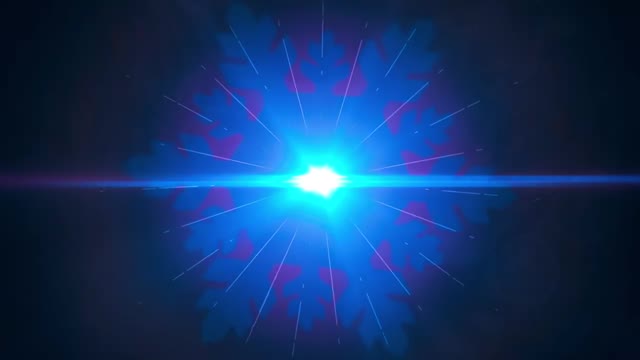
| 00:00–00:04 | Glowing snowflake logo transitions into a character silhouette. | Center-framed, zoom-in. | High-contrast blue glow. | Hook: Establish the winter theme and mystery. |
| 00:04–00:07 | Text: "The night shines brighter when she sings..." | Static text with aurora background. | Soft, ethereal purple/blue. | Narrative: Set the emotional tone. |
| 00:08–00:10 | Full reveal of Kobo Kanaeru with dynamic nameplate. | Medium shot, slight tilt. | Bright, saturated "Idol" lighting. | Persona: Confirm the main star. |
| 00:11–00:45 | Rapid-fire reveal of 16+ guest characters in themed panels. | Fast cuts, sliding transitions. | Vibrant, multi-colored backgrounds. | Social Proof: Build massive hype through scale. |
| 00:46–00:54 | "The moment we've all been waiting for" text + 5-second countdown. | Full-screen text & numbers. | White-out flashes between numbers. | Urgency: Create a "don't miss out" feeling. |
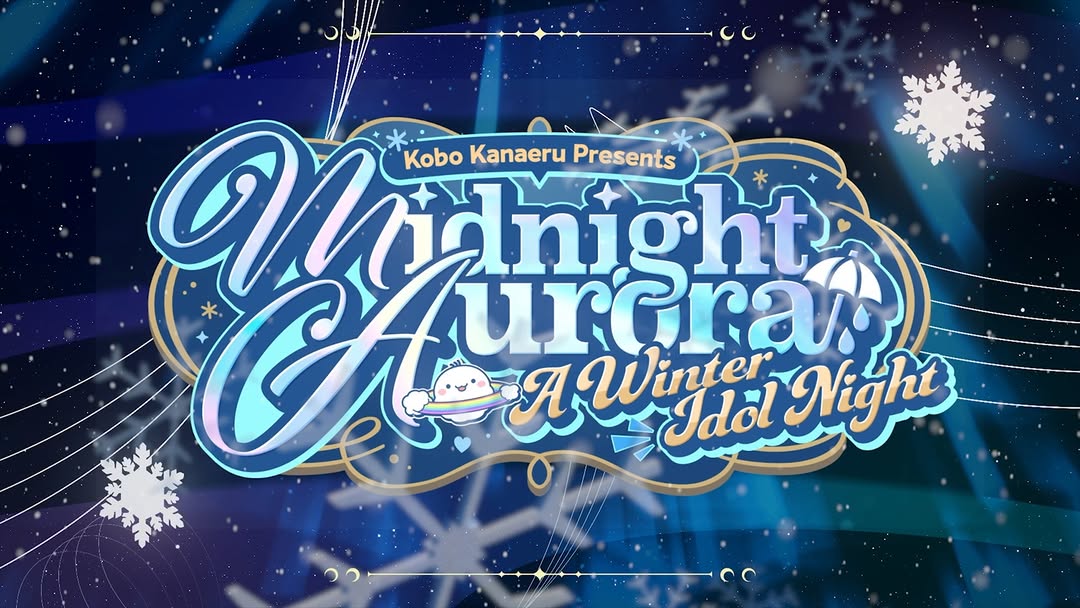
| 00:55–01:02 | Final event logo: "Midnight Aurora." | Static graphic with particle effects. | Deep blue, professional branding. | CTA: Final branding and event name. |
The core of this video's success lies in the "Collaboration Multiplier." By featuring over a dozen guest stars (all popular VTubers in their own right), the creator essentially "borrows" the attention of 16 different fanbases. Each guest reveal acts as a micro-hook for a specific sub-community, encouraging them to share the video to celebrate their favorite character's appearance. Psychologically, this triggers the "Fear Of Missing Out" (FOMO) and the "Bandwagon Effect"—if everyone is going to be there, the viewer feels they must be there too.
From a platform perspective, the video is optimized for high retention. The average shot length is less than 1.5 seconds during the guest reveal section. This "information density" forces the viewer to re-watch the video multiple times to catch every detail or find their favorite character, which signals to the Instagram/TikTok algorithm that the content is highly engaging. The use of a countdown at the end further increases watch time by providing a clear, rhythmic conclusion that viewers are biologically inclined to finish.
"anime girl, blue hair, winter idol outfit, consistent facial features, high-resolution 2D render".Option 1: The Hype Builder
The countdown is officially ON! ❄️ [Event Name] is happening in just 24 hours. You saw the guest list... who are you most excited for? See you on the stream! 🎤 #EventName #CreatorName
Option 2: The Mystery/Tease
The night shines brighter when we're all together. ✨ Can you spot all 16 guests in this video? Comment below if you found your oshi! 👇 #VTuber #3DReveal
Option 3: The Direct Invite
You're invited to the [Event Name]! 3D, music, and a few surprises you definitely didn't see coming. 12.12.2025. Don't be late. ⏰ #SaveTheDate #WinterIdol
Option 4: The Community Shoutout
Huge thanks to all the legends joining me for this one. 💙 This is more than just a birthday; it's a thank you to all of you. Who's ready? #CommunityLove #GrowthMindset
After Effects for the motion graphics and CapCut for the rhythmic beat-syncing.
"Aurora," "Motion-graphics," and "Flat-color-anime."
You need to use a LoRA (Low-Rank Adaptation) or a consistent Character Reference (Cref) in Midjourney.
Overlay real "film grain" or "particle" textures and use manual typography instead of AI-generated text.
TikTok favors the high-energy music sync, while Instagram favors the high-quality "Aesthetic" visuals.