Fave look? 💃🏿 #aibaddie
Fave look? 💃🏿 #aibaddie
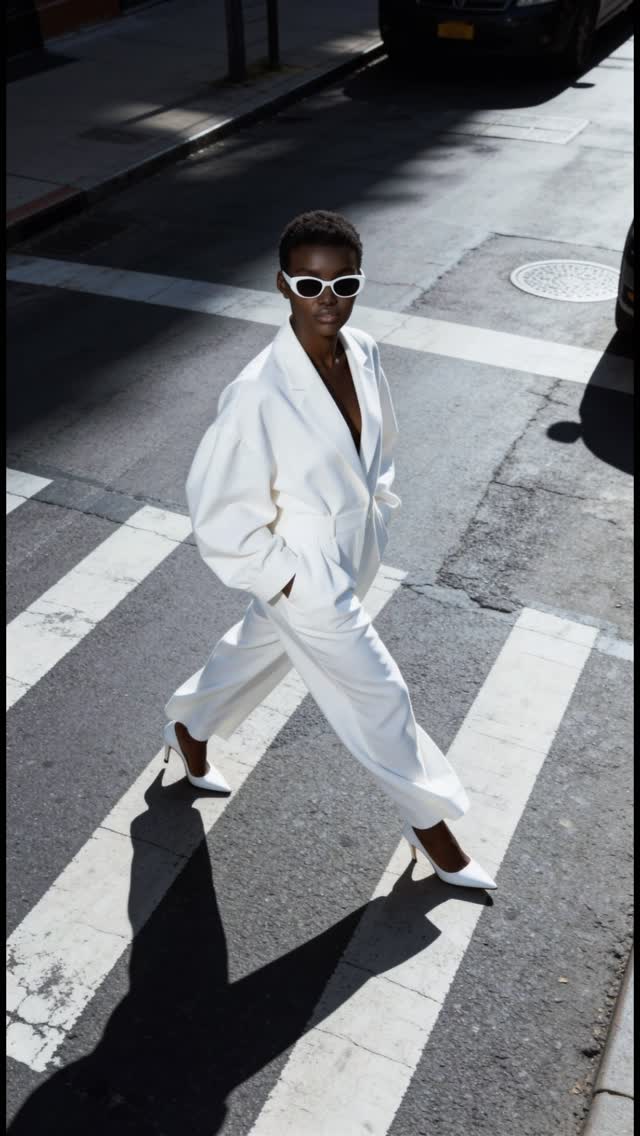
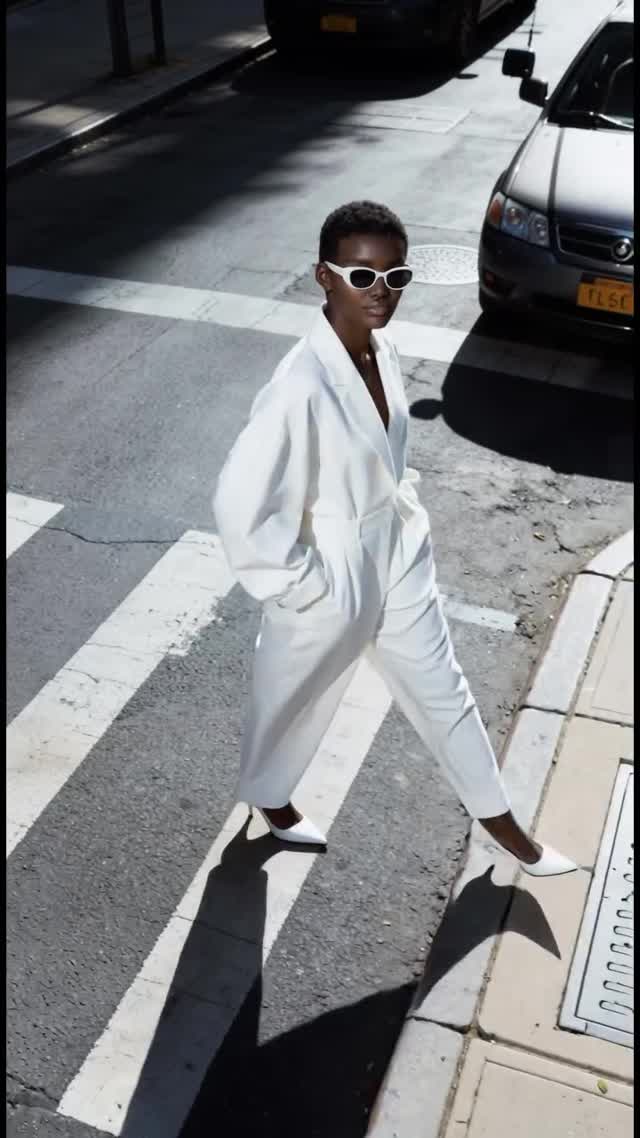
This image looks like a fashion campaign, but the ingredients are surprisingly repeatable: one strong silhouette, one clean background, one brutal light source, and a camera angle that turns a street into a graphic design.
There’s a quiet flex happening here. The subject isn’t performing for the camera—she’s moving through the frame like the camera just happened to catch her. That “caught mid-stride” feeling reads as real, but the styling reads as intentional. The tension between casual motion and razor-clean tailoring creates instant intrigue.
The other hook is contrast. A pure white suit against rough gray asphalt is an automatic thumbnail win. Add the long, crisp shadow and suddenly the street becomes a stage. You don’t need a complicated set; you need a simple set that looks designed.
Even the caption vibe (“Fave look?”) fits the frame: it invites a quick opinion, which pulls comments, while the image does the heavy lifting. The audience can “get it” in half a second, and still linger to study the details.
| Signal | Evidence (from this image) | Mechanism | Replication Action |
|---|---|---|---|
| High-contrast silhouette | Pure white suit against gray asphalt | Instant legibility at thumbnail size; “luxury” read | Lock a 2-color palette: white outfit + neutral ground; avoid busy backgrounds |
| Graphic geometry | Crosswalk stripes form strong diagonals | Built-in composition; lines guide the eye through the subject | Choose a background with bold lines (crosswalk, stairs, tiles) and align the walk path diagonally |
| Hard light with a long shadow | Sharp, extended shadow across the stripes | Adds drama and “designed” depth with one light source | Use “hard midday sun, crisp long shadow” and correct drift by re-stating shadow direction |
| Authority styling | Oversized blazer + wide-leg trouser + pointed heels | Signals confidence and taste; makes motion feel editorial | Keep the silhouette: oversized shoulders + long trouser line + pointed footwear |
Recipe 1: “Crosswalk to Staircase”
Keep: top-down angle, hard daylight, long crisp shadow, monochrome outfit
Change: replace crosswalk with clean concrete stairs; add a single railing line
Slot template (EN): “{top_down_angle} {monochrome_outfit} walking {location_lines} hard_sun long_crisp_shadow”
Recipe 2: “White Suit, Different City Texture”
Keep: pure white tailoring, confident mid-stride pose, sunglasses
Change: swap asphalt for stone tiles / terrazzo / a parking-lot pattern
Slot template (EN): “{subject} in pure_white_suit {pose_mid_stride} on {ground_texture_pattern} high_angle hard_midday_sun”
Recipe 3: “Shadow as the Hero”
Keep: sharp shadow direction and length, clean background
Change: swap the outfit color to all-black; make the shadow the main graphic element
Slot template (EN): “{monochrome_outfit_color} editorial_street_photo {hard_sun} {very_long_sharp_shadow} minimal_background”
The first thing you feel is structure. The oversized blazer gives the upper body a strong shape, while the wide-leg trousers create a clean, uninterrupted line through the stride. That combination reads “fashion” even before you notice any details. Then the frame does something clever: it turns the street into a minimalist studio backdrop. The asphalt is just texture, the crosswalk is just geometry, and the subject becomes the only real object worth looking at.
The lighting is intentionally unforgiving. Hard sun creates a sharp shadow with a clear edge, which looks graphic and decisive—almost like a design element you’d add on purpose. Because the palette is basically white and gray, your brain focuses on form: shoulder width, trouser volume, heel shape, and the clean oval sunglasses. The high angle adds distance and authority, making the subject feel like the center of a composed scene rather than a random snapshot.
| Prompt chunk | What it controls | Swap ideas (EN, 2–3 options) |
|---|---|---|
| “monochrome oversized white suit” | Silhouette + luxury read + palette simplicity | “all-black leather suit”, “cream linen suit”, “red monochrome pantsuit” |
| “high-angle top-down street photo” | Perspective, vibe (editorial vs casual), background simplification | “low-angle street photo”, “eye-level candid”, “rooftop high-angle” |
| “crosswalk stripes as strong diagonals” | Leading lines + graphic composition | “stair steps diagonals”, “tiled plaza grid”, “parking lot lines” |
| “hard midday sun, long crisp shadow” | Drama, contrast, perceived intentionality | “soft overcast light”, “golden hour backlight”, “neon night shadow” |
| “mid-stride, hands in pockets, looking up” | Motion, confidence, camera relationship | “standing still, hands crossed”, “turning back over shoulder”, “running stride” |
| “clean minimal asphalt background” | Noise control and readability | “wet reflective street”, “brick sidewalk”, “smooth concrete” |
editorial street-style fashion photo, high-angle top-down shot,
{subject} wearing {monochrome suit}, {pose mid-stride},
{ground with bold lines}, hard midday sun, long crisp shadow,
minimal background, photoreal, crisp detailChange only 1–2 knobs per run. If you change outfit, angle, and lighting in the same attempt, you’ll never know what actually caused the result to drift.