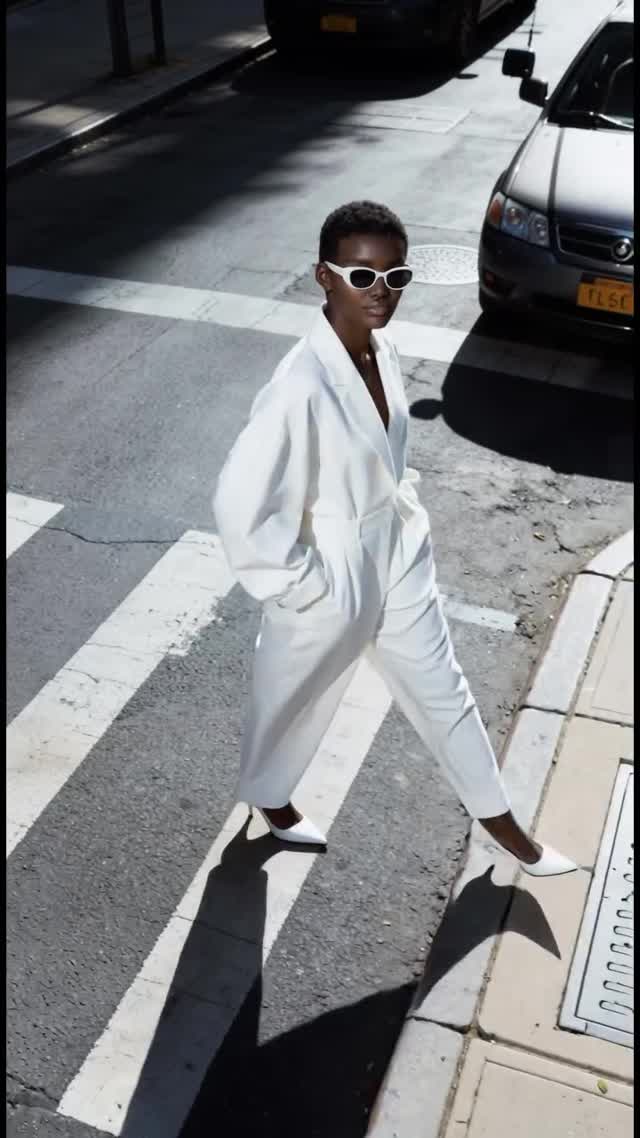
▶
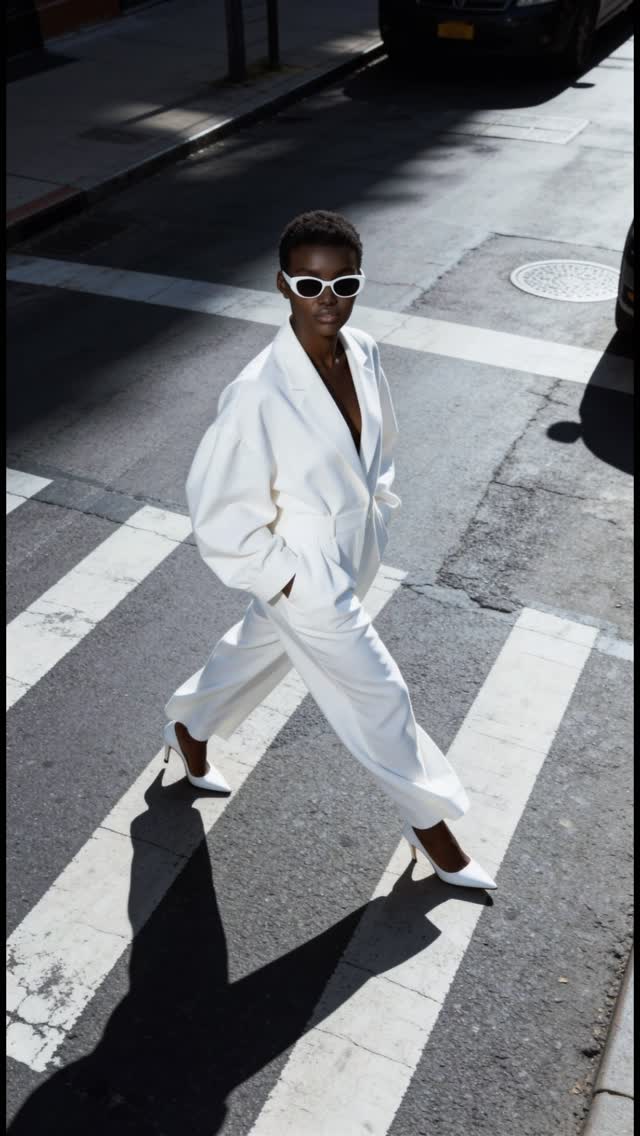
Fave look? 💃🏿 #aibaddie
Fave look? 💃🏿 #aibaddie
This 10-second Instagram Reel by @shudu.gram is a masterclass in the "cinematic editorial portrait" style, specifically tailored for the AI fashion niche. The video features a hyper-realistic virtual Black female model executing a flawless, continuous runway walk down a city street. What makes this piece visually arresting is the combination of a consistent high-angle tracking shot, harsh, direct sunlight that casts deep, dramatic shadows, and seamless match-cut outfit transitions every two seconds. The creator uses the geometry of the street—white crosswalks, yellow box junctions, blue stripes, and green bike lanes—to create striking color contrasts with the model's wardrobe, which ranges from a crisp white jumpsuit to a feathered pink mini dress. This isn't just a fashion showcase; it's a highly engineered visual loop designed to keep viewers watching multiple times to catch the details of each rapid-fire look.
The video is built entirely around a single, continuous motion: a confident, forward-moving runway walk. The camera acts as a high-vantage observer, positioned at roughly a 45-degree angle looking down, tracking backward at the exact speed of the model. This specific framing eliminates the horizon line, forcing the viewer's eye to focus solely on the subject, her outfit, and the textured asphalt below. The lighting is unapologetically harsh, mimicking high-noon summer sunlight, which is crucial for selling the realism of the AI generation—the crisp, dark shadows anchor the character to the environment. The editing rhythm is relentless but predictable, with hard cuts occurring exactly on the beat of her stride, creating a mesmerizing "paper doll" effect where the environment and outfit change, but the core motion remains locked.
| Time Range | Visual Content | Shot Language | Lighting & Color Tone | Viewer Intent |
|---|---|---|---|---|
| 00:00 - 00:01 | Model in oversized white jumpsuit, white sunglasses, white heels walking on a standard white crosswalk. Parked cars visible. | High-angle tracking shot. Full body framing. | Harsh direct sunlight. High contrast. Cool street tones vs bright white outfit. | Hook the viewer with a striking, high-fashion aesthetic and establish the walking motion. |
| 00:02 - 00:03 | Hard cut. Model in gold embellished mini dress and gold heels walking on a yellow box junction. Brief blur effect at 00:03. | Same high-angle tracking. Match cut on the leg extension. | Harsh sunlight. Warm tones dominating due to the gold dress and yellow street paint. | Deliver the first "wow" transition. The color coordination (gold/yellow) is visually satisfying. |
| 00:04 - 00:05 | Hard cut. Model in pink feather-trim mini dress and pink heels walking on blue painted street stripes. | Same high-angle tracking. Match cut on the step. | Harsh sunlight. High contrast between the soft pink and the vibrant blue asphalt. | Maintain engagement with a drastic color palette shift and texture change (feathers). |
| 00:06 - 00:07 | Hard cut. Model in black slip dress, black trench coat, black heels walking on white stripes and a green bike lane. | Same high-angle tracking. Match cut on the step. | Harsh sunlight. Dark, moody tones contrasting with the bright green street paint. | Introduce a "baddie/matrix" vibe, changing the emotional tone while keeping the format. |
| 00:08 - 00:10 | Hard cut. Model back in the gold embellished dress walking on the yellow box junction. | Same high-angle tracking. Match cut on the step. | Harsh sunlight. Warm tones. | Create a sense of familiarity and prepare the video for a seamless loop back to the beginning. |
From a topic selection standpoint, this video perfectly taps into the intersection of high fashion and the growing fascination with AI-generated influencers. The "lookbook" format is a staple of fashion content, but executing it with a virtual model (@shudu.gram is famously known as the world's first digital supermodel) adds a layer of novelty and tech-curiosity. The video appeals to a broad audience: fashion enthusiasts looking for outfit inspiration, tech-savvy users analyzing the AI generation quality, and general scrollers captivated by the aesthetic. Psychologically, the rapid transitions trigger a dopamine hit—just as you process one intricate outfit, another appears, keeping the brain engaged and preventing the viewer from swiping away.
The character herself is a massive draw. Shudu represents a specific standard of high-fashion beauty—striking features, flawless dark skin, and a commanding presence. Even though she is AI, her "performance" (the confident stride, the slight swing of the arms) mimics top-tier runway models perfectly. This creates a parasocial admiration; viewers aren't just looking at clothes, they are watching a "supermodel" in her element. The lack of facial expressions or dialogue actually works in its favor here, making her a perfect, enigmatic canvas for the fashion.
From a platform perspective, this video is pure algorithm bait. Instagram Reels prioritizes watch time and loopability. The 0-3 second hook is strong because the high-angle perspective is immediately different from the typical eye-level selfie-style UGC. The pacing—changing the visual stimulus every 2 seconds—is perfectly calibrated for short attention spans. Crucially, the continuous walking motion combined with the hard cuts creates a hypnotic rhythm that makes it very easy for a viewer to watch the 10-second clip three or four times without realizing it, sending massive positive signals to the algorithm.
This tutorial is for indie creators wanting to make a seamless AI fashion lookbook.
--cref (character reference) parameter if using Midjourney to generate your base images.#FashionInspo, #StreetStyle, #OOTD (These cast a wide net to general fashion consumers).#VirtualModel, #AIFashion, #DigitalInfluencer (Targets the specific intersection of tech and fashion, capturing the curious audience).#OutfitTransition, #RunwayWalk, #ShuduGram (Captures people looking for specific editing styles or fans of the specific virtual model).Midjourney for generating the consistent base images with harsh lighting, and Runway Gen-3 or Luma Dream Machine for the fluid, continuous walking motion.
"High-angle," "tracking," and "harsh-sunlight" are critical for nailing this specific visual style.
Because the camera is far away and moving; use a character reference image (like Midjourney's --cref) and keep the facial description simple (e.g., "white sunglasses" hides the eyes, making consistency easier).
Focus on the physics of the shadows. Soft, ambient lighting screams AI; harsh, directional lighting that casts a sharp shadow on the ground tricks the eye into believing the subject is physically there.
Instagram Reels currently favors this high-gloss, aesthetic-driven fashion content, while TikTok often prefers more raw, UGC-style talking heads.
You must cut on the action. Find the exact frame where the heel touches the ground in clip A, and make the cut to clip B on the exact frame the heel touches the ground.