Kling 3.0: Complete Guide to Prompts, Style Transfer & Workflow
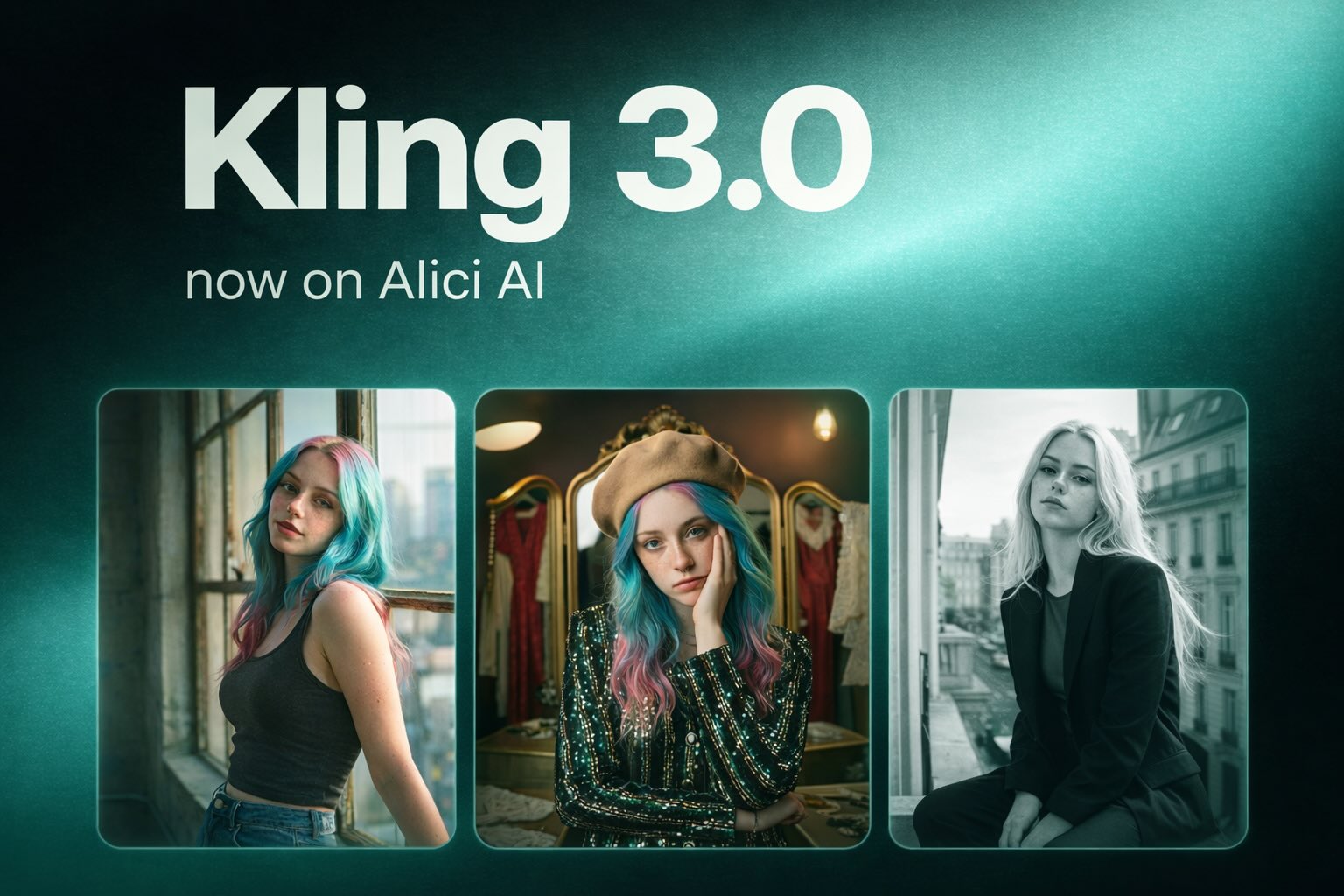
Kling 3.0 lets you build structured video sequences with multi-shot generation, style transfer, and native audio - here's the complete production workflow.
Feb 26, 2026
|
17 min
TL;DR
Kling 3.0 lets you build structured video sequences instead of generating single clips. Define 2-6 scenes with per-scene duration targets (5s / 10s / 15s), establish your character in the first shots, then transition through styles using POV perspective. Native audio generates with motion - up to 90 seconds of directable structured output.
Quick answer: Kling 3.0 lets you build structured video sequences instead of generating single clips. Define 2-6 scenes with per-scene duration targets (5s / 10s / 15s), establish your character in the first shots, then transition through styles using POV perspective. Native audio generates with motion. The result: up to 90 seconds of directable, structured output - at a fraction of traditional production cost.
Key Takeaways
Structure beats prompting. Kling 3.0's multi-shot system lets you design a 2-6 scene sequence with explicit beat intent before generating anything.
POV is the consistency solution. Switching to first-person perspective mid-sequence relieves the model from rendering the character every frame - enabling aggressive style transfers without identity drift.
Native audio is generative, not additive. Describing physical actions and surfaces (concrete, fabric, footsteps) produces better audio cues than writing sound instructions.
Best for: ad creators, TikTok content teams, concept filmmakers, UGC production workflows.
Access: Alici.ai and klingai.com
What Is Kling 3.0?
Kling 3.0 is Kuaishou's third-generation AI video model, released in February 2026. It is available via Alici.ai and klingai.com, and introduces three capabilities that meaningfully change production workflows compared to Kling 2.6:
Capability | Kling 2.6 | Kling 3.0 |
|---|---|---|
Shot structure | Single continuous clip | 2-6 scene multi-shot sequences |
Duration per shot | Up to 5-10s typically | Up to 15s per scene |
Subject consistency | Moderate (single style) | Improved across style transfers |
Native audio | Not available | First-class layer, generated with motion |
Max structured output | ~10s per generation | Up to ~90s (6 x 15s) |
I'm Lucy Alice, Co-Founder of Alici.ai. I test new AI video models the way I test production tools: by building real deliverables with them, then turning what works into repeatable frameworks. I've been running Kling 3.0 against actual ad and TikTok content workflows - here's what actually changed, and what the production workflow looks like in practice.
Multi-Shot Scene Generation in Kling 3.0
Kling 3.0's most important workflow change is scene-based multi-shot generation. Instead of writing one prompt and hoping the clip finds a story, you define the beats of the video before you generate.
Why this matters for ads and social content
The most expensive mistake in AI video production is generating a long clip and then discovering the hook lands at second 8, the product is never clearly framed, and the only usable moment is half a second long.
Multi-shot generation solves this by making you design the edit first:
Scene 1 - Hook: the visual spike that stops a scroll
Scene 2-3 - Stakes: the tension or context
Scene 4-5 - Turn / payoff: the product moment or resolution
Scene 6 - Exit beat: a clean end frame for CTA
Each scene has its own prompt, duration target, and intent. The boundaries between scenes become natural cut points.
Pro Tip: When a hook isn't working, regenerate Scene 1 only - not the entire sequence. That single workflow change cuts iteration time significantly.
The multi-shot prompt structure
Use this pattern for each scene:
What Kling 3.0 does best in multi-shot
Kling 3.0 excels at: fast kinetic action, complex camera reveals, photorealistic textures. It's less reliable at: ultra-close beauty shots, luxury skin detail, precise product label rendering. Design your sequences to play to its strengths.
Style Transfer: How Kling 3.0 Handles Character Consistency
This is the Kling 3.0 capability I keep coming back to for content work. The core challenge it solves: keeping one identifiable character consistent while jumping between radically different visual aesthetics.
The technique has a specific structure - and once you understand it, it becomes a reusable template.
The 4-layer architecture
Every successful style transfer sequence I've run uses this structure:
Establish (Shots 1-2, third-person): Lock the character's face, wardrobe, and emotional baseline in two clear shots.
Enter POV (Shot 3): Switch to first-person perspective. The viewer becomes the character.
World-hop in POV (Shots 4-6): Three consecutive style shifts. Because you're in POV, the model doesn't need to render the protagonist - only the world.
Final break (Shot 7): Switch medium entirely (anime illustration, oil painting, etc.).
The POV transition is the key mechanic. Without it, maintaining character consistency across Shots 4-6 is unreliable. With it, you can push through nearly any style change.
The 7-shot rollercoaster prompt (copy-paste ready)
This is the confirmed template, tested and validated:
Shot 1: A medium shot from behind the head of a blonde woman as she sits in a rollercoaster car. The sky is a vibrant, deep pink and orange sunset. She suddenly turns her head to the side with an expression of intense shock and terror.
Shot 2: A close-up, front-facing shot of the woman in the rollercoaster car. Her hair is blowing wildly in the wind, and her eyes are wide with fear as she screams. The background shows the high-speed motion of the ride against the sunset sky.
Shot 3: A first-person perspective (POV) shot from the front of the rollercoaster as it rapidly ascends a steep, metal track. Below, an amusement park is visible under the glowing evening sky.
Shot 4: A POV shot as the rollercoaster track transforms into a soft, pink fuzzy material. The coaster climbs a bright green, rounded hill populated by a flock of white, fluffy sheep. The sky is bright blue with stylized pink clouds.
Shot 5: A POV shot of the rollercoaster speeding through a futuristic, dark tunnel illuminated by concentric rings of glowing white and pink neon lights. The motion is extremely fast and dizzying.
Shot 6: A POV shot as the rollercoaster emerges into a hyper-realistic New York City street during golden hour. The track runs perfectly straight down the center of the avenue, flanked by towering skyscrapers, with the sun setting directly at the end of the street.
Shot 7: A transition into an anime-style illustration. The woman, drawn in a classic 90s anime aesthetic, is standing up in the moving coaster car with her arms raised in the air. She is screaming in excitement/terror as the sun rays burst behind her and the city skyline.
Blank template - replace the bracketed sections with your own character and worlds:
Kling 3.0 for Advertising: The LTX-Inspired Production Workflow
Most Kling tutorials cover prompting. This section covers production workflow - because that's where repeatable quality actually comes from.
The workflow below is adapted from LTX Studio's production pipeline, applied to AI-native ad creation:
Step 1: Lock your character before writing any story
Define the character like a casting note - one wardrobe anchor, one facial signature, one emotional baseline. You'll use this across every shot. If the character changes between scenes, your ad looks like a collage.
Step 2: Lock a visual style reference
Before storyboarding: commit to a realism level, color palette, and lens language (wide, handheld, slow dolly, golden hour, neon night). This is what makes an ad feel like one world instead of three unrelated scenes.
Step 3: Generate composition variants
Before animating, scout your best camera angle. Generate a 3x3 grid of framing options, pick the strongest still for product readability and text negative space.
You can use Nano Banana Pro on Alici.ai to generate 9 composition variants from a single reference image - then choose the strongest frame before committing to Kling motion.
Step 4: Build your beat map (2-6 scenes)
For a Netflix-style "Escape Reality" narrative:
Real-world setup (candid, believable)
Trigger moment (product activates / portal opens)
High-concept world (Kling 3.0's strength zone)
Return + brand lockup (clean end frame)
Step 5: Iterate rhythm before frame quality
Watch the first pass with sound off (is the story readable?), then with sound on (does pacing feel right?). Only then regenerate the scene that's failing - not the entire sequence.
Pro Tip: Judge the weakest scene, not the whole sequence. Regenerating one scene instead of the full video saves significant generation time and cost.
Kling 3.0 Native Audio: Generate Sound Through Motion
Kling 3.0's native audio changes how early in the process you can evaluate a sequence's pacing.
Before, you'd generate silent video and mentally overlay music to check rhythm. With native audio, sound generates with motion - which means you get an actual read on emotional texture at generation time.
The key technique: write physical actions, not sound instructions
Don't write: "add ambient footsteps" or "include crowd noise"
Do write: surface + material + motion + timing
The Joker staircase prompt is a clean example of this:
Notice what's implicit: concrete steps - footstep resonance. Coat flapping - fabric sound. Cigarette smoke trailing - environmental texture. None of this required a sound instruction - the physics description generates the audio.
The same logic applies to 15-second Kling 3.0 shots. Long clips stay coherent when you describe progression over time: "starts... escalates... lands." Static description gives you static video regardless of duration. This is also why the 15s duration tier is worth using: it rewards structured arcs, not extended single moments.
6 Prompting Rules for Kling 3.0
These are the principles that changed my output quality most - drawn from testing across multi-shot sequences, style transfers, and ad workflows.
Lead with camera angle, then subject, then action. Cinematographer framing first gives the model a reference frame before it fills in details. Think of it as how a director speaks to a DP: "Medium shot, our character, she reaches for the door." The spatial anchor comes first.
Lock the character in the opening shots. Establish them clearly in Shots 1-2. Don't introduce them mid-sequence and expect consistency. Kling 3.0 builds a character model from the first shots it processes - interrupting that with a new description mid-sequence is asking it to reconcile contradictions.
Motion beats styling. Describing movement, timing, and progression outperforms long lists of aesthetic adjectives. "She spins toward camera" is more reliable than "cinematic, dramatic, emotional, high-production-value." The model executes physics better than it interprets vibes.
Use POV for style transitions. Moving through aggressive style changes in first-person significantly reduces consistency drift. The model stops having to render a specific face and body through a foreign aesthetic - it only has to move the camera through a new world.
Earn your duration. If you're using Kling 3.0's 10-15s tier, write an arc: initiation - escalation - resolution. A 15-second static description wastes the generation budget. If your prompt doesn't have a beginning, middle, and end, neither will your clip.
For image-to-video: lock first, then move. Treat the reference image as a frozen frame, then prompt the camera reaction and motion around it - not the subject description. The subject is already defined by the image; your job is to tell the camera how to respond.
When rules break down
These rules hold across most prompt types, but Kling 3.0 can surprise you. When a generation produces something unexpected and better than what you planned, study what deviated - that deviation often becomes a new technique. The model has aesthetic tendencies that aren't fully documented; field testing is still the most reliable research method.
Start-to-Finish: Creating Your First Kling 3.0 Video
Here's the practical sequence for getting from zero to a usable output:
Decide the output type. Ad beat sequence, TikTok hook, or cinematic vignette - each has a different scene count and beat structure.
Write a beat map (2-6 scenes). Label each scene's job: Hook / Build / Turn / Payoff / CTA.
Draft per-scene prompts. Camera angle + action + environment first for each scene.
If compositional clarity matters, generate variants first (using Nano Banana Pro or a similar grid tool). Pick the strongest still before animating.
Generate the sequence. Watch once with sound off (story readability), then once with sound on (pacing and texture).
Regenerate only the weakest scene. Don't restart the full sequence unless the visual style anchor is fundamentally wrong.
Export. Add text overlays, brand lockup, and aspect ratio trims.
Who Should Use Kling 3.0?
Use case | Fit | Why |
|---|---|---|
Performance ad creators | Strong | Beat-mapped structure + fast iteration |
TikTok content creators | Strong | Multi-shot hooks, native audio for rhythm |
Concept filmmakers / storyboarders | Strong | Cheap pacing + camera exploration |
UGC production workflows | Good | Character-consistent multi-shot |
Beauty / luxury close-up detail | Partial | Less reliable for ultra-close skin detail |
Single static-to-motion clips | Alternatives exist | Older tools may be faster for simple use |
How Kling 3.0 Compares to Other AI Video Tools
Choosing the right tool depends on your output type and workflow. Here's where Kling 3.0 sits relative to the main alternatives as of February 2026. For a broader look at the full AI video landscape - including pricing tiers and ranked recommendations - see our best AI video generators guide:
Kling 3.0 | Sora 2 | Runway Gen-4.5 | LTX-2 | |
|---|---|---|---|---|
Multi-scene structure | 2-6 scenes native | Single prompt | Requires concatenation | Single prompt |
Max clip duration | ~90s (6 x 15s) | ~20s | ~10s | ~5s |
Native audio | Generated with motion | Silent output | Silent output | Silent output |
Subject consistency | Good across styles | Strong (single style) | Strong (single style) | Moderate |
Generation speed | Minutes | Minutes | Minutes | Seconds |
API access | fal.ai | Limited / waitlist | Runway API | Open access |
Best for | Structured ad sequences, TikTok multi-shot | Cinematic single takes | Photorealistic scenes | Rapid concept iteration |
The honest read: Sora 2 still produces the most cinematic single-take footage. Runway Gen-4.5 is the strongest for photorealistic close-ups. LTX-2 is the fastest way to test a concept before committing.
Kling 3.0's structural advantage - multi-shot native sequencing with audio - is unique in this group. If your workflow requires telling a story across scenes rather than hoping one clip contains an edit, Kling 3.0 is currently the only tool that makes that a first-class operation.
Note: Capabilities across all models are evolving rapidly. This comparison reflects available information as of February 2026. For a comprehensive breakdown covering more tools, see our full AI video generator comparison.
Final Verdict
Kling 3.0 is the first version of Kling I'd recommend for building a repeatable production workflow - not just for generating one impressive clip.
The shift isn't in any individual feature. It's in what becomes possible when you have scene structure, duration control, and native audio in the same generation. You can finally design a sequence before you build it - and that changes how much of your creative time goes into the prompt versus the edit.
For ad work specifically, the beat-mapping workflow I outlined above has become my default approach. I'm generating fewer clips overall and getting more usable output per generation. The iteration loop tightens: write the story, generate the structure, fix the weakest scene, done. That's a workflow, not a luck exercise.
For TikTok content creators and UGC producers: the learning curve is real, but the ceiling is genuinely higher than what single-clip generation allows. Start with the 4-scene beat map and the 7-shot rollercoaster template. Those two patterns alone will show you what the model can do.
Frequently Asked Questions
What is the difference between Kling 3.0 and Kling 2.6?
Kling 3.0 introduces scene-based multi-shot generation (2-6 scenes per video), per-shot duration control up to 15 seconds, improved subject consistency across style changes, and native audio generation. Kling 2.6 was primarily a single-clip generation model without structured scene boundaries.
How many scenes can I use in Kling 3.0?
Kling 3.0 supports up to 6 scenes per video, with each scene supporting duration targets of 5s, 10s, or 15s. This enables up to approximately 90 seconds of structured output in a single generation.
How do I keep a character consistent across style changes?
Establish the character clearly in the first 1-2 shots (face, wardrobe anchor, emotion), then switch to first-person POV perspective for the style-transfer shots. POV removes the need to render the character consistently across visual world changes.
How do I get good native audio in Kling 3.0?
Describe physical actions, surfaces, and materials rather than writing sound instructions. "Coat flapping on concrete steps" generates better audio cues than "add ambient movement sound." The model infers audio from physics descriptions.
Is Kling 3.0 good for advertising?
Yes, particularly for ads that require controlled beat structure (hook - escalation - payoff), fast action shots, or complex camera reveals. It's less reliable for ultra-close beauty shots or luxury skin detail - plan your ad structure around its strengths.
Which AI video tool should I use if I don't need multi-shot sequencing?
Kling 3.0's strength is structured scene-based output. If you need a simpler single-clip workflow, faster generation, or photorealistic close-ups, other tools may be a better fit. See our full AI video generator comparison for recommendations by use case.
Where can I access Kling 3.0?
Kling 3.0 is available on Alici.ai .
About the Author
Lucy Alice is Co-Founder of Alici.ai, where she builds AI video workflows for creators and performance marketing teams. She tests new generative video models as production tools - not demos - and turns what works into repeatable frameworks.
Follow her @x or @Instagram
Testing methodology note: Observations reflect workflow validation across multi-shot sequences and ad production use cases. Individual results will vary based on prompt quality, subject complexity, and target output duration.
🎁
Limited-Time Creator Gift
Start Creating Your First Viral Video
Join 10,000+ creators who've discovered the secret to viral videos