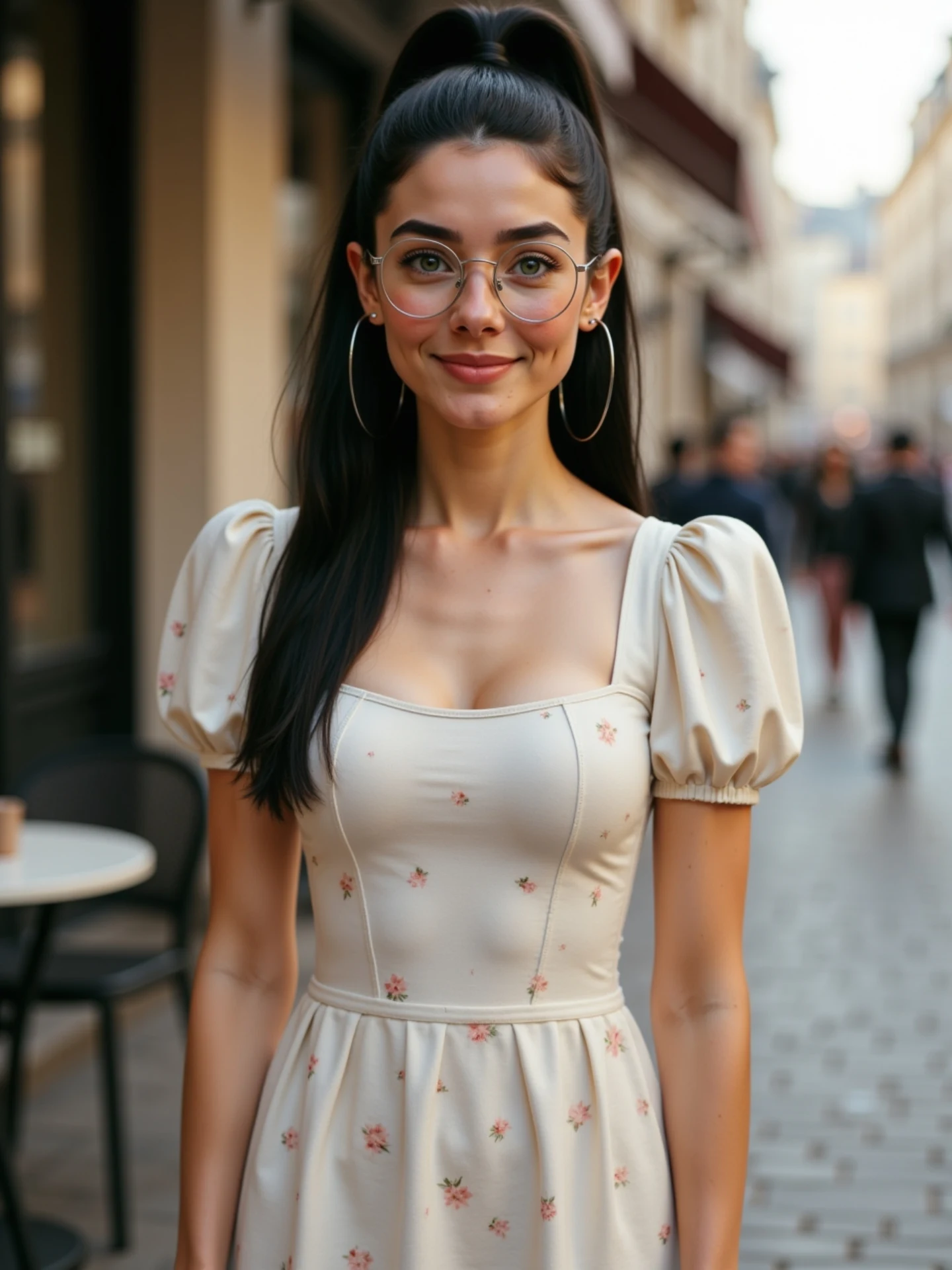
🙄 Una imagen, diferentes emociones. Sin vídeos. Sin grabar nada. Solo IA. Y sí, todas soy yo. 🤭 Me río, me pongo seria, me sorprendo… Todo a partir de una sola foto. Animada con IA desde @freepik y con un poquito de magia ✨ He preparado una guía con todas las expresiones para que tú también puedes animar las tuyas. 💬 Comenta “Emociones” y te la paso por DM.
How soy_aria_cruz Made This Photo Emotions AI Video and How to Recreate It
One-line summary
This short AI portrait video proves that one still image can become multiple emotions: the camera stays fixed on a woman in a cream puff-sleeve dress standing on a softly blurred street, while her expression, head angle, and hand-to-hair gesture evolve just enough to feel alive, making the clip perfect for creators searching for "animate one photo with AI" workflows.
What You're Seeing
Subject and styling
The subject looks like a polished influencer portrait: round glasses, hoop earrings, long dark ponytail, and a cream fitted dress with puff sleeves. The styling is soft, feminine, and clean, which matters because the whole video depends on the face and upper-body silhouette staying attractive while tiny emotional changes do the work.
Environment and framing
The background is a warm outdoor street with soft storefront color and pedestrian blur. Nothing dramatic happens behind her. That is exactly why the video works. The frame removes distraction so the viewer notices the emotional variation instead of chasing scene changes.
Motion design
This is not an action clip. The camera is static, and the body motion is restrained. The animation comes from facial shifts, slight head tilts, eye focus changes, and a final hand gesture toward the hair or glasses. That makes the result feel like a living photo rather than a completely re-generated scene.
Lighting and texture
The lighting stays soft and flattering across the entire shot. Skin tone remains warm and even, the dress texture stays readable, and the street behind her keeps a creamy shallow-depth background. That consistency is the key to making single-image animation feel elegant instead of glitchy.
Shot-by-shot breakdown
Estimated timeline based on the source clip:
| Time range | Visual content | Shot language | Lighting and color tone | Viewer intent |
|---|---|---|---|---|
| 00:00-00:01 | Neutral portrait setup with centered subject and soft street blur. | Static medium portrait frame. | Warm daylight, natural skin, creamy background. | Establish the original still-photo baseline. |
| 00:01-00:02 | Smile grows slightly and eye contact feels more direct. | No camera movement; emotion becomes the motion. | Same soft portrait light for continuity. | Show that the image is starting to "wake up." |
| 00:02-00:03.1 | Head tilt and expression shift suggest a second emotion. | Still one shot, but with a new emotional beat. | Background remains stable so the face stays primary. | Demonstrate range from a single source image. |
| 00:03.1-00:04.2 | One hand rises toward hair or glasses. | Micro gesture adds realism without breaking the portrait feel. | Soft highlights keep the gesture delicate. | Increase realism and save-worthiness. |
| 00:04.2-00:05.04 | Final warm portrait moment with hand near the face. | Loop-friendly still finish. | Warm-neutral edit holds the premium lifestyle look. | End on the strongest "living photo" frame. |
How to Recreate
Who this format is for
This is ideal for creators who do not want to film, for faceless tutorial accounts, and for AI beginners who only have still images. It is also a strong format for beauty, fashion, and personal-brand accounts because the result keeps a portrait-first look.
Step-by-step production checklist
- Start with a high-quality portrait photo that already looks like a polished cover image.
- Lock the face, glasses, hair, and outfit in your prompt so the model does not drift.
- Choose a background with soft depth of field and low distraction.
- Ask for 3-4 specific emotional beats rather than vague "be expressive" language.
- Keep the camera static so the motion budget goes into the face and upper body.
- Add one tiny gesture near the hair or glasses to break the stillness naturally.
- Do not over-animate the mouth or eyebrows or it will stop looking like the same person.
- Export a short 4-5 second sequence so each emotional beat is readable.
- Use the clearest "living photo" frame as your cover image.
- Publish with a tutorial angle that highlights the single-image workflow.
Copy-ready prompt spine
Vertical 3:4 AI portrait animation from one still image, young woman with round glasses and long dark ponytail, cream puff-sleeve dress, softly blurred warm street background, static medium portrait framing, subtle expression changes from neutral to smile to playful curiosity, one gentle hand-to-hair gesture, soft flattering daylight, realistic influencer-photo look, no cuts, no audio.Replaceable variables
You can swap the dress style, glasses, city background, and emotional sequence while keeping the same structure. For example, a soft smile can become a serious editorial look, or the hand-to-hair gesture can become a chin touch or a glasses adjustment.
Common failure points and fixes
If the face morphs too much, the prompt is asking for too many emotions too fast. If the portrait feels dead, the emotional beats are too similar. If it stops looking realistic, the problem is usually exaggerated mouth motion. Keep everything subtle and specific.
Growth Playbook
Three opening hook lines
- You can get multiple emotions from one photo with AI.
- No video shoot, no camera, just one image and a better prompt.
- If your AI portraits still feel frozen, try this expression-animation format.
Four caption templates
- Template 1: One photo, different emotions. This is one of the easiest AI video formats if you want motion without filming. Want the expression guide?
- Template 2: I animated a single portrait and kept the same identity the whole time. The trick is asking for emotional beats, not random movement. Should I share the prompt?
- Template 3: This is what happens when you treat AI animation like portrait direction instead of video direction. Small face changes, one hand gesture, and the image comes alive. Would you try this?
- Template 4: If your AI portraits look static, stop adding scene changes and start adding better expressions. This workflow works from one photo only. Want the breakdown?
Hashtag strategy
Broad: #aivideo #aiportrait #aitools #contentcreator. These catch the biggest educational and creator-intent buckets.
Mid-tier: #photoanimation #portraitanimation #aifreepik #expressionedit. These are closer to the actual use case and are better for users searching by workflow.
Niche long-tail: #animateonephoto #singleimageanimation #aiportraitemotions #freepikexpressionvideo. These help target creators who are searching for this exact result.
FAQ
What makes this work from just one photo?
The frame stays stable, so the model only has to animate emotion and micro gesture instead of rebuilding a whole scene.
Why do AI portraits drift when I animate them?
Usually because the prompt asks for too much movement instead of small, controlled expression changes.
Is a static camera better for this format?
Yes, because it keeps all the viewer attention on the face and makes identity consistency easier.
What is the most important prompt phrase here?
Single-image portrait animation with subtle expression changes is the core instruction.
Do I need audio?
No, this format can work silently because the transformation is visual and self-explanatory.
How many emotions should I ask for?
Three or four clear emotional beats are usually enough for a clean 5-second clip.
What gesture should I test first?
A small hand-to-hair or glasses-touch gesture is usually the safest and most realistic starting point.