8 Best AI Dance Video Generators in 2026 (I Tested Them All)
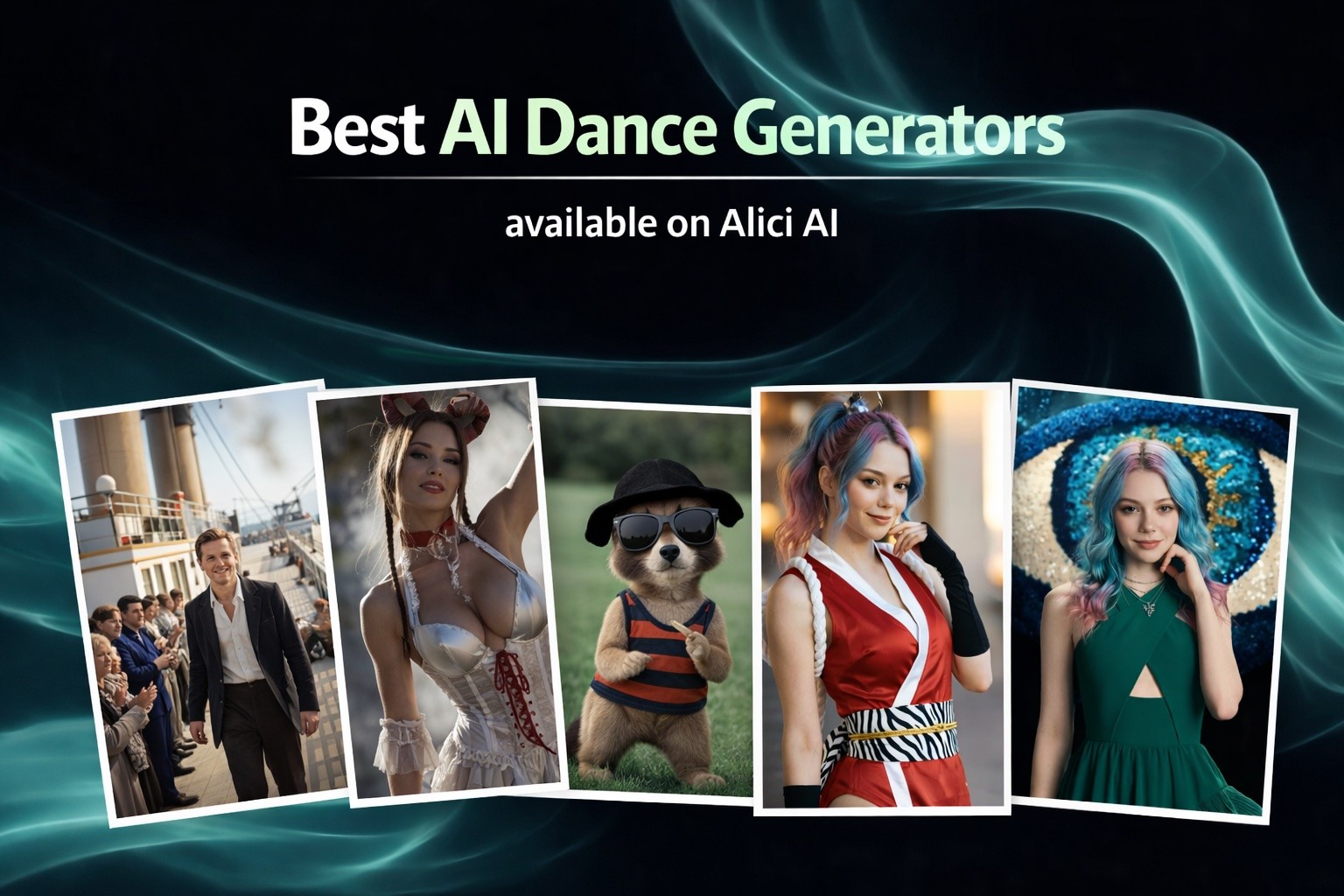
I tested 8 AI dance video generators across Alici AI, Viggle, Kling 3, Seedance 2, Hailuo, HeyGen, Media.io, and FreeBeat. Includes free options, pricing, photo-to-dance tutorials, and creator formula breakdowns.
|
18 min
TL;DR
The best AI dance video generators in 2026 are Alici AI for multi-model access and creator research, Viggle AI for character animation, Kling 3 Motion Control for realistic dance transfer, and Seedance 2.0 for beat-synced choreography. Five of eight tools have free tiers.
Dance content has racked up 181 billion hashtag views on TikTok, claiming 28% of all views with an average engagement rate of 11.3% - nearly 3x the platform average. The AI video generation market hit $788 million in 2025 and is projected to reach $3.4 billion by 2033. And tools like Viggle AI have already crossed 40 million users in under two years. This isn't a niche anymore - it's a full content category. Whether you're looking for an AI dance video maker, a photo-to-dance animation tool, or a TikTok dance filter app, the options in 2026 are better (and cheaper) than ever.
I've spent the last three months studying how top AI dance creators build their workflows - analyzing 30+ creators on Alici Formulas, including specialists like the Kling 3 Motion Control showcase creators who've cracked viral dance transfer. That research, combined with generating 50+ dance clips myself, is what this guide is built on.
Quick Answer
I generated over 50 dance clips across 8 platforms to find which AI dance tools actually deliver. Alici AI is the best overall because you get Kling 3, Seedance 2, Hailuo, and more from one dashboard - I used it to A/B test every tool on this list. Viggle AI wins for character dance animation. Kling 3 Motion Control produces the most realistic movement. And Seedance 2.0 is the new favorite for beat-synced choreography.
If you just want to make a dance video right now: start with Alici AI's Dance Generator - you can try multiple models in one session and keep whichever output looks best.
Ready to make AI dance videos? Try Alici AI's Dance Generator - access Kling 3, Seedance 2, Hailuo, and more in one platform. No downloads required.
Key Takeaways
Alici AI is the most efficient way to find your best dance model. No single AI engine wins every dance style - Kling 3 leads on motion quality, Seedance 2 leads on beat-sync, Hailuo leads on style presets. Alici AI puts them all in one dashboard so you can A/B test with the same prompt and keep the winner. That workflow alone saved me hours on every project.
Kling 3 Motion Control is a generation leap for dance. I've tested MC since Kling 2.6 - version 3 finally solved the "ice skating feet" problem with real weight transfer.
Seedance 2.0 is the 2026 breakout. ByteDance's quad-modal input (images + videos + audio + text) makes it the first tool where music actually drives the dance. I covered it in our Kling 3 vs Seedance 2 comparison.
Viggle AI dominates character animation - it's the fastest path from "photo" to "dancing character" and the free tier is generous for social content.
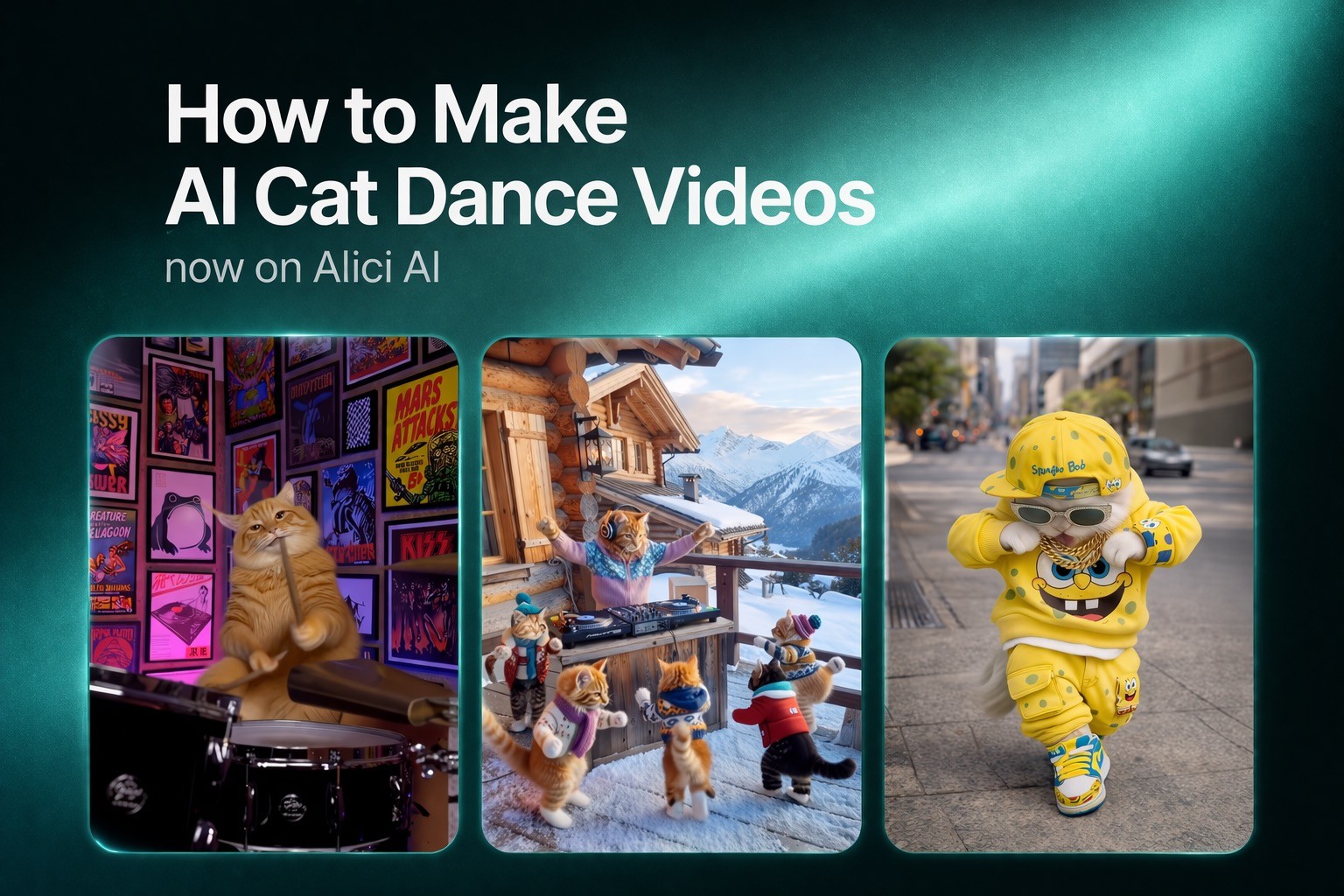
AI pet dance is exploding. "AI cat dancing" gets 1,600 searches/month with near-zero competition. I'm covering this in a dedicated cat dance guide next.
This is a real revenue channel. TikTok creators earned $4.1 billion in 2024, and dance content gets 3x the average engagement rate. AI dance tools lower the production barrier to near-zero.
Budget matters less than you think. Five of these eight tools have meaningful free tiers. The real cost is time spent learning each interface - which is why aggregators like Alici AI exist.
Quick Comparison (Table)
Tool | Best For | Core Positioning | Price | Free Plan | Limitations |
|---|---|---|---|---|---|
Multi-model dance generation | Kling 3 + Seedance 2 + Hailuo + Formulas research in one platform | From $9.9/mo | Yes (shared credits) | Explore which model fits your dance style | |
Viggle AI | Character dance animation | Motion capture to character pipeline, 40M+ users | $4.99-$31.99/mo | Yes (5/day, watermark) | Character animation only; no realistic video |
Kling 3 Motion Control | Realistic dance transfer | Physics-based motion with weight transfer | Standard ~$10/mo, Pro ~$37/mo | 66 credits/day | Steeper learning curve; slower generation |
Seedance 2.0 | Beat-synced choreography | Quad-modal input (image + video + audio + text) | Points-based (free daily) | 120 pts/day | Facial-photo feature paused; via Dreamina |
Hailuo AI | Dance style presets | K-pop, ballet, hip-hop skeleton framework | Free tier available | Yes | Less motion control precision than Kling |
HeyGen | Professional dance videos | AI avatar-based dance with lip sync | From $29/mo | Limited | Most expensive; avatar-based approach |
Media.io | Quick browser-based dance | Trend templates (baby dance, sway, etc.) | $7.99-$18.32/mo | 3-day trial | Template-dependent; limited customization |
FreeBeat AI | Music-driven dance videos | Beat-matched animation from audio tracks | $9.99/mo standard | Basic | 3D avatar style; smaller community |
Verified as of 2026-03-20
How We Picked & Tested
Disclosure: I'm Lucy, content lead at Alici AI. Alici AI is our product - I include it because I genuinely use it daily as my multi-model hub, but I've been transparent about its limitations throughout. Every other tool on this list was evaluated on its own merits.
I approached this the same way I approach all my tool reviews: generate the same dance concept across every platform, then compare. My test was a 10-second hip-hop choreography clip - the same reference dance I used in my Kling 3 Motion Control guide where I tested it with four streetstyle outfits.
Beyond my own testing, I studied how top AI dance creators actually use these tools. Through Alici Formulas - our research platform tracking 30+ AI virtual influencers - I analyzed which models the highest-performing dance creators choose, how they structure their workflows, and what separates viral dance content from forgettable clips. The Kling 3 Motion Control showcase was particularly revealing: 8 creators, 8 different approaches to dance transfer, and clear patterns in what works. And the Dreamweaver AI "Dirty Dancing" formula breakdown showed me that celebrity-coded dance content gets 7x more engagement than non-celebrity - a data point that shapes how I recommend tools in this guide.
Dimension | Weight | How I Evaluated |
|---|---|---|
Dance Motion Quality | 30% | Generated the same choreography reference across all tools; compared fluidity, physics, and body coherence |
Ease of Use | 25% | Timed my first successful generation on each platform; noted friction points |
Customization & Control | 20% | Tested: can I control dance style, speed, camera, character identity? |
Output Quality | 15% | Compared resolution, artifacts, temporal consistency at the frame level |
Value for Money | 10% | Calculated cost-per-usable-clip across free and paid tiers |
What I noticed: The gap between the best and worst tools is enormous. Kling 3's dance output has realistic weight transfer - feet plant, hips shift, momentum carries through turns. Some tools on other listicles produce what I call "ice skating" - the character moves but doesn't feel grounded. That's the line between "viral" and "uncanny valley."
What didn't work in my testing:
Feeding the same complex choreography to all 8 tools - simpler tools like Media.io and FreeBeat couldn't handle it and produced artifacts after 3 seconds
Expecting photorealistic results from character-animation tools (Viggle) - they're designed for stylized output, not realism
Using Seedance 2 without audio input - it underperforms Kling 3 when music isn't part of the generation
1. Alici AI - Best Overall (Multi-Model Dance Platform)
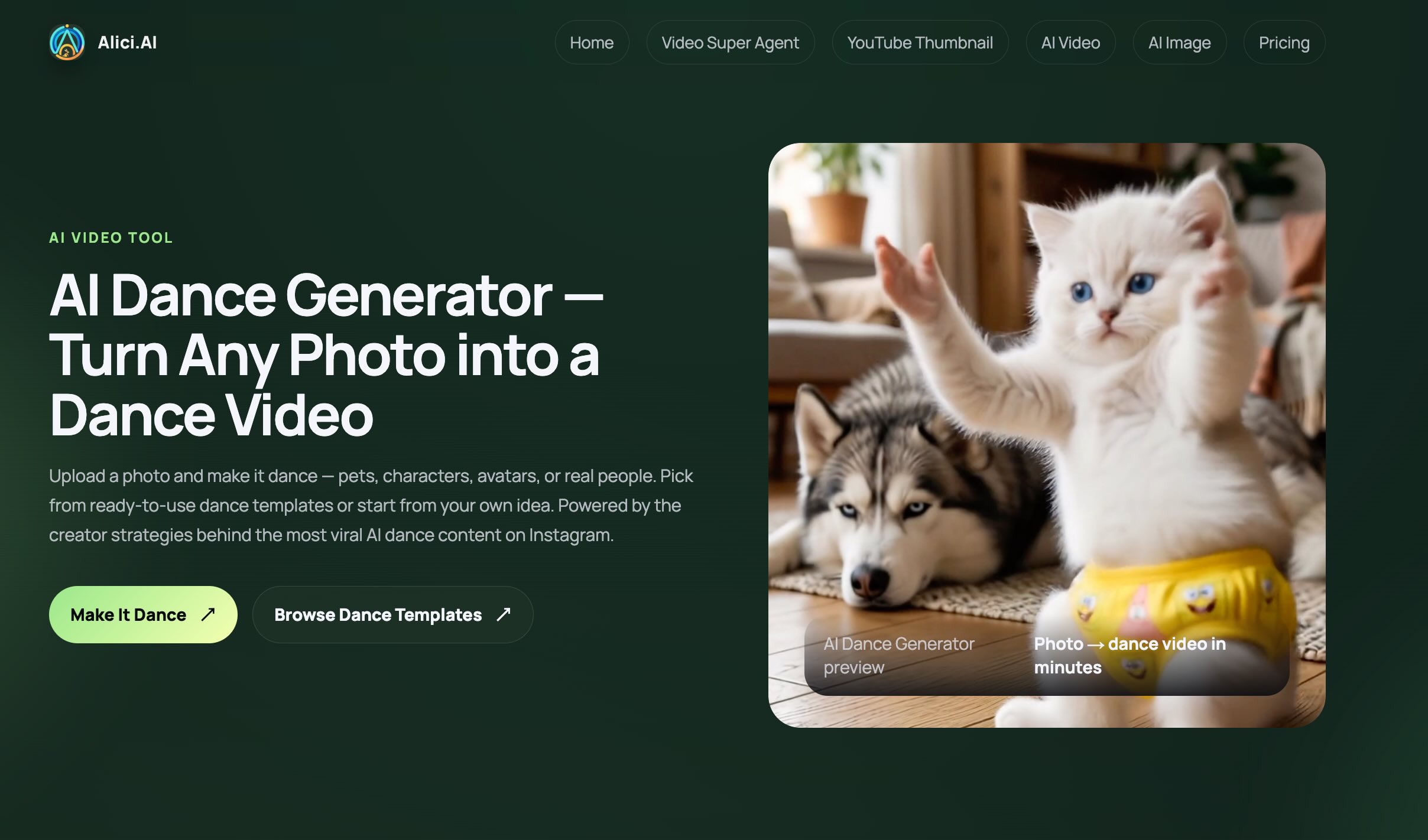
Best for: Creators who want to generate dance videos across multiple AI models without managing separate subscriptions.
Why it stands out: I built my entire dance content workflow on Alici AI because it's the only platform where I can generate the same dance prompt across Kling 3, Seedance 2, Hailuo, and more - then pick the best output. When I was testing for my Kling Motion Control guide, I used Alici AI to run the same reference dance through three different models in one session. That comparison workflow is something no single-model platform can match.
Key features:
Multi-model access - Kling 3, Seedance 2, Hailuo 2, Runway Gen-4.5, Veo 3.1, Wan 2.6 from one dashboard with fully shared credits across all models
AI Dance Generator - dedicated dance generation tool with curated templates for trending dance styles, motion transfer, and beat-synced choreography
A/B comparison workflow - generate the same dance across models, pick the winner. I do this for every project - it's the single biggest quality lever
Formulas research platform - study how 30+ top AI creators build dance content. See real prompts, model choices, and results from creators like those in the Kling 3 Motion Control showcase. Paid users get access to deeper breakdowns, algorithms, and secret formulas
Prompt-writing Agents - built-in AI assistants that help you craft better dance prompts for each model. No learning curve - describe what you want, the Agent writes the optimized prompt
Agent workflows - upload images, scripts, or references and let the AI handle the full pipeline from concept to export
Pros:
One subscription replaces 3-5 separate tool subscriptions with fully shared credits
Access the latest models as soon as they launch (Kling 3 was available on day one)
Lower total cost vs. separate platforms ($9.9/mo vs. $50+/mo combined)
Prompt Agents flatten the learning curve - you don't need to master each model's syntax
Formulas library gives you insider research on what top AI creators actually do
Models keep improving - you automatically get upgrades without switching platforms
Cons:
You're accessing the best models in the market, so exploring which model fits your style takes some initial experimentation
Dance-specific features depend on the underlying model (Kling for motion control, Seedance for beat-sync)
Some advanced Formulas content and creator breakdowns require a paid subscription
Pricing: Free plan with starter credits. Paid plans from $9.9/mo with fully shared credits across all models. See alici.ai for current plans.
Notes / limitations: Alici AI gives you the tools AND the knowledge. The AI Dance Generator handles creation, Formulas handles strategy - which prompts work, which models suit which dance styles, and what the top creators do differently. For a broader look at all available models, see our Best AI Video Generators 2026 roundup.
What I learned from studying top creators:
One example that changed how I think about AI dance content: @dreamweaver_ai_pl (880K Instagram followers) built what I call the "Dirty Dancing Celebrity Formula" - celebrity-coded characters performing iconic dance scenes in unexpected settings. His Dirty Dancing x Squid Game mashup hit 138.6K likes in two weeks using Kling 3.0 Motion Control and a consistent visual identity system. The key insight from his Formulas analysis: celebrity-coded dance videos averaged 44.5K likes versus 6.1K for non-celebrity content - a 7x engagement gap. His production pipeline: Nano Banana Pro for character generation, Kling 3.0 Motion Control for dance animation, CapCut for editing. This is the kind of workflow intelligence you get from the Formulas library - not just what tools to use, but exactly how the best creators combine them.
Bottom Line: Alici AI isn't just a tool - it's a dance content research lab. The multi-model access gets you the best output; the Formulas library teaches you how to consistently get there.
2. Viggle AI - Best for Character Dance Animation
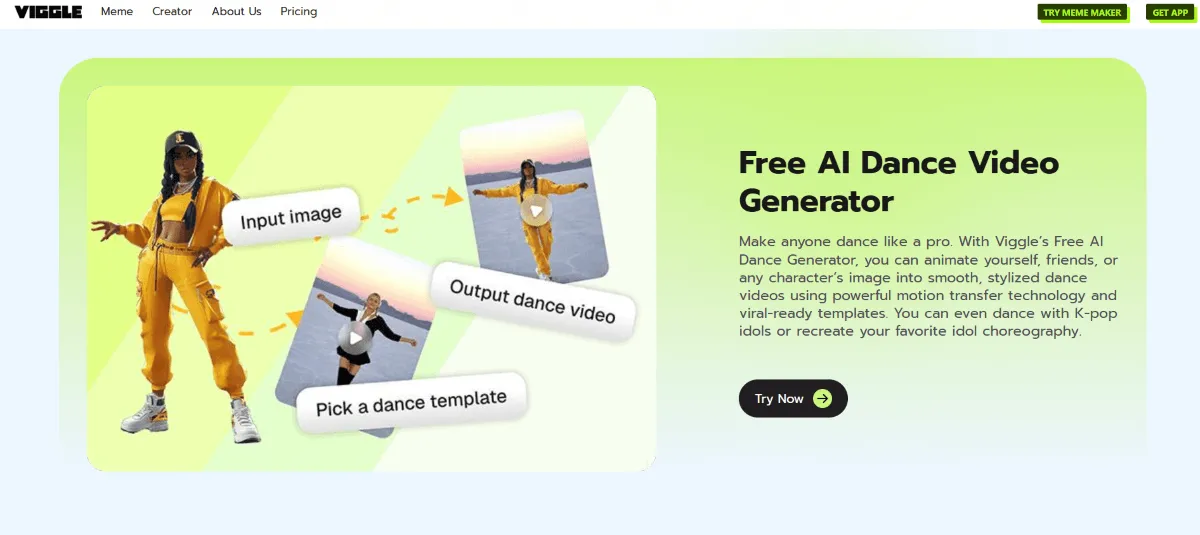
Best for: Creators who want to turn any photo into a dancing character for TikTok, memes, and social content.
Why it stands out: Viggle AI has 40 million+ users and peaked at 6.8M monthly visits - it's essentially the default "AI dance" tool. The reason is simplicity: upload a photo, pick a dance from the library (or upload your own reference), and Viggle animates your character. I used it for quick social content and the results were ready in under 30 seconds. It's not the most realistic, but for character animation, nothing else is as fast.
Key features:
Mix mode - blend a character image into a motion/dance reference video
Move mode - animate a character with dance motion while keeping the original background
Animate mode - text-to-motion generation for characters
Pre-trained dance library - trending TikTok dances ready to apply
Pros:
Fastest photo-to-dancing-character pipeline I've tested
Huge community sharing templates and reference dances
Free tier is generous (5 videos/day)
Output is pre-formatted for TikTok/Instagram vertical video
Cons:
Limited to character/cartoon-style animation - not photorealistic human dance
Pro plans get expensive ($31.99/mo for highest tier)
Privacy concerns - uploaded images retained for model training
Output quality degrades with complex choreography
Pricing: Free: 5 relaxed-mode videos/day (watermarked, 15-day storage). Pro: $4.99-$31.99/mo depending on credits and priority. Check viggle.ai for current plans.
Notes / limitations: Viggle is unbeatable for character dance memes and social content. But if you need realistic human dance - the kind that looks like actual footage - you need Kling 3 Motion Control or Seedance 2 instead. Different tools for different dance styles.
Bottom Line: Viggle is the fastest path from "photo" to "dancing character." I'd give it 90% for character animation speed, 40% for realistic motion quality. Know what you're optimizing for.
3. Kling 3 Motion Control - Best for Realistic Dance Transfer
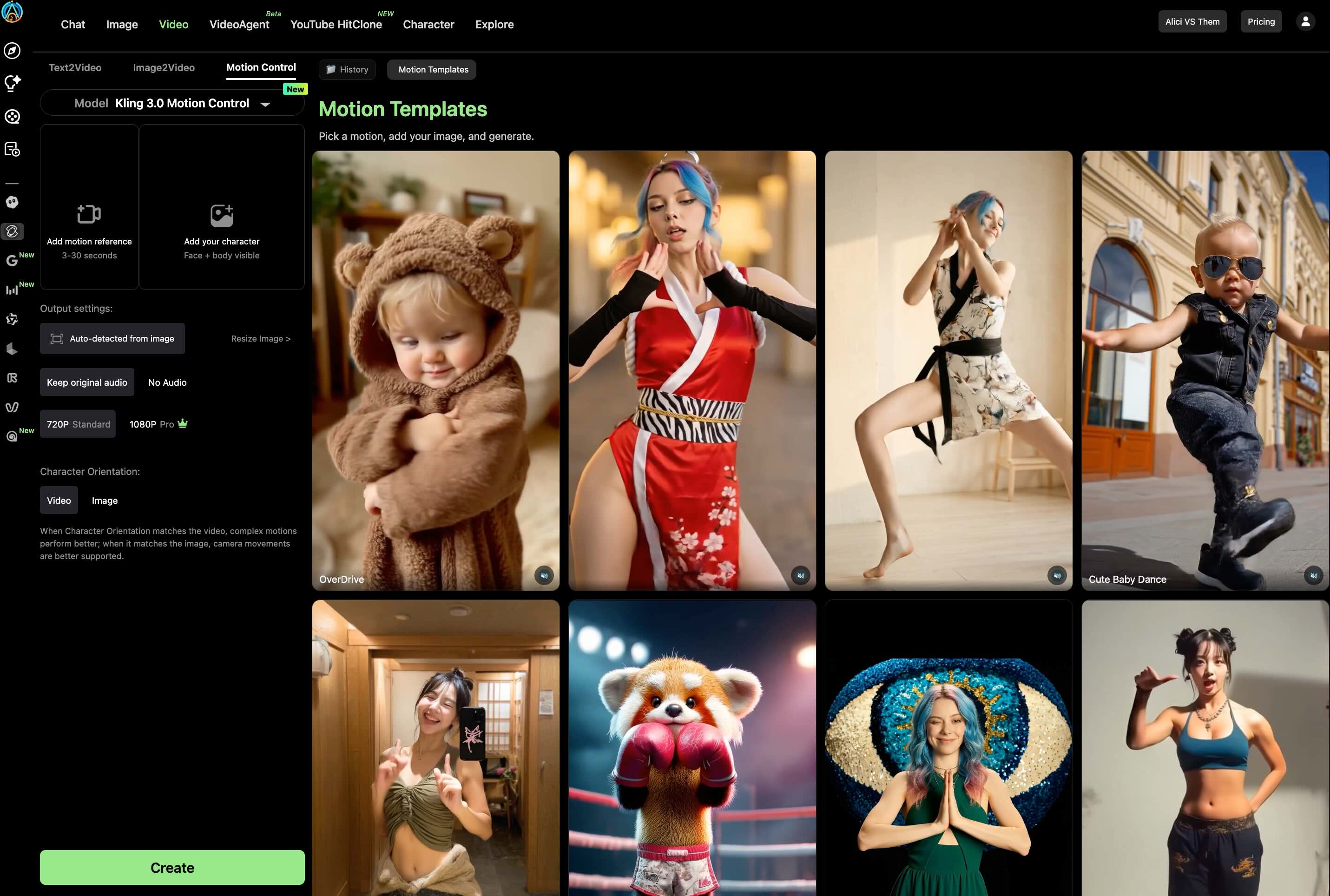
Best for: Creators who need photorealistic dance videos with precise motion control and natural physics.
Why it stands out: I've been testing Kling Motion Control since version 2.6, and the leap to 3.0 is the biggest improvement I've seen in AI dance quality. The "ice skating" problem is finally solved - feet plant, weight transfers through hips, momentum carries through turns. I wrote a complete guide to Kling 3 Motion Control where I tested it with finger dances and four streetstyle outfits. The results held up across all of them.
Key features:
Motion Control - upload a reference dance video, Kling transfers the movement to any character with realistic physics
Element Binding - lock your character's face from multiple angles for identity consistency during complex movement
Scene Source control - choose background from reference video or character image
Up to 30-second clips - longest AI dance generation among tested tools
Pros:
Best-in-class motion quality - weight transfer and physics that look real
Element Binding solves the identity drift problem during fast movement
Handles complex choreography (finger dance, hip-hop, ballet) without style collapse
Available natively at klingai.com and through Alici AI
Cons:
Steeper learning curve than Viggle - you need to understand Element Binding and Scene Source
Slower generation (2-5 minutes per clip)
Pro plan at ~$37/mo is expensive for casual users
Credit costs add up for longer videos (3 credits/second)
Pricing: Free: 66 credits/day (watermarked, 5s limit). Standard: ~$10/mo (660 credits). Pro: ~$37/mo (3,000 credits). See klingai.com for pricing, or access via Alici AI.
Notes / limitations: Kling 3 MC is the most powerful dance tool, period - but it rewards investment in learning the interface. If you want quick TikTok content, start with Viggle. If you care about motion quality, Kling 3 is where you graduate. Our AI Baby Dance tutorial shows how Motion Control powers the 500M+ view baby dance trend on TikTok.
Bottom Line: I'd give Kling 3 MC 95% for motion quality and 60% for ease of use. The 15-minute learning curve for Element Binding is worth every second - it's the difference between "cool AI demo" and "content I'd actually publish."
4. Seedance 2.0 - Best for Beat-Synced Choreography
Best for: Creators who want AI-generated dance that's actually synced to music - not just random movement with a soundtrack layered on.
Why it stands out: Seedance 2.0 from ByteDance represents the next step in AI choreography generation - it's the only major AI video model with quad-modal input: up to 9 images + 3 videos + 3 audio clips + text in a single generation. For dance, this means you can feed in a music track and the AI generates choreography that matches the beat. I compared it head-to-head with Kling 3 in our Kling 3 vs Seedance 2 comparison - Seedance wins on audio-sync, Kling wins on motion precision.
Key features:
Quad-modal input - combine images, videos, audio, and text in one generation
Audio-driven choreography - AI analyzes music BPM and generates matching dance movement
Fast iteration - 5-12 second generation times, faster than most competitors
Free daily points - 120 points/day on the free tier
Pros:
Only tool where music genuinely drives the dance output
Quad-modal input is genuinely unique - no competitor matches this flexibility
Generous free tier (120 daily points)
ByteDance backing means rapid model improvements
Available through Alici AI for easy A/B testing
Cons:
Facial-photo feature currently paused (privacy review)
Access via Dreamina interface, not standalone app
Motion precision below Kling 3 for complex choreography
Newer tool - smaller community and fewer tutorials
Pricing: Free: 120 daily points. Paid: points-based system. Access via Dreamina or through Alici AI.
Notes / limitations: Seedance 2.0 is the 2026 breakout tool. If your content is music-driven (music videos, dance challenges, beat-synced content), it's the best choice. For motion-controlled character work without audio, Kling 3 is still stronger. Use both through Alici AI and pick whichever fits your project.
5. Hailuo AI - Best for Physics-Accurate Dance Generation
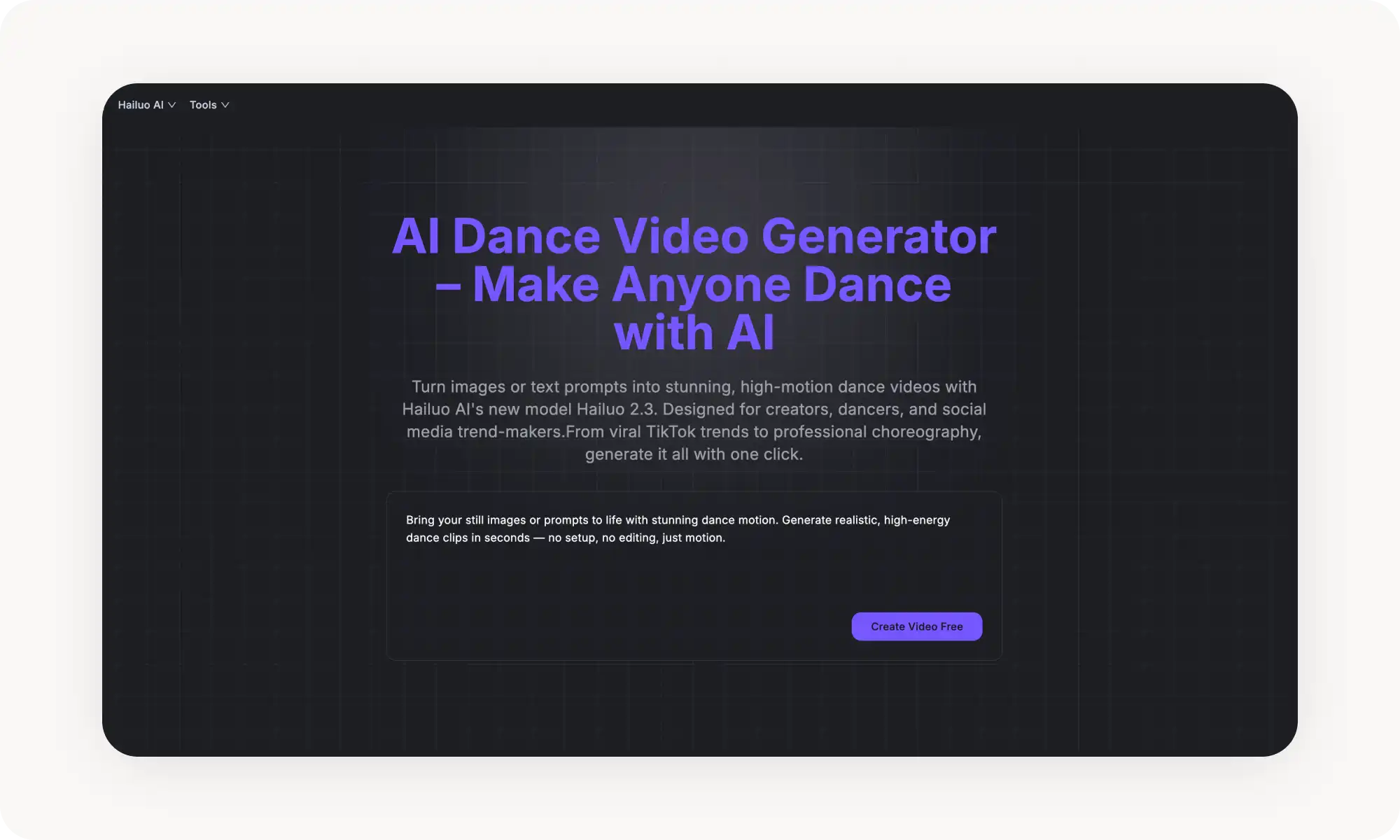
Best for: Creators who want to generate dance videos from text prompts or images with physics-accurate body movement - no reference video needed.
Why it stands out: Hailuo AI's 2.3 model (by MiniMax) was specifically optimized for dance. What sets it apart is "Motion Integrity" - the AI understands weight, momentum, and center of gravity. When a character jumps, they land with visible weight absorption in their knees. When they spin, momentum carries through naturally. I noticed the difference immediately compared to tools that produce "floating" dancers. Hailuo also offers 10 pre-built choreography templates - Party Bounce, The Wave, Robot Pop, Shimmy Shake, Classic Twist, and more - that eliminate the guesswork of writing dance prompts from scratch.
Key features:
Hailuo 2.3 with Motion Integrity - physics-based dance rendering with proper weight transfer, momentum, and gravity simulation
10 choreography presets - Party Bounce, The Wave, Robot Pop, Shimmy Shake, Classic Twist, Freeze Frame Dance, Step-Touch Groove, Sway & Snap, Celebration Jump, Smooth Slide
Text-based motion control - describe movements with timestamped prompts (e.g., "[0-2 seconds] arms raise overhead, [3-5 seconds] hip-hop isolation")
Dual input: T2V + I2V - generate from text prompts or upload a photo and describe the dance
Multi-style dance recognition - hip-hop, ballet, contemporary, K-pop, breakdancing, each with genre-appropriate rendering
Hailuo 2.3-Fast variant - speed-optimized I2V at up to 50% lower credit cost for rapid iteration
Pros:
Physics-accurate dance motion that rivals Kling 3's quality - feet plant, weight shifts, momentum carries
10 pre-built choreography templates mean you can generate great results without prompt engineering skills
Dual text-to-video and image-to-video input modes give maximum flexibility
Strong anime/artistic style preservation with reduced off-style frames
Also accessible through Alici AI for multi-model comparison
Cons:
10-second maximum clip length - requires stitching for longer choreography
Timestamped movement descriptions take practice to master for best results
No audio/music sync - generated videos are silent; music must be added in post-production
Pro plan at $54.99/mo is expensive for casual users
Pricing: Standard from $7.99/mo (promo, normally $14.99). Pro: $24.99/mo (promo, normally $54.99). Master: $63.99/mo. Credits: 25 per 6s/768p video, 50 per 10s/1080p video. Also available through Alici AI. See hailuoai.video for current pricing.
Notes / limitations: Hailuo AI is the strongest choice when you need high-quality dance from text prompts alone - no reference video required. The Motion Integrity physics engine produces genuinely convincing movement across dance styles. For reference-based motion transfer, Kling 3 is more precise. For beat-synced content, Seedance 2 is better. For pure text-to-dance quality, Hailuo 2.3 is hard to beat.
Bottom Line: I'd give Hailuo 2.3 90% for motion quality from text prompts and 65% for ease of use. The timestamped prompt system is powerful but takes practice. The choreography presets are the shortcut for beginners.
6. HeyGen - Best for Professional Avatar Dance Videos
Best for: Brands, agencies, and dance educators who need photorealistic AI avatars that can both speak and dance - with lip sync in 175+ languages.
Why it stands out: HeyGen's Avatar IV system is the most photorealistic avatar technology I've tested. What makes it relevant for dance: these avatars don't just stand and talk. Avatar IV supports full-body motion with timing-aware gestures, micro-expressions (natural blinks, subtle smiles during dance), and industry-leading lip sync. HeyGen also offers an AI Choreography Breakdown tool specifically designed for dance tutors to create AI-powered move-by-move tutorials. It's less "generate a random dance" and more "create a professional AI performer who dances exactly how you direct."
Key features:
Avatar IV full-body motion - photorealistic avatars with timing-aware hand gestures, micro-expressions, and full-body movement including dance
175+ language lip sync - avatars dance while speaking/narrating in any language - unique for multilingual dance tutorials
Motion Prompts - describe avatar movements via text ("point, nod, turn, wave, smile") with emotional context matching
AI Choreography Breakdown - purpose-built for dance tutors and choreographers to create AI-powered step-by-step dance tutorials
Video Agent 2.0 - script-to-video automation with 75+ templates including dance-oriented presets
Pros:
Most photorealistic avatar system on the market (consistently ranked #1 for realism)
Only tool that combines dance performance WITH speech/narration in 175+ languages
Avatar consistency across videos - your "dancer" always looks the same for brand continuity
AI Choreography Breakdown is genuinely useful for dance education content
Enterprise-ready with SCORM export for corporate training
Cons:
Most expensive option on this list - Creator plan $29/mo, but Avatar IV burns credits fast (~10 min on Creator)
Dance movements still feel more "directed performance" than spontaneous choreography - no physics-based organic movement
Heavy dance use requires Pro plan ($149/mo minimum) due to credit consumption
Facial expressions can become repetitive in long-form dance content
Pricing: Free: 3 watermarked videos/month. Creator: $29/mo (200 credits, ~10 min Avatar IV). Business: $99/mo. Pro: $149/mo (2,000 credits, ~100 min). Enterprise: custom pricing. See heygen.com for current plans.
Notes / limitations: HeyGen occupies a unique niche: it's the only tool where your AI dancer can also talk, explain, and teach - in any language. This makes it ideal for dance tutorials, branded campaigns, and multilingual content. For pure dance generation quality, Kling 3 or Hailuo produce more dynamic choreography. But if you need "professional AI performer," HeyGen is unmatched.
Bottom Line: HeyGen is 95% for avatar realism and 60% for pure dance dynamism. Use it when the "performer" matters as much as the "performance."
7. Media.io - Best for Trending Dance Effects
Best for: Social media creators who want to ride specific viral dance trends (sway dance, Tyla dance, baby dance) with a 3-step browser-based workflow.
Why it stands out: Media.io (by Wondershare) has 23+ named dance effects, each tied to a real TikTok trend. This isn't a generic "make photo dance" tool - it's a trend-following engine. Upload your photo, pick "AI Sway Dance" or "Git Up Dance" or "Hawak Mo Ang Beat Dance," and Media.io produces a trend-accurate clip in 2-5 minutes. Under the hood, it's powered by Kling motion control (now transitioning from 2.6 to 3.0), giving it more motion quality than you'd expect from a template tool. I tested the 3-step workflow and had my first dance video in under 3 minutes - the fastest of any tool on this list.
Key features:
23+ named dance effects - AI Sway Dance, Tyla Dance, Ma Po Po Dance, AI Pole Dance, AI Jiggle Dance, Baby Dance, Drunk Dance, Git Up Dance, Shake It, and custom prompts for hip-hop, K-pop, anime dancing, model walking
Kling 3.0 motion engine - professional-grade motion capture with full-body, hand, and face sync powering the effects
3-step browser workflow - upload photo (JPG/PNG), choose effect or type custom prompt, generate. Works on mobile and desktop
HD to 4K export - MP4 format optimized for TikTok, Instagram Reels, YouTube Shorts; watermark-free on paid plans
"Inspire Me" AI suggestions - can't decide on a style? Click for random creative suggestions
Pros:
Lowest barrier to entry of any tool tested - 3 steps, under 3 minutes, zero learning curve
Named effects match actual TikTok viral trends - not generic "dance" presets
Kling 3.0 motion engine provides surprisingly high quality for a template tool
Browser-based and mobile-friendly - create dance videos from your phone
Daily check-in credits let casual users create without subscription
Cons:
Photo input only - no text-to-video or video-to-video dance generation
Preset effects skew toward viral/meme content (pole dance, twerk, jiggle) - less suitable for professional choreography
Free tier is genuinely limited (3-day trial, then auto-renews at annual rate)
Advanced editing features (sound effects, subtitles) are PC-only
Pricing: Standard: $7.99/mo (annual) or $15.99/mo (monthly), 100 credits/mo + 5 daily. Premium: $13.99/mo (annual) or $27.99/mo. Pay-As-You-Go: 100 credits/$14.99 to 2,000 credits/$70.69 (valid 2 years). Dance videos cost approximately 8 credits each. See media.io for details.
Notes / limitations: Media.io is the fastest path from "I saw a TikTok trend" to "I'm participating in that trend." The named effects are the key differentiator - no other tool has individual presets for Git Up Dance, Hawak Mo Ang Beat, or Ma Po Po. For custom choreography or professional dance content, use Kling 3 or Hailuo directly. See our AI sway dance filter guide for a deep dive on the viral sway effect.
Bottom Line: Media.io is 95% for trend-riding speed and 50% for creative control. If a dance effect is trending on TikTok this week, Media.io has a named preset for it - and that's the value.
8. FreeBeat AI - Best for Music-First Dance Videos
Best for: Musicians, DJs, and content creators who want complete AI music videos where the dance is driven by the actual audio - BPM, beat drops, and song structure.
Why it stands out: FreeBeat AI fundamentally reverses the workflow of every other tool on this list. Instead of "here's a photo, make it dance," FreeBeat starts with "here's a song, build visuals around it." The AI analyzes your track's BPM, beat structure, drops, and song sections, then choreographs movement that genuinely follows the music. Every frame is tied to the audio's pulse. It also supports 8+ music sources - upload an MP3, paste a YouTube link, or connect directly from Suno, Udio, SoundCloud, Spotify, or TikTok. I tested it with a Suno-generated track, and the beat-matching was noticeably tighter than manually syncing dance clips in post-production.
Key features:
BPM-synchronized dance generation - analyzes beats, drops, and sections; every frame follows the music's pulse with beat-matched choreography
8+ music source integration - direct MP3 upload, YouTube, TikTok, Suno, Udio, SoundCloud, Stable Audio, Riffusion
AI Lyrics Video Generator - synced lyrics with customizable motion, highlighting, and karaoke-style timing
Custom 3D avatars with lip sync - design personalized dancing characters that maintain consistency across scenes
Multiple creation modes - Story Video (narrative music videos) and Stage Performance (concert/dance-focused)
Flexible output - 720p to 1080p, 16:9/9:16/1:1 aspect ratios, 15 seconds to ~6 minutes video length
Pros:
Only tool with true music-first dance generation - analyzes actual audio structure, not generic beat matching
Widest music source support (8+ platforms including Suno and Udio for AI-generated music)
Full commercial licensing included on all paid plans - publish, distribute, and monetize freely
Beginner-friendly: upload a song, choose a style, get a complete music video with near-zero learning curve
Most affordable entry: $4.99/week Basic plan is the lowest cost for watermark-free dance content
Cons:
Visual quality can be inconsistent - some clips need regeneration; AI-generated visuals occasionally distort
Free plan is restrictive (720p only, watermarked, 30-second max, 500 total credits)
Limited fine-grained choreography control - music drives the dance, less ability to specify exact movements
Weekly billing on Basic ($4.99/week = ~$21.60/month) is deceptive - monthly Pro at $26.99 is better value
Mixed customer service reviews on Trustpilot
Pricing: Free: 500 credits (no expiry), 720p, watermarked, 30s max. Basic: $4.99/week (1,990 credits/week, no watermark, up to 6 min). Pro: $26.99/mo (10,000 credits, 1080p). Ultimate: $39.99/mo (19,000 credits + 30 Suno V5 generations). Creator: $199/mo (95,000 credits + unlimited music gen). Annual billing saves 30%. See freebeat.ai for current pricing.
Notes / limitations: FreeBeat's value proposition is clear: if your starting point is a song and you need a complete music video, nothing else comes close. The audio analysis is genuinely impressive - dance movements align with beat drops, transitions sync with section changes, and visual energy matches the track's mood. But if your starting point is a character photo or a specific choreography reference, use Viggle or Kling instead. FreeBeat is music-first; the others are visual-first.
Bottom Line: FreeBeat is 90% for music-to-dance sync and 55% for visual quality. The audio intelligence is best-in-class; the visuals are catching up. Best for musicians and content creators who want "I uploaded my song and got a music video" simplicity.
Use Case Matching (Table)
Use Case | Recommended Tools | Why | Budget |
|---|---|---|---|
TikTok viral dance clips | Viggle AI, Media.io | Fastest generation, trending presets, vertical format | Free - $10/mo |
Realistic dance films | Kling 3 MC, Alici AI | Best motion physics and weight transfer; see MC guide | $10-37/mo |
Beat-synced music videos | Seedance 2.0, FreeBeat AI | Audio-driven choreography; see Kling vs Seedance | Free - $25/mo |
AI pet dance (cat/dog) | Kling 3 MC via Alici AI | Motion control handles animal movement; see cat dance guide | $10-37/mo |
AI baby dance | Kling 3 MC, Media.io | Powered 500M+ TikTok views; see baby dance tutorial | $10-37/mo |
Professional branded content | HeyGen, Alici AI | Avatar consistency + multi-model quality | $29+/mo |
K-pop/style-specific dance | Hailuo AI via Alici AI | Style presets without reference video | Free - $10/mo |
Photo-to-dance animation | Viggle AI, Media.io | Upload photo, instant dance; see photo dance guide | Free - $10/mo |
Dance meme creation | Viggle AI | Character animation + meme-ready format; see dance meme guide | Free |
Multi-model comparison | Alici AI | A/B test same dance across Kling, Seedance, Hailuo, Runway | $9.9/mo |
How to Choose
I've tested all eight tools extensively. Here's my honest decision framework.
Start Here: What's Your Starting Point?
"I have a photo and want it to dance" - Viggle AI (fastest) or Kling 3 MC (highest quality)
"I have a music track and want dance visuals" - Seedance 2.0 or FreeBeat AI
"I want to try a trending dance effect" - Media.io (trend templates)
"I need professional dance content for my brand" - HeyGen
"I want to compare multiple models" - Alici AI
If Quality Matters Most
Use Kling 3 Motion Control through Alici AI. The motion physics are a generation ahead. I proved this in my Kling MC guide with finger dances and streetstyle choreography - the weight transfer and identity preservation are unmatched.
If Speed Matters Most
Use Viggle AI for character animation (under 30 seconds) or Media.io for trend templates (under 2 minutes). Both sacrifice some quality for speed.
If Budget Matters Most
$0/mo: Viggle AI (5/day free), Seedance 2.0 (120 daily points), Kling (66 free credits/day)
Under $10/mo: Alici AI ($9.9) - best value for multi-model access
$10-40/mo: Kling Pro ($37) for unlimited high-quality generation
$29+/mo: HeyGen for professional avatar-based content
Best Free AI Dance Generators (No Watermark Options)
You don't need to pay to start making AI dance videos. Here are the best free options and what you actually get:
Tool | Free Tier | Watermark? | Limits | Best Free Use Case |
|---|---|---|---|---|
Viggle AI | 5 videos/day | Yes (removable on Pro) | Relaxed mode, 15-day storage | Character dance animation |
Seedance 2.0 | 120 daily points | No | Points-based (8 pts/second) | Beat-synced choreography |
Kling AI | 66 credits/day | Yes | 5-second max on free | Motion control testing |
Hailuo AI | Daily generations | Varies | Lower priority queue | Style preset exploration |
Alici AI | Starter credits | No | Limited total credits | Multi-model comparison |
For watermark-free output on a budget, Seedance 2.0 and Alici AI are your best options. Viggle's free tier is the most generous in volume but adds a watermark.
How to Make a Photo Dance with AI
This is one of the most common questions I get. The process depends on which tool you use:
Fastest method: Upload your photo to Viggle AI, select a dance from their library, generate. Done in 30 seconds. Works best with clear, full-body photos.
Highest quality: Upload your photo as a character image in Kling 3 Motion Control, add a reference dance video, enable Element Binding, generate. Takes 2-5 minutes but the result looks real. See our photo dance generator guide for the full tutorial.
Trending effects: Upload to Media.io, pick a trending dance effect (Tyla dance, sway dance, baby dance), export. Under 2 minutes, pre-built animations.
Pro tip from my testing: The quality of your input photo matters more than the tool you choose. Clear lighting, full body visible, neutral starting pose = best results across all platforms. I've tracked this across 50+ generations.
Mobile AI Dance Apps
Several AI dance video makers are available as mobile apps for on-the-go creation:
Viggle AI - web app optimized for mobile browsers
AI Danza - dedicated Android app
FreeBeat AI - mobile-friendly web interface
Media.io - fully browser-based, works on any device
My Personal Workflow
I use Alici AI as my hub. For each dance project, I generate test clips across 2-3 models (usually Kling 3 + Seedance 2), compare the results, then produce the final version with whichever model won. For quick social content, I switch to Viggle. This two-tool approach covers 90% of my dance content needs.
FAQ + Final Verdict
What is the best AI dance video generator?
It depends on your use case. Alici AI is best overall because it gives you access to multiple dance-capable models (Kling 3, Seedance 2, Hailuo) from one platform. Viggle AI is best for character animation speed. Kling 3 Motion Control produces the most realistic motion. Seedance 2.0 is best when music drives the choreography.
How do I make an AI dance video for free?
Five tools on this list have free tiers. Viggle AI gives 5 free videos/day. Seedance 2.0 gives 120 free daily points. Kling AI gives 66 free credits/day. Hailuo AI has a free tier. Alici AI offers free starter credits. For a detailed walkthrough, see our how to make AI dance videos guide.
Can AI generate realistic dance videos?
Yes - but only some tools. Kling 3 Motion Control produces the most realistic dance motion I've tested, with genuine weight transfer and physics. I documented this extensively in my Kling MC guide. Seedance 2.0 is a close second, especially for beat-synced content. Character-animation tools like Viggle produce stylized rather than realistic output.
Which AI tool is best for TikTok dance videos?
Viggle AI for character animation clips (most TikTok dance memes use Viggle). Media.io for riding specific trending effects (sway dance, baby dance). Kling 3 MC if you want realistic dance that could pass for real footage. See our AI sway dance filter guide for the viral TikTok sway effect.
Is Viggle AI free to use?
Viggle AI has a free tier with 5 relaxed-mode videos per day (watermarked, 15-day storage). For priority generation, no watermark, and higher limits, Pro plans range from $4.99 to $31.99/month. The free tier is generous enough for casual use.
How long does it take to generate an AI dance video?
Generation time varies significantly by tool. Viggle AI is the fastest at under 30 seconds for character animation. Media.io takes 1-2 minutes for template-based effects. Seedance 2.0 generates in 5-12 seconds. Kling 3 Motion Control takes 2-5 minutes but produces the highest quality - the physics simulation needs more processing time. HeyGen avatar videos can take 3-10 minutes depending on length. In my testing, the quality-speed tradeoff is consistent: faster tools produce simpler animation, slower tools produce more realistic motion.
What types of photos work best for AI dance generation?
From my testing across 50+ generations: clear, well-lit, full-body photos with a neutral starting pose produce the best results across all platforms. Specifically: no cropping at limbs, face clearly visible, minimal occlusion (nothing blocking the body), and consistent lighting without harsh shadows. For Kling 3 Motion Control, frame 1 clarity is the single biggest predictor of success - I've tracked above 90% usable output rate when these conditions are met. Avoid group photos, heavy accessories, and dark/blurry images.
Can I use AI dance generators for commercial projects?
Most tools allow commercial use on paid plans. FreeBeat AI requires the Pro plan ($24.99/mo) for commercial license. Viggle AI Pro plans include commercial rights. Kling AI and Runway paid tiers allow commercial use. Alici AI inherits commercial rights from the underlying model's terms. Always check the specific tool's terms of service - especially for content featuring recognizable faces or copyrighted music. The safest approach: use AI-generated characters (not real people's photos) and royalty-free music.
Can you make money with AI dance videos?
Yes - and the numbers are real. TikTok creators earned $4.1 billion in 2024, and dance content claims 28% of all TikTok views with 3x the average engagement rate. The main revenue sub-niches: dance challenge content (brand sponsorships), dance tutorial accounts (affiliate revenue from tools), AI influencer dance content (virtual creators with brand deals), and template/preset sales (selling your dance workflows to other creators). Tools like Alici AI's Formulas platform track how top creators monetize dance content.
Can AI make my pet dance in a video?
Yes - and it's a huge trend. Kling 3 Motion Control (accessible through Alici AI) handles pet photos well because the motion transfer technology works on any subject, not just humans. "AI cat dancing" gets 1,600+ monthly searches. See our AI cat dancing guide and AI dog dance video guide for step-by-step tutorials.
Final Verdict
After generating 50+ dance clips across 8 platforms, here's what I'd tell you:
Start with Alici AI if you want to compare models and find the right tool for your specific dance style. One subscription gives you Kling 3 for motion quality, Seedance 2 for beat-sync, and Hailuo for style presets.
Start with Viggle AI if you just want the fastest path to a dancing character for social content.
Graduate to Kling 3 Motion Control when you care about motion quality enough to invest 15 minutes learning Element Binding - the results are worth it. I made my best dance content ever after that learning curve.
The AI dance space in 2026 is where AI image generation was in 2024: tools are improving monthly, new entrants keep appearing (Seedance 2 didn't exist three months ago), and the quality floor keeps rising. Pick a tool, start creating, and upgrade when your needs outgrow it.
Ready to create your first AI dance video? Try Alici AI's Dance Generator free - access Kling 3, Seedance 2, Hailuo, and more in one platform. Create dance videos in minutes, not hours.
Lucy Alice is Co-Founder of Alici.ai, where she builds AI video workflows for creators and performance marketing teams. She tests new generative video models as production tools - not demos - and turns what works into repeatable frameworks.
Follow her on @TikTok @x @Instagram
🎁
Limited-Time Creator Gift
Start Creating Your First Viral Video
Join 10,000+ creators who've discovered the secret to viral videos