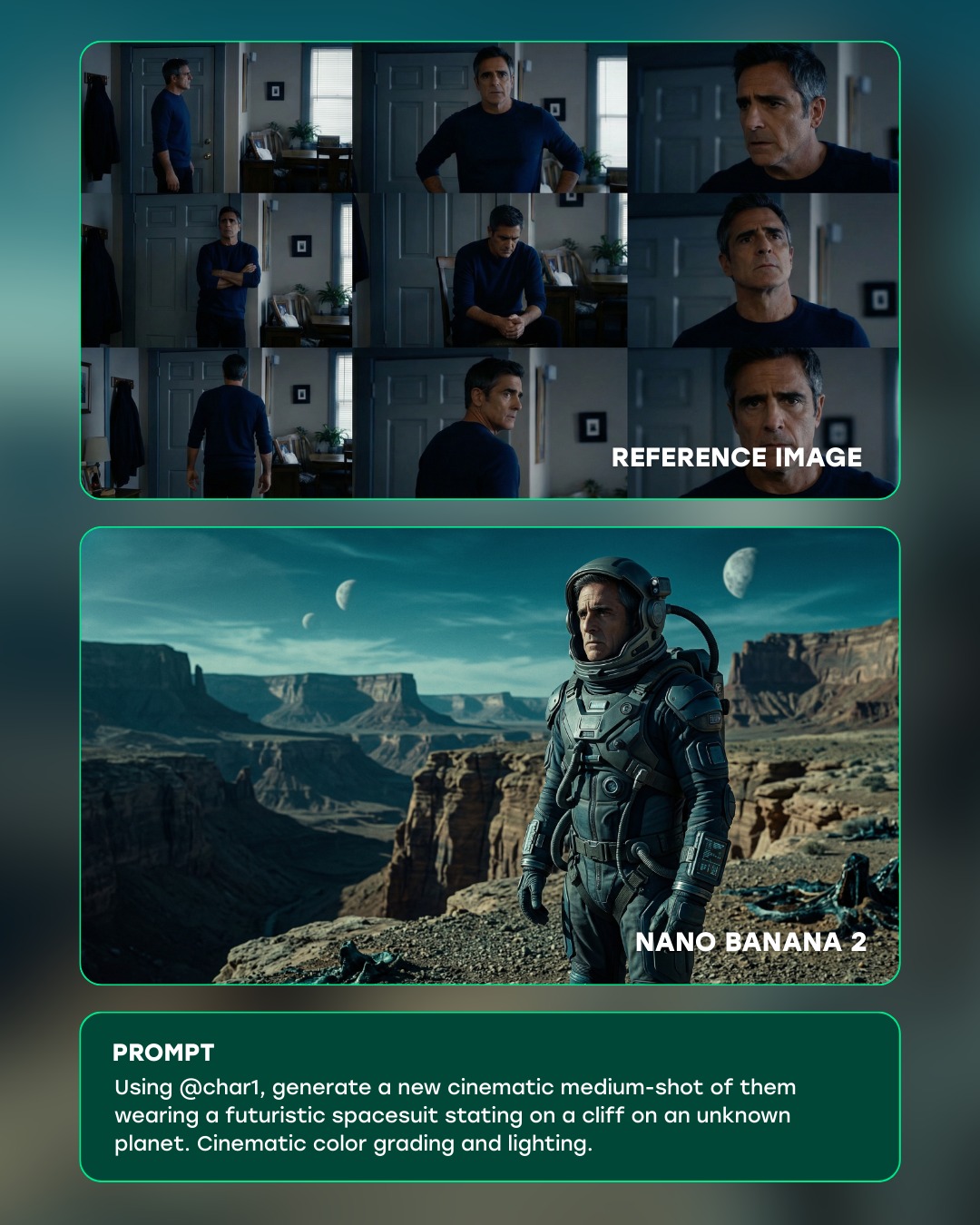
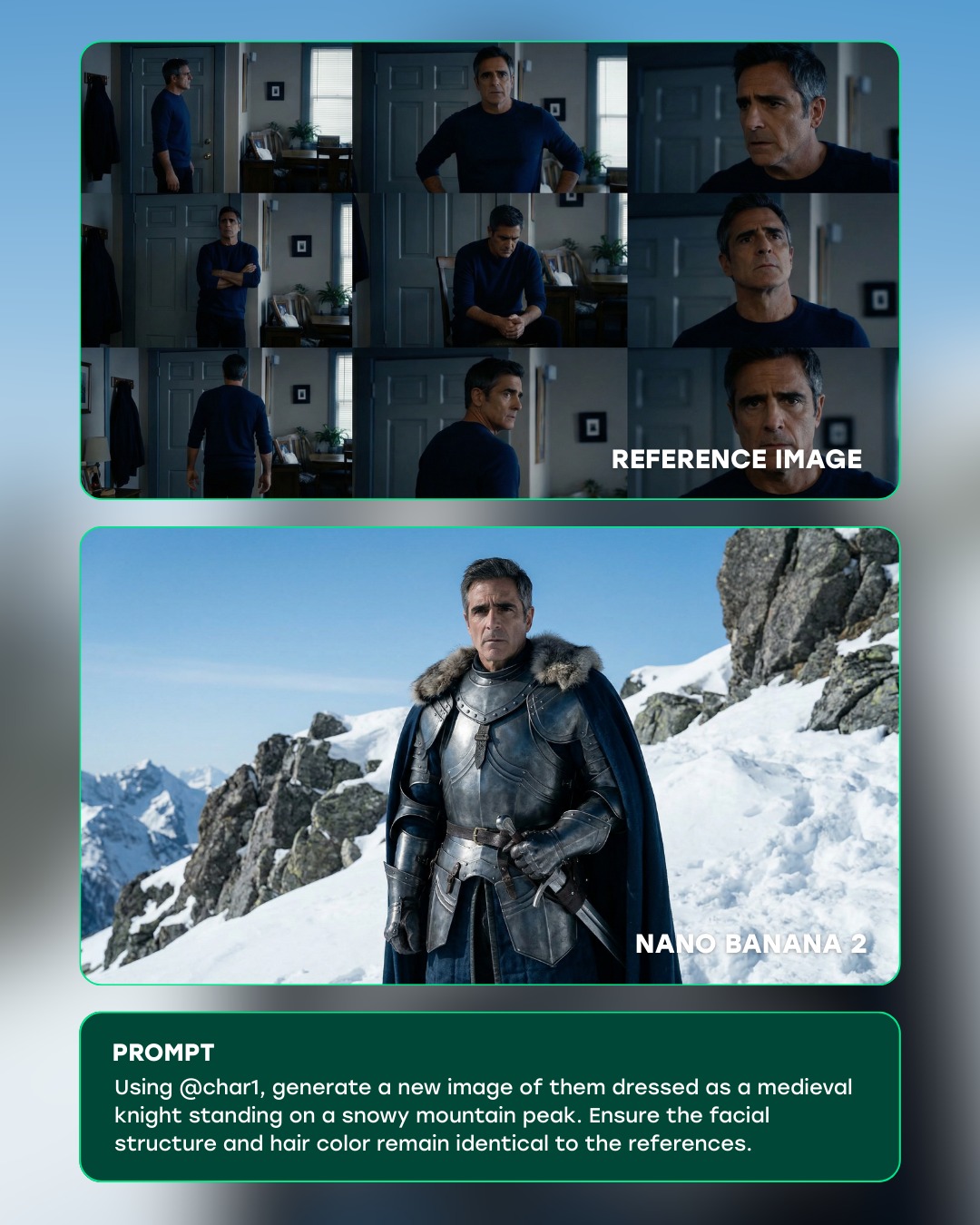
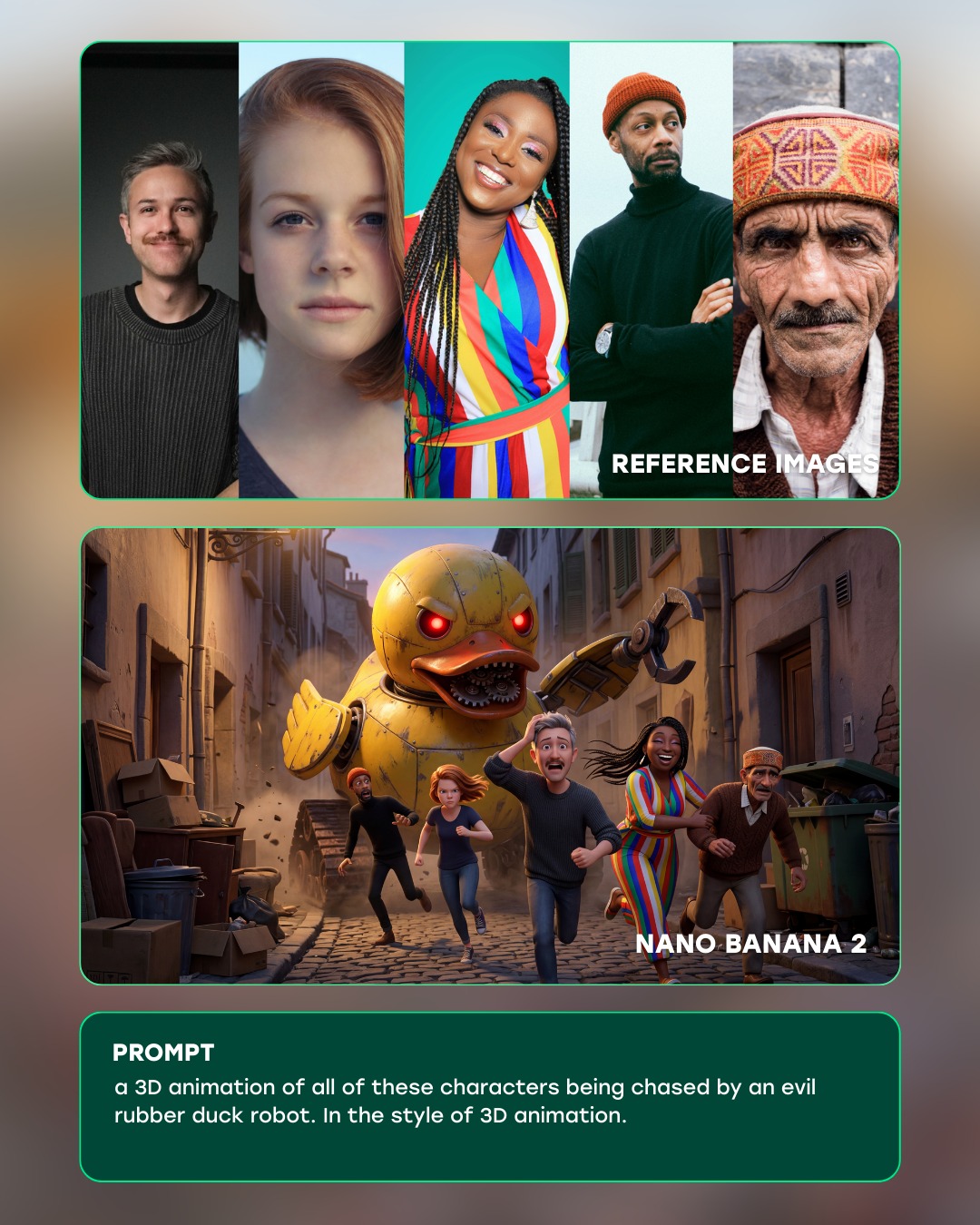
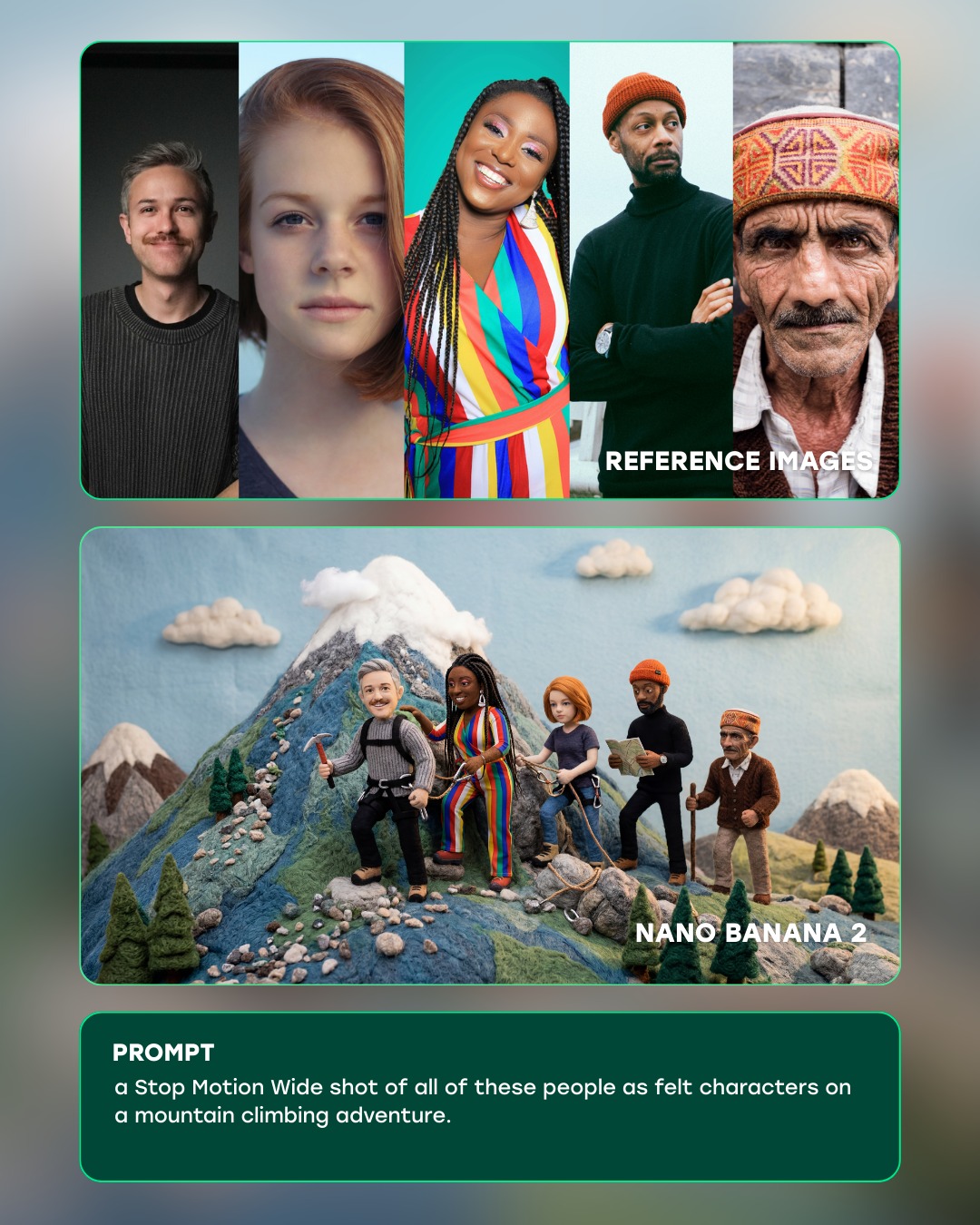
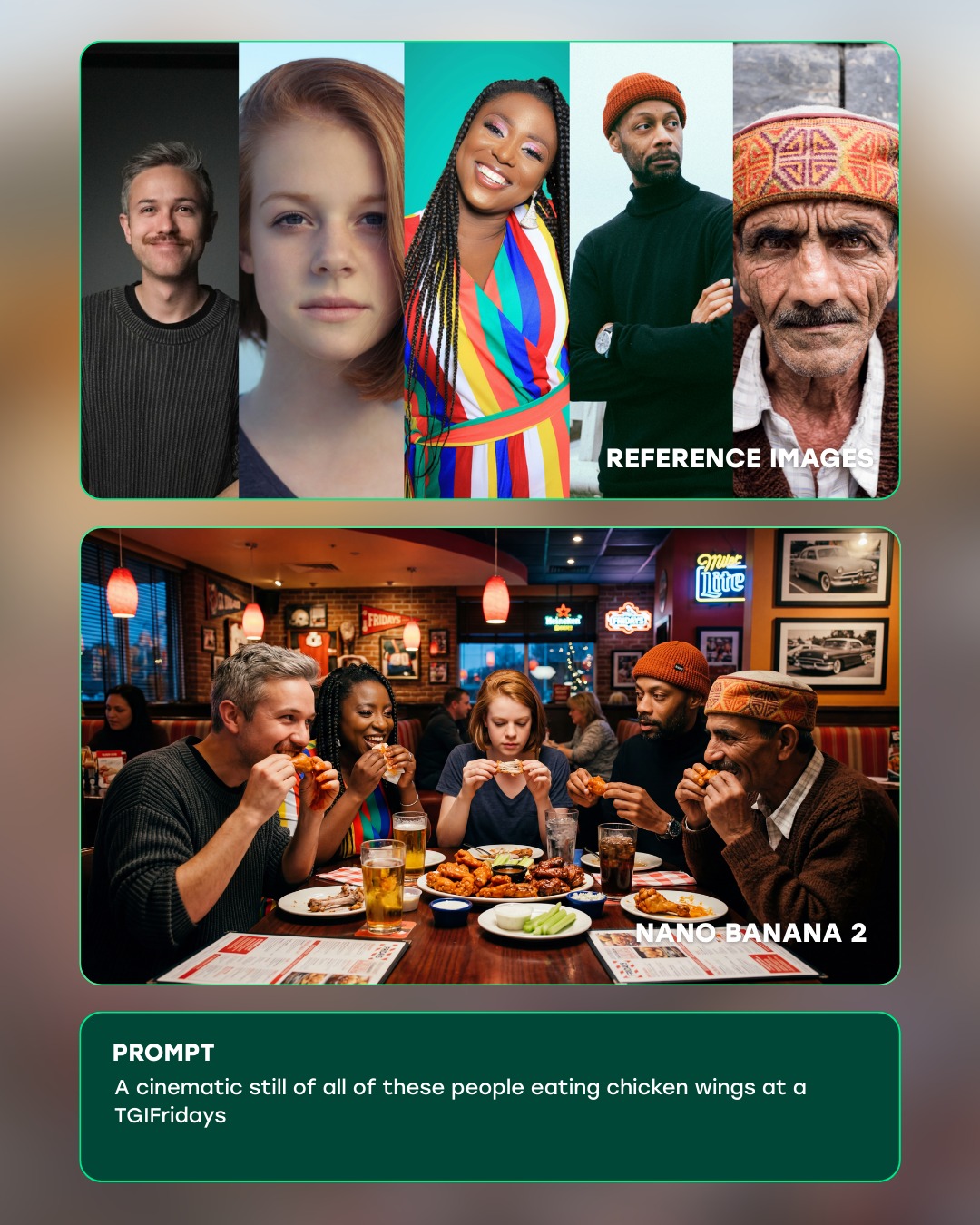
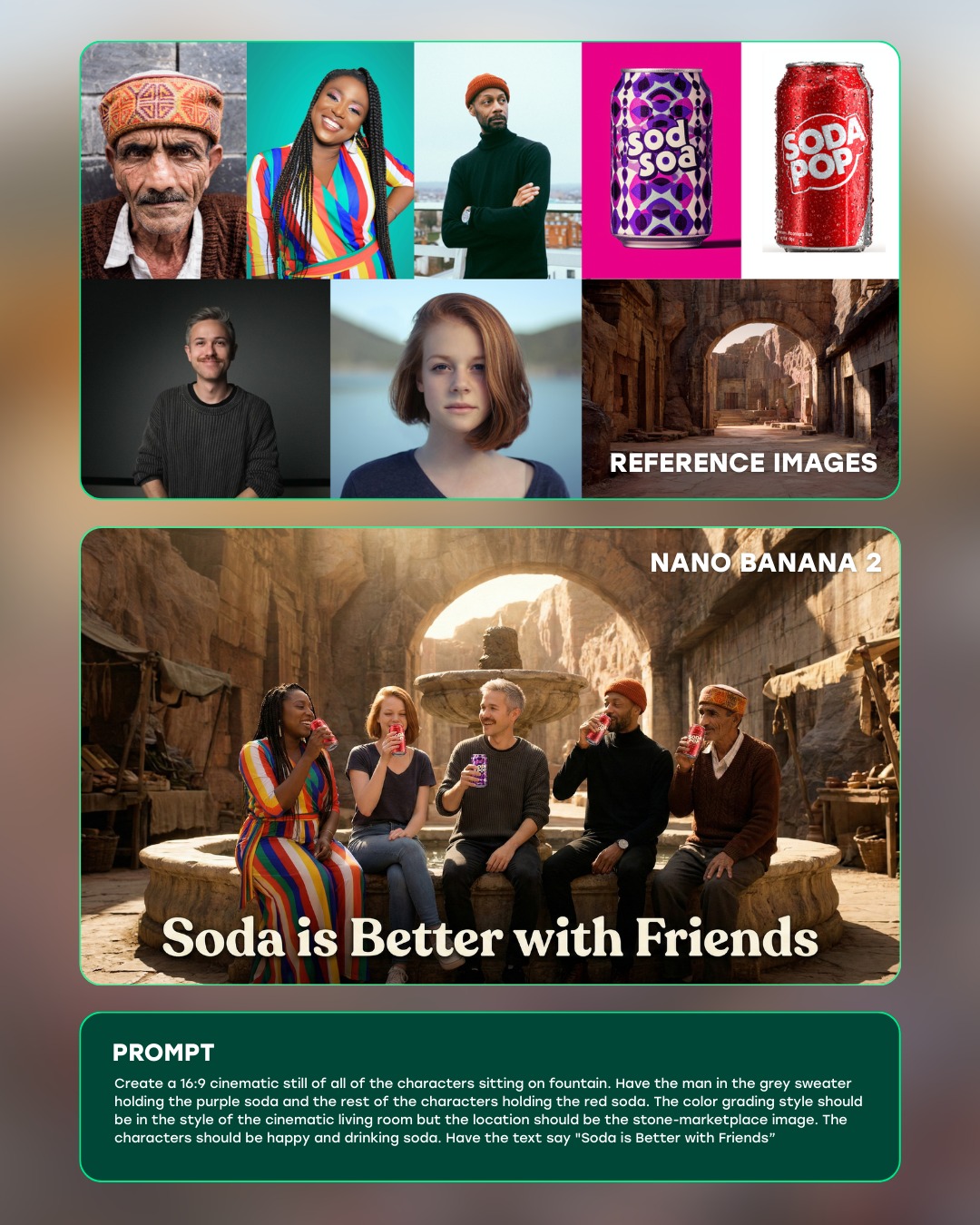
Consistency is the “holy grail” of AI filmmaking. We tested Nano Banana 2’s ability to generate images using character references for both single and multiple characters, and the results were pretty impressive.
Not every character stays perfectly consistent all the time, especially in multi-character scenes, and realism doesn’t hold up in every scenario. But the ability to upload up to 14 reference images opens up real possibilities for narrative storytelling.
#ai #generativeai #aifilmmaking #aivideo #aiadvertising
How curiousrefuge Created This AI Reference to Festival Cinematic Shot Breakdown AI Art — and How to Recreate It
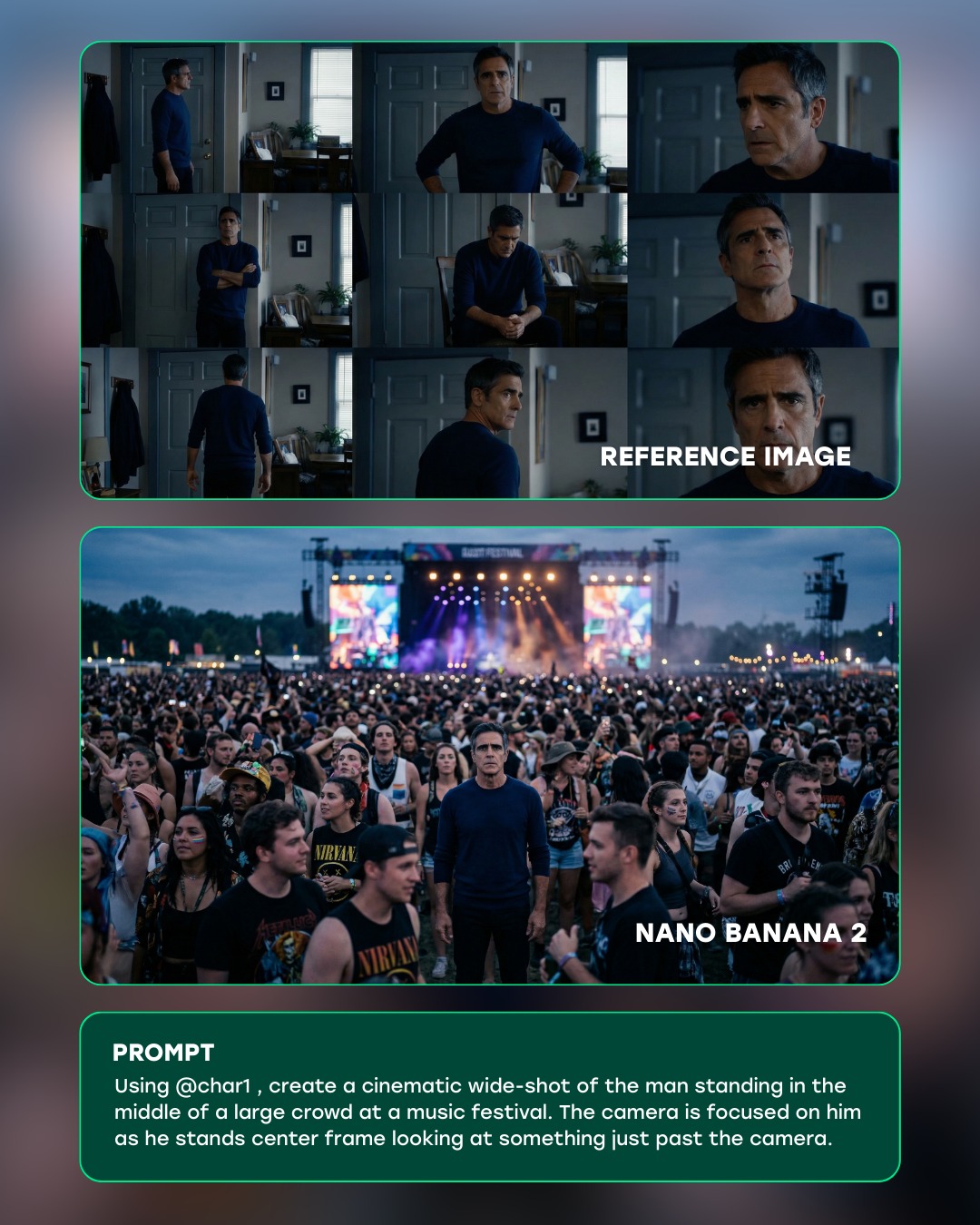
A lot of creator education posts fail because they only show the final image and then throw a vague prompt underneath. This one performs better because it shows the full chain of belief. First you see the reference identity. Then you see the transformed cinematic result. Then you see the exact framing instruction that made the leap possible. That sequencing turns curiosity into trust.
The biggest strength here is not visual beauty alone. It is visual proof. The post makes the viewer feel that a dramatic scale shift is achievable: one man in a quiet interior becomes the center of a massive festival scene without losing recognizability. That is the dream AI creators buy into. They do not just want pretty outputs. They want controllable transformation.
Why this kind of post spreads
The top panel creates credibility because it feels ordinary. A man standing in a home interior is not impressive by itself. That is exactly why it works. It lowers the starting point, which makes the jump to the second panel feel more magical. The middle panel then delivers the payoff in one clean sentence of imagery: same person, new world, much bigger stakes. The bottom prompt card completes the loop by making the trick feel teachable instead of mysterious.
This is a strong viral structure because it packages aspiration and utility together. People can admire the festival frame, but they can also immediately imagine using the method for their own references. The post does not ask the audience to passively consume. It quietly invites them to try the transformation themselves, and that is the kind of content that gets saved, sent to friends, and referenced later.
Signal
Evidence (from this image)
Mechanism
Replication Action
Before-and-after proof
Top panel shows reference stills; middle panel shows the scaled cinematic output
The viewer instantly understands that the result came from a controllable source image
Always show reference identity beside the transformed result when teaching character transfer
Single-message prompt clarity
The prompt box focuses on one idea: put the man in the middle of a large crowd
Simple prompts feel reusable, which increases saves and attempts
Write one main camera or staging instruction instead of bloating the prompt with ten ideas
Center-frame hero framing
The man stands alone in the exact center of a dense festival crowd
Center isolation makes the output immediately legible even in a busy environment
When moving a subject into a complex scene, lock subject placement before styling details
Tutorial packaging
Rounded cards, labels, and stacked sections make the post easy to scan
Clean educational design makes the content feel actionable rather than random inspiration
Format prompt education as a compact visual system, not just a screenshot dump
Best-fit scenarios for this visual method
This exact teaching structure is excellent for AI filmmaking education, prompt breakdowns, identity-consistent character transfer demos, ad creative explainers, and any post where you need to prove that a transformation was intentional. It is especially useful when the final output is more dramatic than the starting material, because the contrast does the persuasion for you.
AI filmmaking tutorials: strong fit because cinematic scale is the main promise; change the target world from festival to battlefield, runway, courtroom, or spaceship corridor.
Character consistency posts: strong fit because the reference collage proves identity retention; keep wardrobe or facial features consistent across panels.
Prompt-engineering education: strong fit because the bottom prompt card turns the post into a reusable lesson; simplify the language and spotlight the one key shot idea.
Creative tool launch content: strong fit because the transformation visually demonstrates capability; swap the same structure into product marketing.
It is less effective for purely emotional photography, aesthetic-only moodboards, or posts where the audience does not care how the image was made. This format is built for creators who want reproducibility.
Three transfer recipes
Keep: reference panel, final cinematic panel, prompt panel. Change: target scene from music festival to fashion runway or sports arena. Slot template (EN): “Using {character reference}, create a cinematic wide shot of the subject standing in the middle of {large-scale public setting}, center frame, looking just past the camera.”
Keep: same-person identity proof and center-frame result. Change: genre from realism to sci-fi or fantasy. Slot template (EN): “Using {char reference}, place the same subject at the center of {epic environment}, camera focused on them while the world expands around them.”
Keep: instructional card layout and concise lesson framing. Change: use case from crowd scenes to emotional close-ups or action scenes. Slot template (EN): “Reference image + final output + one-shot prompt” as the fixed teaching structure.
What the post is doing aesthetically
Even though this is a tutorial image, it still understands aesthetics. The top collage is moody and domestic. The middle output is expansive and loud. That contrast makes the post feel more dynamic than a normal educational slide. It also gives the viewer a narrative arc without needing extra explanation: enclosed space to open spectacle, stillness to crowd energy, private identity to public scale.
The color treatment helps too. The whole graphic sits on a restrained blurred background, which keeps the eye inside the cards. The teal borders create a subtle tech-education signal without overpowering the images. Inside the main result panel, the crowd is visually noisy, but the central subject still holds because the navy shirt and centered placement create a clean anchor.
The best aesthetic decision might be the refusal to overdesign. There are no arrows, stickers, or oversized captions competing with the lesson. The post trusts the structure. That is worth copying. Creator education usually gets stronger when the packaging supports the transformation instead of shouting over it.
Observed
Why it matters for recreation
Top panel uses multiple indoor reference angles of the same man
This builds identity continuity and makes the transformation believable
Main output places the same man at dead center of a huge live-event crowd
That exact framing is what turns a chaotic scene into a usable shot recipe
Bottom panel isolates the prompt in a clean readable box
Instruction becomes part of the content object, not an afterthought in the caption
Rounded teal-outlined cards sit on a blurred neutral background
The UI styling organizes information without dominating the visuals
The post moves from intimate scale to massive scale
The change in scale is the real emotional payoff
Prompt technique breakdown
If you want to recreate this class of teaching post, treat the prompt like a shot-translation tool. The goal is not to describe everything in the crowd. The goal is to preserve identity while changing context, scale, and camera language.
Prompt chunk
What it controls
Swap ideas (EN, 2–3 options)
using {char reference}
Identity lock and facial continuity
“using the provided character reference”; “based on this exact subject reference”; “retain the same person from the reference collage”
create a cinematic wide-shot
Shot scale, genre language, framing expectation
“create a cinematic wide shot”; “generate a dramatic crowd wide shot”; “build an epic environmental portrait”
standing in the middle of a large crowd
Scene logic and social scale
“standing at the center of a packed festival”; “placed in the middle of a massive audience”; “surrounded by a dense public crowd”
camera is focused on him as he stands center frame
Subject priority inside visual noise
“camera locked on the subject in center frame”; “sharp focus on the subject, crowd surrounding him”; “keep him centered and visually isolated”
looking at something just past the camera
Expression direction and implied story
“looking slightly beyond the lens”; “eyes fixed just off-camera”; “focused on something past the viewer”
Execution playbook for creators
Lock three things first: identity continuity, center-frame placement, and environment scale. Those are the spine of this transformation. If any one of them drifts, the result becomes a generic crowd photo instead of a convincing subject-in-scene transfer.
Then use the one-change rule. Adjust only one or two variables per run.
Run 1: keep the character reference fixed and test only placement: can the subject hold the exact center of a dense crowd?
Run 2: preserve framing and refine environment: brighter stage lights, more believable crowd density, better haze.
Run 3: preserve environment and tune expression direction: looking at camera, past camera, or downstage to shift the emotional read.
Run 4: keep the transformation logic fixed and only swap the destination world, such as stadium, airport, runway, or protest scene.
Fast takeaway
The teaching win here is simple: do not just show the cool result. Show the source, the leap, and the exact instruction that makes the leap repeatable.