Anime Generator From Photo

Anime generator from photo results matter when you want to turn a selfie, pet shot, or landscape into anime without losing the subject. This page helps you compare upload workflows by face preservation, style range, and how well each tool handles portraits, group photos, and scenery before export.

soy_aria_cruz: Winter Pink Puffer Comparison AI Image
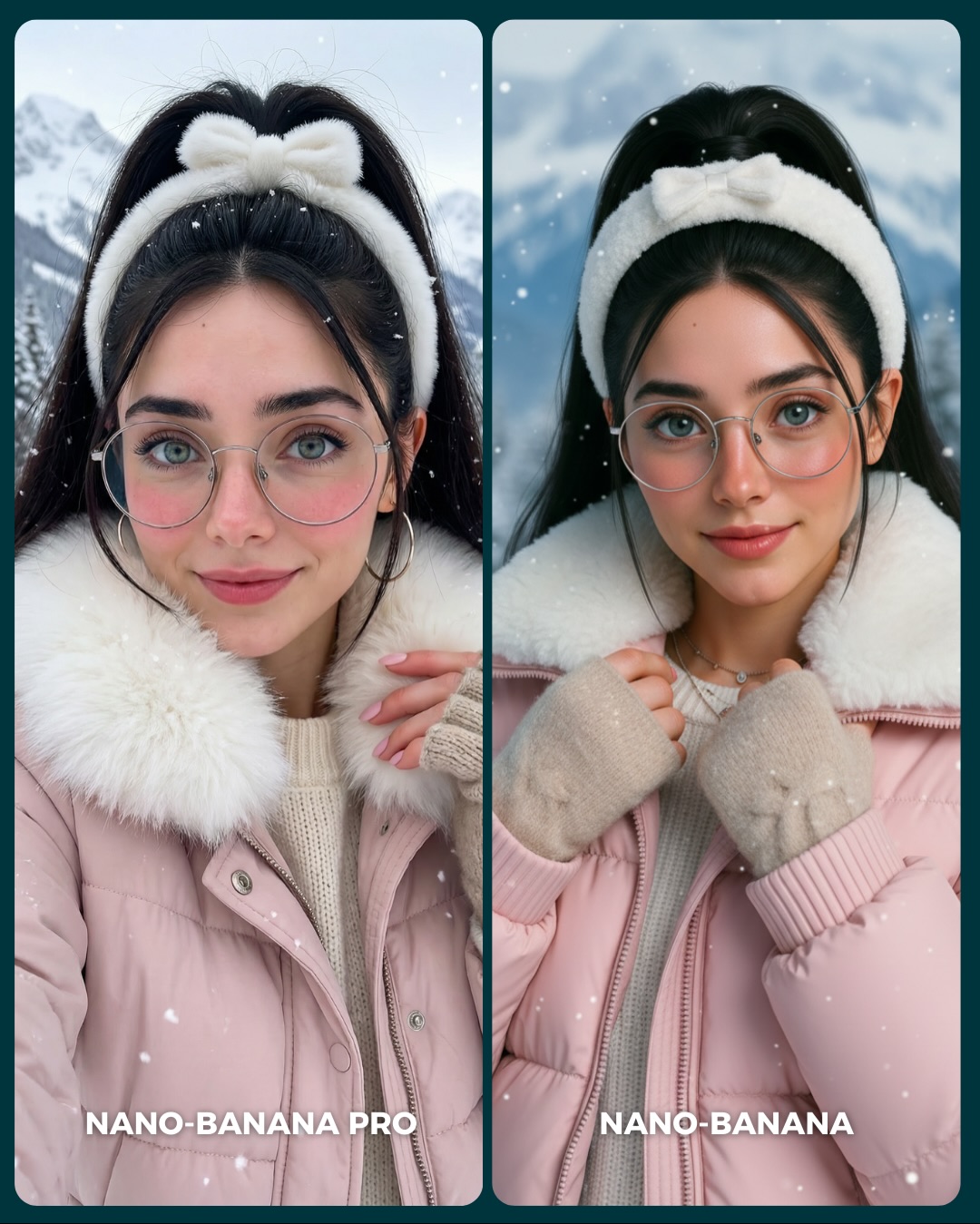
[Subject] A side-by-side winter portrait comparison showing the same young woman in two closely matched variations. She appears in her 20s with fair skin, large blue-green eyes, soft pink cheeks, dark eyebrows, delicate facial features, and a calm friendly expression. She has long black hair gathered back with a fluffy white bow headband or plush winter hairband. She wears oversized round silver wire-frame glasses and medium hoop earrings. Her winter outfit consists of a light pink puffer jacket with a plush white faux-fur collar, a cream ribbed knit sweater, and beige knit fingerless gloves or mitten-style hand warmers. In the left panel, she faces the camera more directly with one hand lifted near the collar; in the right panel, she holds the jacket edges or collar with both hands and has a slightly more polished, symmetrical pose. Both panels should depict the same person and same cold-weather styling.

[Environment] Snowy outdoor mountain setting with softly blurred pale blue-white mountains and winter sky in the background. Light snowflakes drift across the frame. The composition is presented as a social-media comparison board: two tall rounded rectangular portrait panels side by side with a thin dark teal divider between them and a dark teal outer border or background. Keep the background clean, bright, and wintry, with no buildings or city elements. Do not include any bottom labels or text overlays.

[Composition/Camera] Vertical 4:5 diptych layout. Each panel is a tight medium portrait from chest level to above the head, centered on the subject. Eye-level camera, straightforward beauty composition, shallow depth of field, and balanced spacing around the headband. Subject fills most of each panel, with the fluffy white collar occupying the lower-middle area and the snowy mountains softly visible behind. The left panel feels slightly more candid and open; the right panel is more refined and centered. Maintain strong consistency so the image reads as a clear model comparison.

[Lighting] Soft overcast winter light with cool ambient brightness and very gentle contrast. Even illumination across the face, no harsh shadows, and subtle pink warmth in the skin from the cold environment. Snowy daylight creates clean catchlights in the eyes and slight shine on the glasses rims. Overall the light should feel bright, diffuse, and flattering, with a crisp cold-weather atmosphere but no blue cast so strong that skin looks lifeless.

[Style/Rendering] Photorealistic AI beauty portrait with cozy winter fashion styling. Clean skin rendering, fine knit and puffer textures, believable faux-fur softness, and lightly stylized social-media polish. The goal is a premium generator-comparison image that still feels warm and aspirational. Preserve natural facial identity across both panels and avoid cartoonish perfection. No text, no watermark, no logos.

[Detail constraints] Show exactly one matching woman in two side-by-side winter portrait variants. Keep the fluffy white bow headband, round glasses, pink puffer jacket, white faux-fur collar, cream sweater, and beige knit gloves consistent in both panels. Maintain snowy mountain background, falling snow, rounded panel corners, and the dark divider/background frame. Exclude the source image’s bottom model-name labels. Do not add scarves, hats, extra jewelry, or extra people. The subject must remain soft, approachable, and cold-weather polished.

Negative prompt: text overlay, "NANO-BANANA PRO", "NANO-BANANA", watermark, logo, app UI, extra people, city street, indoor background, no snow, harsh sun shadows, different hair color, no glasses, wrong jacket color, no fur collar, bulky scarf, ski goggles, heavy makeup, anime look, plastic skin, duplicate person inside one panel, distorted hands, asymmetrical eyes, cropped headband, overly blue skin tone.

Suggested parameters for reproducibility: aspect ratio 4:5; portrait lens feel 70mm; aperture f/2.8 look; 28-36 steps; CFG/style strength 5.5-7; sampler DPM++ 2M Karras or equivalent; seed suggestion 592714308.

Delta prompt strategy:
1. If the image stops reading as a comparison: append "two tall rounded portrait panels side by side showing the same woman in matching winter styling".
2. If the headband changes: append "fluffy white bow headband framing the top of the dark hair in both panels".
3. If the outfit drifts: append "light pink puffer jacket with a thick white faux-fur collar over a cream ribbed sweater".
4. If the gloves disappear: append "beige knit fingerless gloves or hand warmers visible near the collar and jacket opening".
5. If the glasses are lost: append "large round silver wire-frame eyeglasses with soft daylight reflections".
6. If the mountain setting becomes vague: append "snowy alpine mountain background, softly blurred, with light falling snow".
7. If bottom labels reappear: append "image-only comparison board, no words, no captions, no model names".
8. If the lighting becomes too dramatic: append "soft overcast winter daylight, even facial illumination, no harsh shadows".
9. If the skin becomes too cold or lifeless: append "natural rosy cheeks and soft warm skin tones despite the snowy environment".
10. If both panels become identical in pose: append "left panel slightly more candid with one hand near the collar, right panel more centered with both hands holding the jacket".
Kiki Inspired Flying Selfie AI Image Prompt
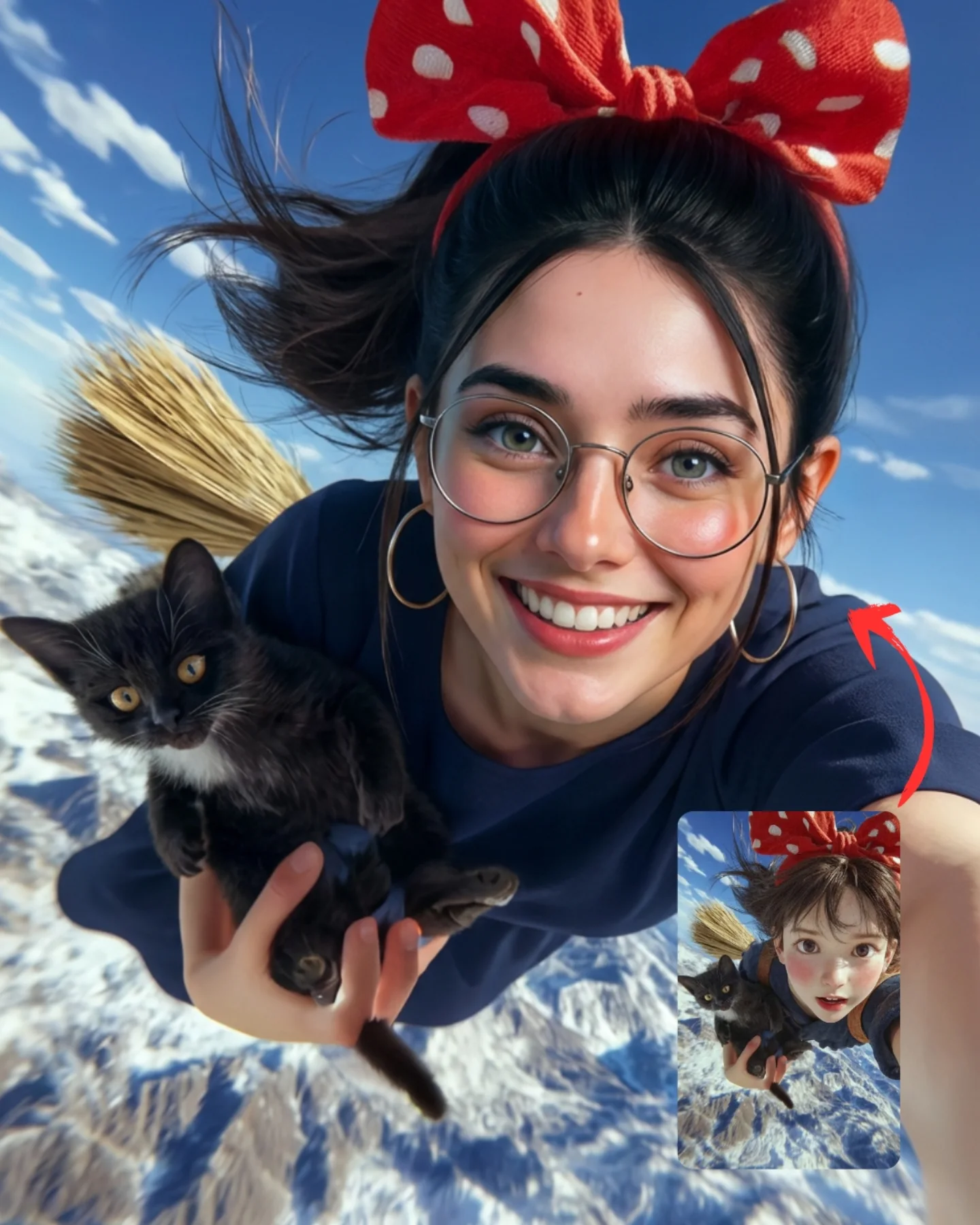
[Subject] One young woman in a hyperreal flying selfie scene inspired by a whimsical witch-anime aesthetic. She appears early 20s, feminine presentation, slim build, light olive skin, large green-hazel eyes, long dark brown to black hair pulled back with loose strands blowing strongly in the wind, thin round glasses, medium gold hoop earrings, bright open smile showing teeth, rosy cheeks, and a joyful adventurous expression. She wears a dark navy dress or top. On her head is a very large bright red bow headband with white polka dots, tied dramatically above the crown. In her left arm she holds a small fluffy black kitten with yellow-gold eyes, white patch on the chest, and soft fur. Behind her left shoulder a straw broom is visible, angled backward in flight.
[Environment] High above a snow-covered mountain range under a vivid blue sky with soft white clouds. The ground far below is a textured expanse of icy peaks and ridges. The whole scene suggests fast airy motion through open sky, but remains bright and cheerful rather than dangerous. In the bottom-right corner of the image there is a small inset reference picture showing a more cartoon/anime-styled version of the same composition, accompanied by a curved red arrow pointing toward the main hyperreal image, indicating transformation from reference to realistic output.
[Composition/Camera] Vertical 3:4 composition with dynamic extreme selfie perspective, camera held high and close, subject face large and centered slightly right, arm extending toward the lens from the lower-right edge. The kitten sits in the lower-left foreground, close to the camera. The broom enters diagonally from the left-rear area. Hair and bow stream backward to emphasize movement. Bottom-right inset image occupies a small rectangular area and must remain clearly visible as a secondary element. Use a wide selfie lens feel around 20-24mm equivalent, but maintain attractive facial proportions.
[Lighting] Bright natural daylight from above and slightly front-left, with even illumination across the face, soft highlights on cheeks and glasses, and clear visibility of the kitten fur and bow texture. Sky and snow provide cool ambient bounce, while skin tones remain warm and lively. No harsh shadows; the mood should be crisp, optimistic, and airy.
[Style/Rendering] Photorealistic yet playful social-media comparison image, designed to show a cartoon-inspired concept translated into hyperreal photography. Clean, high-detail skin texture, realistic fabric, natural wind motion in hair, sharply rendered kitten fur, believable broom straw, saturated but controlled sky blues, and cheerful adventure energy. The inset should look noticeably more illustrated/anime-like, while the main image remains convincingly real.
[Detail constraints] Keep exactly one smiling flying subject, one black kitten, one straw broom, one oversized red polka-dot bow, and one small reference inset at bottom-right with a red arrow indicating transformation. Preserve the snowy mountain background and bright sky. Do not add extra characters, city elements, witches’ hats, magical sparkles, or multiple animals. This is a whimsical flying selfie with a realistic finish, not a fantasy battle scene.

Negative prompt: extra people, missing kitten, missing bow, missing broom, no inset reference image, no red arrow, witch hat, magical particles, dark storm sky, painterly main image, cartoon main image, distorted selfie face, warped cat anatomy, low-detail fur, generic clouds only with no mountains, text overlay, watermark.

Suggested parameters: aspect ratio 3:4, 20-24mm selfie lens feel, moderate depth of field, 28-38 steps, CFG/style strength 6.5-8, sampler DPM++ 2M Karras or equivalent, seed around 273644.

Delta prompt strategy:
1. If the cartoon-to-real comparison cue disappears: add "small anime-style reference inset at bottom-right with a curved red arrow pointing to the realistic main image".
2. If the bow becomes too small: add "oversized bright red bow with white polka dots dominating the top of the hairstyle".
3. If the kitten is missing or wrong: add "small fluffy black kitten with golden eyes and a tiny white chest patch held in one arm".
4. If the broom disappears: add "straw broom trailing diagonally behind the subject during flight".
5. If the scene loses motion: add "wind-swept hair and bow streaming backward, dynamic airborne selfie angle".
6. If the setting becomes generic sky: add "snow-covered mountain range far below, crisp icy ridges visible under the subject".
7. If the subject loses glasses: add "thin round eyeglasses clearly visible on the smiling face".
8. If the main image drifts cartoonish: add "main scene photorealistic, only the inset image remains anime-styled".
9. If facial proportions distort from wide angle: add "wide selfie lens with natural flattering facial proportions".
10. If lighting turns moody: add "bright cheerful daylight with clean sky and soft even facial illumination".
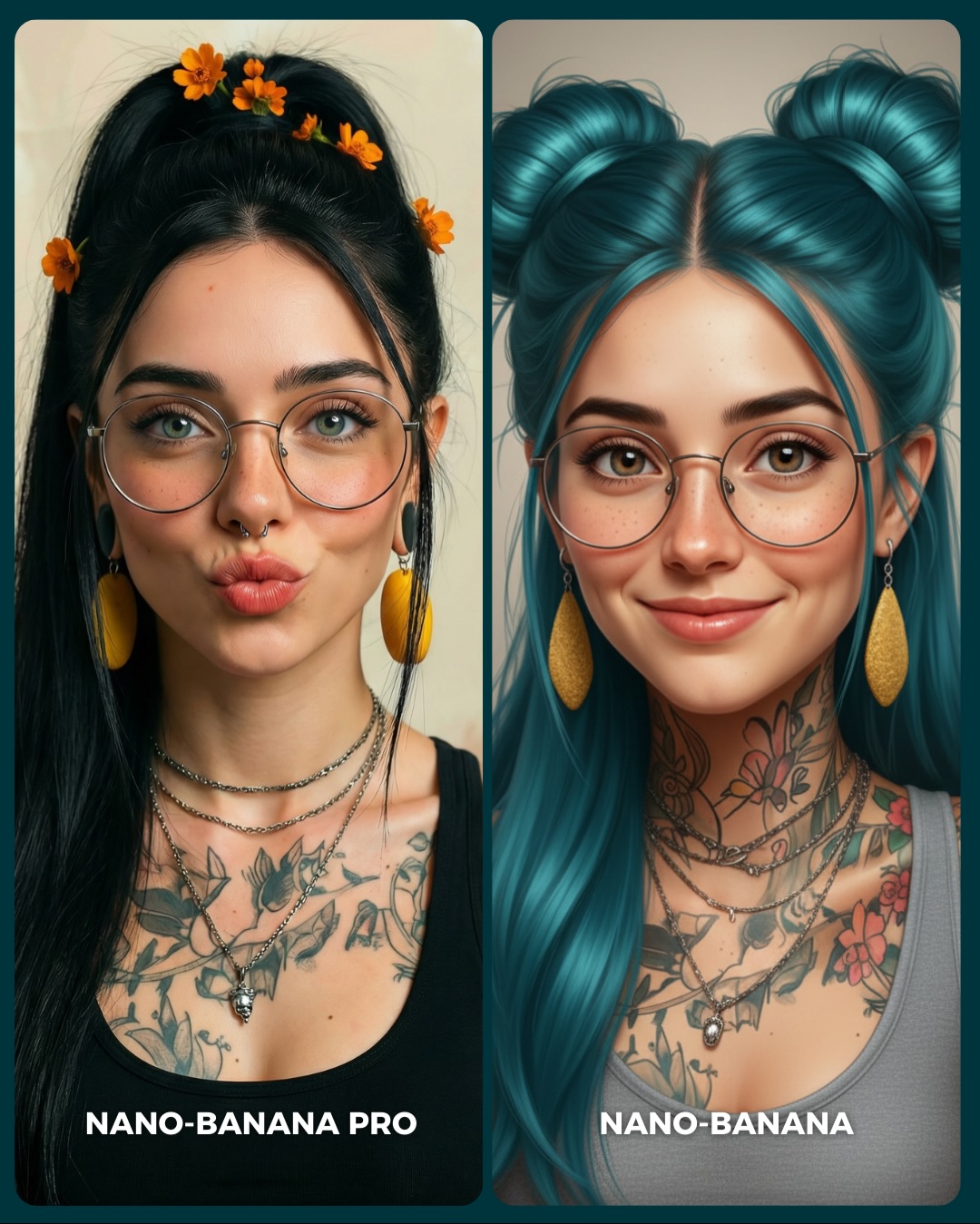
soy_aria_cruz: Nano-Banana Pro vs Nano-Banana Realism vs Stylized Comparison
[Subject] Side-by-side comparison image with two vertical portrait panels of the same tattooed young woman interpreted in two different model styles. Left panel: realistic version, early 20s, feminine presentation, light olive skin, long straight black hair in a high ponytail with small orange flowers placed through the hair, thin round metal glasses, small septum ring, large yellow drop earrings, layered silver necklaces, black tank top, floral chest and shoulder tattoos, and puckered kiss-face lips. Right panel: stylized or beautified version of the same woman, still wearing thin round glasses, yellow earrings, layered necklaces, and visible tattoos, but with turquoise-blue hair styled into two high buns with long front sections falling down. She has a softer smile, smoother face, slightly more illustrative or beautified finish, gray sleeveless top, and the same general identity translated into a more stylized rendering. Bottom labels identify the left as "NANO-BANANA PRO" and the right as "NANO-BANANA".
[Environment] Minimal studio-style portrait background with soft beige or warm neutral backdrop, no environmental props. This image is a direct comparison poster illustrating the difference between a more realistic output and a more stylized output while preserving the same character identity markers.
[Composition/Camera] Vertical 3:4 canvas divided into two equal rounded-corner columns with a narrow divider. Both portraits are chest-up, centered, front-facing, and tightly cropped. Subject fills most of each panel. The left panel emphasizes realism and sharper photographic fidelity. The right panel emphasizes a cleaner, more beautified, somewhat illustrative aesthetic. Composition must remain highly symmetrical and consistent so viewers can compare style drift, identity retention, and detail fidelity.
[Lighting] Soft frontal portrait lighting with balanced illumination on both faces, gentle catchlights in the eyes, subtle reflections on glasses, and minimal shadow. Light should be neutral and flattering, allowing differences in texture realism and rendering style to show naturally. Skin and tattoos must remain readable in both panels.
[Style/Rendering] Comparison poster for AI portrait generation quality. Left panel should feel photorealistic, detailed, and grounded. Right panel should feel smoother, more stylized, and slightly digital or illustrated while retaining realism-adjacent portrait structure. Both images should remain polished and attractive, but the contrast between realism and stylization should be obvious. No extra poster graphics beyond the bottom labels.
[Detail constraints] Keep exactly two portrait panels, preserve key identity markers across both sides: glasses, yellow earrings, layered necklaces, tattoos, youthful female face, and centered framing. Maintain bottom labels "NANO-BANANA PRO" on the left and "NANO-BANANA" on the right. Do not add side props, cluttered backgrounds, extra people, or text beyond the labels. The comparison is about fidelity versus stylization, not about different scenes.

Negative prompt: single panel only, missing tattoos, missing glasses, no yellow earrings, no labels, cluttered background, wildly different identities between panels, cartoon exaggeration, anime eyes, painterly texture, distorted face, low-detail jewelry, no septum ring, extra objects, watermark.

Suggested parameters: aspect ratio 3:4, 70-85mm portrait feel, shallow depth of field, 28-36 steps, CFG/style strength 6.5-8, sampler DPM++ 2M Karras or equivalent, seed around 465328.

Delta prompt strategy:
1. If the split-screen disappears: add "two equal vertical comparison panels with a narrow divider and matched crop".
2. If identity diverges too much: add "same woman, same facial structure, same jewelry, same tattoos across both panels".
3. If the left panel is not realistic enough: add "left panel photorealistic, crisp skin detail, natural hair texture, grounded realism".
4. If the right panel is not stylized enough: add "right panel smoother, more beautified, slightly illustrative finish with turquoise twin buns".
5. If the tattoos fade: add "clear floral tattoos across chest, neck, and shoulders visible in both panels".
6. If the earrings disappear: add "large yellow drop earrings clearly visible on both sides".
7. If the orange flowers on the left vanish: add "small orange flowers tucked into the black ponytail on the left panel".
8. If the labels disappear: add "bottom left label NANO-BANANA PRO and bottom right label NANO-BANANA in bold white text".
9. If the background gets busy: add "plain warm neutral portrait backdrop with no props or decor".
10. If the glasses distort: add "thin round metal eyeglasses with natural reflections and correct lens proportions".
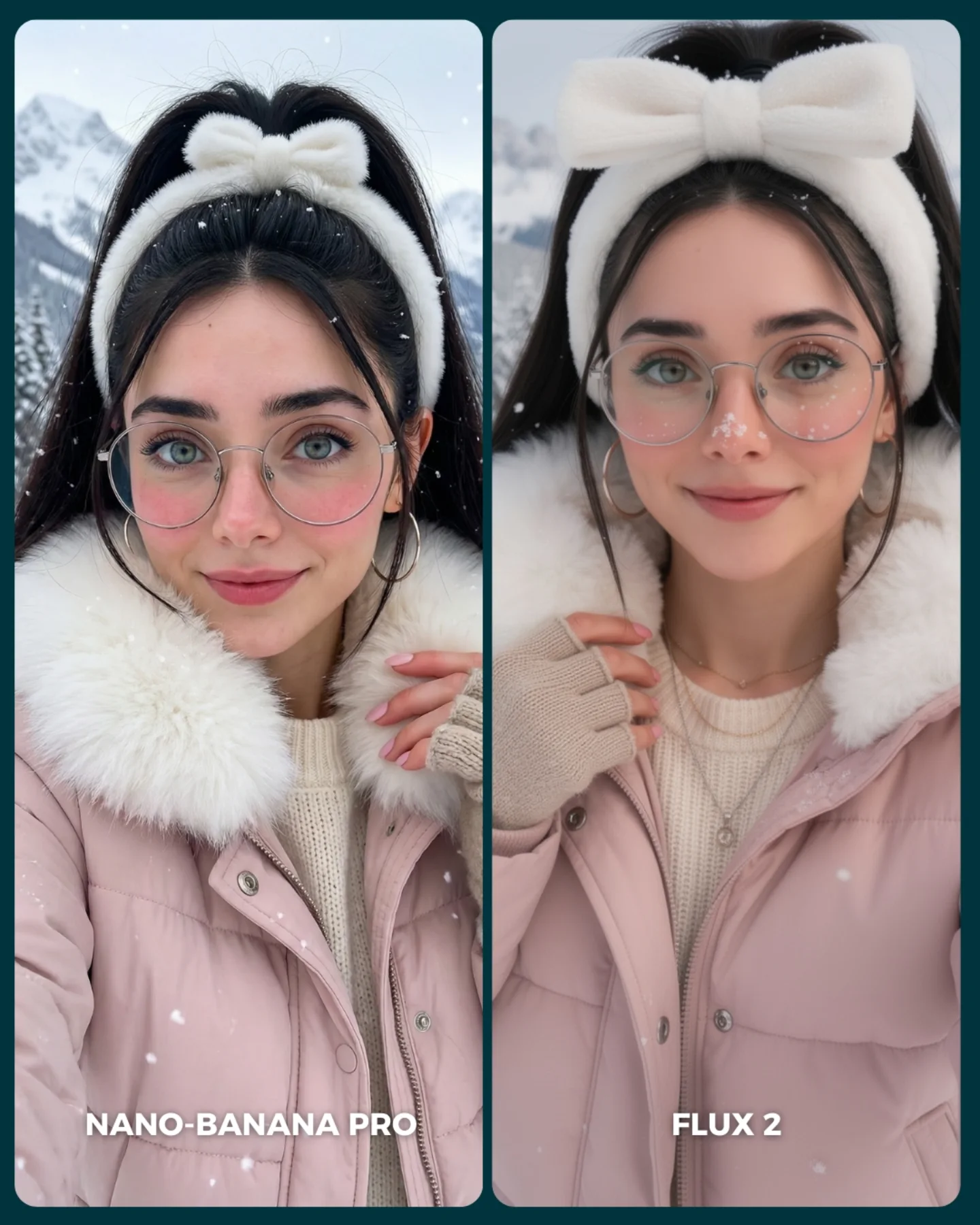
soy_aria_cruz: Winter Pink Puffer Comparison AI Image
[Subject] A side-by-side winter portrait comparison featuring the same young woman shown twice in nearly matching styling and framing. She has fair skin, large blue-green eyes, long black hair tied into a high ponytail, oversized round wire-frame glasses, silver hoop earrings, soft pink lips, and a gentle friendly expression. She wears a fluffy white plush headband with a large bow on top, a pale pink puffer jacket with oversized white faux-fur collar, and a cream knit sweater underneath. On the left panel, her expression is slightly more neutral and direct, with one hand touching the collar near the lower right. On the right panel, she has a softer smile and slightly different hand placement near the coat opening. Keep the woman’s styling nearly identical in both panels while allowing minor natural variation.

[Environment] Snowy outdoor mountain setting in winter, blurred and pale in the background. The backdrop should show soft white snow, faint gray-blue mountain shapes, and floating snowflakes. The environment is simple and cold, but the subject remains warmly styled. This is not a single natural photograph: it is a split-screen comparison cover with two portrait panels placed side by side on a dark teal background. Each panel is framed as a rounded-rectangle card. White text overlays appear at the bottom of each panel: “NANO-BANANA PRO” on the left and “FLUX 2” on the right. Keep the full comparison layout because it is visibly part of the provided image.

[Composition/Camera] Vertical social-media comparison design, overall frame near 4:5. Two portrait cards fill most of the canvas, separated by a slim dark teal divider. Both portraits are medium close-ups from upper chest to slightly above the headband bow, centered and symmetrical enough to invite direct visual comparison. The left image is slightly tighter and cooler in facial expression, while the right image is a touch softer and more polished. Both subjects look directly at the camera. Preserve the clean side-by-side benchmarking layout and the card-like framing with rounded corners.

[Lighting] Soft overcast winter daylight with even frontal illumination on both faces. No harsh shadows. The light should feel diffuse, flattering, and cold-weather appropriate, keeping skin clear and smooth while preserving realistic facial depth. Snowflakes and pale mountain background remain softly lit. Overall color temperature is cool-neutral, but the pink jacket and cream knit add warmth. Maintain consistent lighting across both panels for fair comparison.

[Style/Rendering] Hyper-real winter selfie portrait with a social-media comparison aesthetic. The main emphasis is realism in skin, glasses, knit texture, faux-fur softness, and puffer-jacket material. The left panel should feel slightly sharper and more photographic, while the right panel can feel a little softer or more beautified, but both must remain plausible and high quality. The overall composition should read as a generator-versus-generator cover image, not a random collage and not a fashion magazine spread.

[Detail constraints] Do not remove the split layout. Keep exactly two vertical portrait cards of the same styled woman, with dark teal borders/divider and the white labels “NANO-BANANA PRO” and “FLUX 2” at the bottom of each respective panel. Preserve the pink puffer jacket, fluffy white collar, white bow headband, glasses, hoop earrings, ponytail, cream sweater, snowflakes, and snowy mountain backdrop. Do not convert the image into one single portrait or change the winter styling.

Negative prompt: single image only, missing split-screen, different people in each panel, blonde hair, no glasses, no bow headband, indoor background, Christmas room, ski goggles, heavy makeup, harsh sunlight, dark dramatic shadows, extra text, warped eyes, asymmetrical glasses, melted fur, deformed hands, anime illustration, painterly style, watermark clutter.

Suggested parameters: aspect ratio 4:5 vertical overall; lens 50-70mm equivalent portrait feel; aperture look f/2.8 to f/4; steps 30-40; CFG/style guidance 6.5-8; sampler DPM++ 2M Karras or photoreal portrait sampler; seed suggestion 286411570.

Delta prompt strategy:
1. If the split-screen disappears: "two rounded-rectangle portrait panels side by side on a dark teal background with a slim divider"
2. If the styling changes between panels: "same young woman in both images with matching pink puffer jacket, white bow headband, glasses, and cream sweater"
3. If the winter mood weakens: "snowy mountain background with floating snowflakes and cool diffuse daylight"
4. If the bow headband is wrong: "large plush white bow headband centered over a high black ponytail"
5. If the fur collar loses softness: "oversized fluffy white faux-fur collar around the neck and shoulders"
6. If the panels look too identical and artificial: "same subject, similar styling, slight natural variation in expression and hand placement between panels"
7. If text labels disappear: "white lower text labels reading NANO-BANANA PRO on the left and FLUX 2 on the right"
8. If it becomes a fashion editorial instead of a comparison: "social-media generator comparison cover, clean benchmarking layout"
9. If skin becomes over-retouched: "realistic skin texture, subtle winter softness, no beauty-filter plastic skin"
10. If the background gets busy: "minimal pale snowy mountains softly blurred behind the subject"
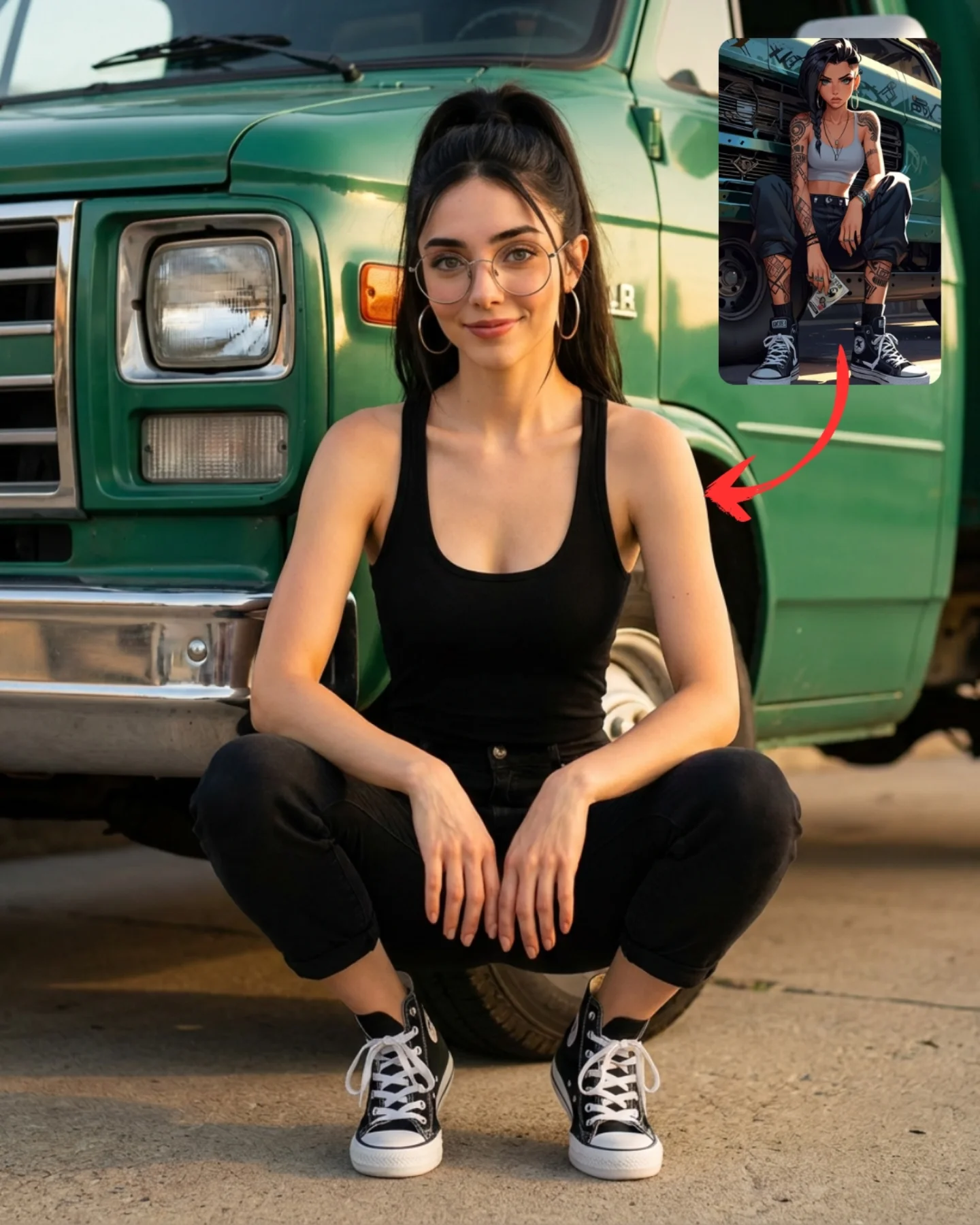
soy_aria_cruz: Van Squat Reference Pose AI
A pose-reference style image showing a young woman squatting casually in front of a vintage green van on sunlit pavement. She wears a black sleeveless tank top, fitted black pants, and classic black high-top Converse sneakers, creating a clean minimalist outfit that makes the body posture easy to read. Her dark hair is tied into a high ponytail, and she wears round glasses and hoop earrings, giving the image a recognizable creator-style face while keeping the clothing simple. The main frame is centered on her symmetrical squat, with elbows relaxed near the knees and hands hanging naturally, making the pose feel approachable, casual, and useful for reference. In the upper-right corner, a small inset image shows a stylized illustrated version of a similar character in a related outfit and seated stance, with a red arrow pointing from the inset toward the live-action pose. This turns the composition into a transformation or inspiration graphic rather than a standard portrait. The vintage van behind her provides a strong color block and lifestyle backdrop, while the inset makes it clear the image is about translating a stylized reference into a real-world pose. Lighting is warm late-afternoon daylight, giving the skin and vehicle paint a soft golden tone. Emphasize realistic posture anatomy, canvas sneaker texture, black clothing simplicity, faded van paint, inset-image framing, and the tutorial-like feel of a real-photo adaptation from illustration. The final image should feel practical, stylish, and social-media ready, like a pose study or visual reference guide for recreating an illustrated character stance.
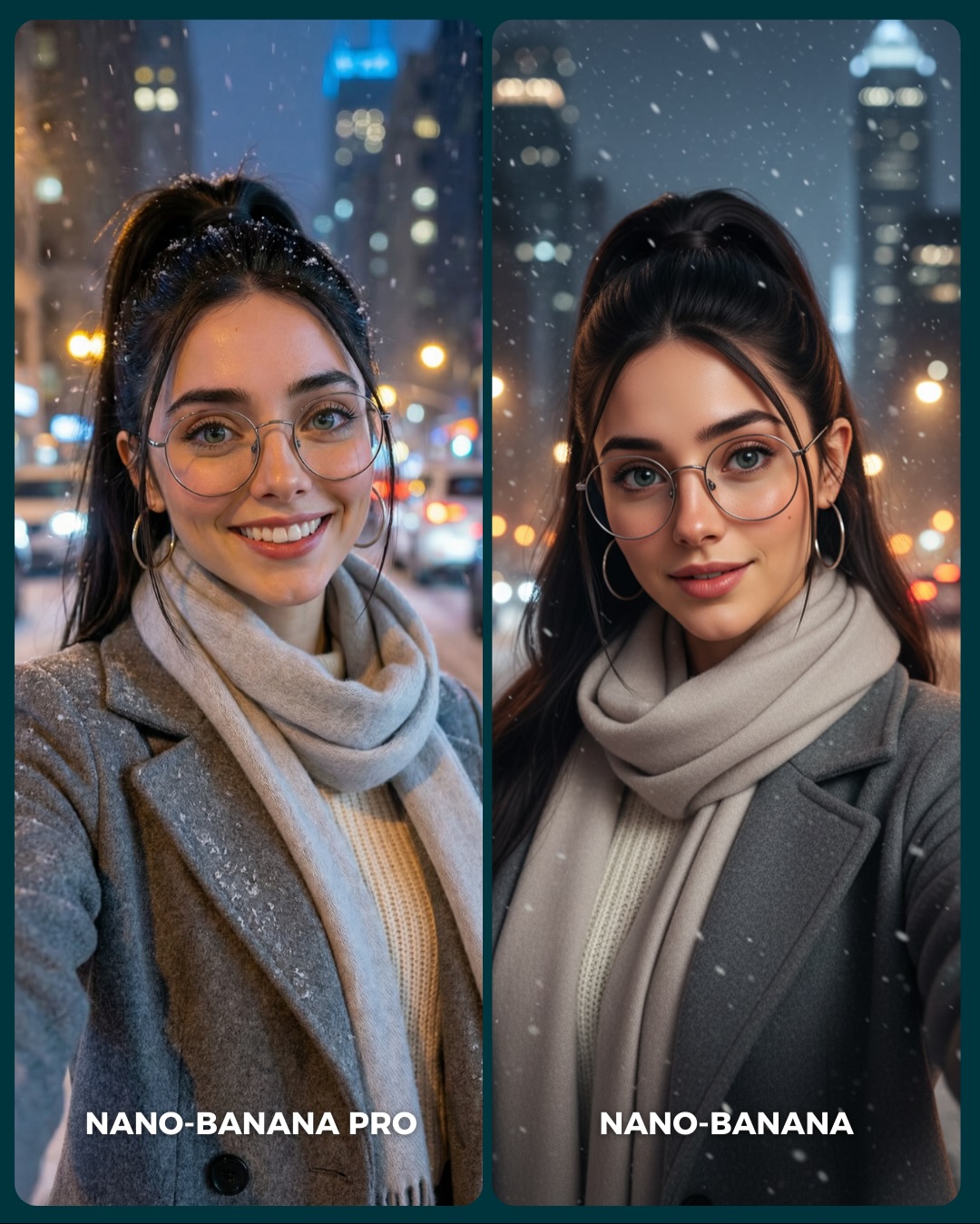
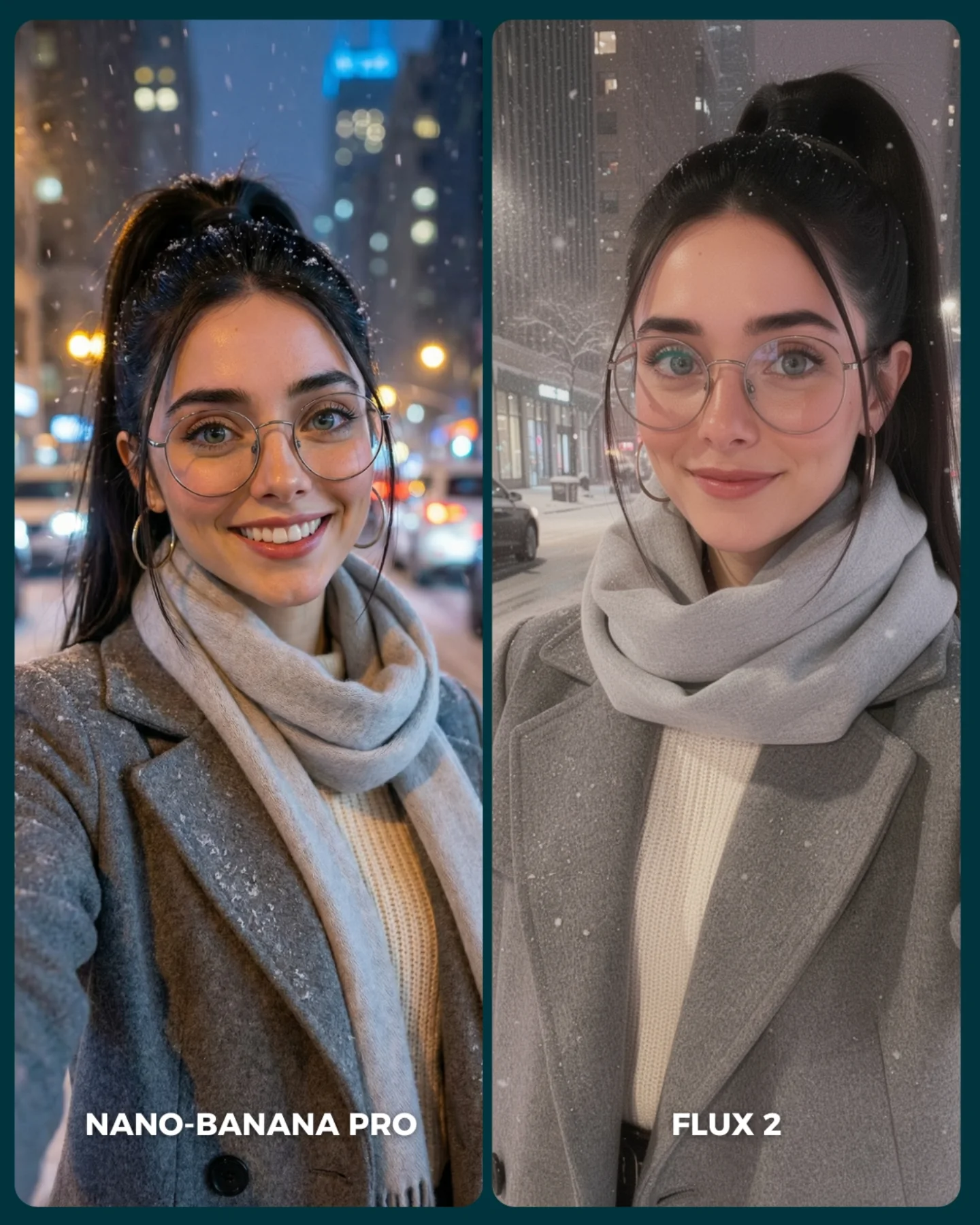
Winter City Selfie Comparison AI Image Prompt
[Subject] A side-by-side winter city selfie comparison showing the same young woman in both panels. She has fair skin, long dark brown to black hair tied in a high ponytail, large round wire-frame glasses, silver hoop earrings, blue-green eyes, and soft natural makeup. She wears a medium-gray wool coat over a cream knit sweater and a thick light beige scarf wrapped around the neck. In the left panel, her smile is brighter and more casual, giving a friendly spontaneous selfie feeling. In the right panel, her expression is calmer and more refined, with a softer half-smile and slightly more polished look. Keep identity, clothing, and overall framing nearly identical across both panels, with only small natural variation.

[Environment] Outdoor city street at night in winter. Snowflakes drift across the scene. The background is softly blurred with warm orange streetlights, car bokeh, and tall dark skyscraper shapes rising behind. The atmosphere is cold, urban, and softly cinematic. The overall image is a social-media comparison cover made of two rounded portrait cards side by side on a dark teal background with a narrow divider between them. White text labels appear near the bottom of each card: “NANO-BANANA PRO” on the left and “NANO-BANANA” on the right. Keep this full comparison layout because it is visible in the original image.

[Composition/Camera] Vertical 4:5 overall comparison layout. Each panel is a medium close-up selfie crop from upper chest to slightly above the head. The woman is centered in both cards, with shallow background blur and snowy city lights behind. Left panel feels a touch looser and more candid, right panel slightly more centered and polished. Preserve the rounded-rectangle card framing, the dark divider, and the symmetrical side-by-side benchmark structure.

[Lighting] Soft cold evening ambient light on the face balanced with warm city bokeh in the background. The left panel can feel slightly more natural and on-location, while the right panel is a bit cleaner and more evenly flattering. Snowflakes catch small highlights. The subject’s face remains bright and readable without flash harshness. Keep realistic winter-night exposure and gentle contrast.

[Style/Rendering] Hyper-real winter selfie portrait with a social comparison aesthetic. Detailed glasses rims, natural skin texture, visible scarf knit and wool coat texture, subtle snow accumulation on hair and coat, and believable urban bokeh. Both panels should look high quality and plausible, with the left leaning slightly more candid and the right slightly more beautified. The frame should read as a generator benchmark cover, not a single standalone portrait and not a magazine editorial.

[Detail constraints] Do not remove the split layout. Keep the same woman in both panels with matching gray coat, cream sweater, beige scarf, glasses, hoop earrings, and high ponytail. Preserve the snowy city-night background, blurred streetlights, skyscraper silhouettes, and lower labels “NANO-BANANA PRO” and “NANO-BANANA”. Do not change the season, turn it into daylight, or replace the city with a studio backdrop.

Negative prompt: single image only, different women in each panel, indoor setting, no snow, daylight, forest background, no glasses, blonde hair, puffer jacket, dramatic makeup, heavy retouching, plastic skin, warped eyes, asymmetrical glasses, cluttered text, anime style, oil painting, watermark clutter, merged scarf.

Suggested parameters: aspect ratio 4:5 overall comparison; lens 50mm equivalent selfie-portrait feel; aperture look f/2 to f/2.8; steps 30-40; CFG/style guidance 6.5-8; sampler DPM++ 2M Karras or realistic portrait sampler; seed suggestion 480237161.

Delta prompt strategy:
1. If the split-screen disappears: "two rounded portrait cards side by side on a dark teal background with a slim divider"
2. If identity changes between panels: "same young woman in both panels with high dark ponytail, round glasses, hoop earrings, gray coat, and beige scarf"
3. If the winter city mood weakens: "night city street in snowfall with warm streetlight bokeh and distant skyscraper silhouettes"
4. If the scarf changes: "thick light beige scarf wrapped around the neck over a cream knit sweater"
5. If the left-right difference is lost: "left panel brighter candid smile, right panel calmer polished expression"
6. If snow disappears: "visible falling snowflakes and light snow dusting on hair and coat"
7. If it becomes too editorial: "social-media generator comparison cover, realistic winter selfie benchmark"
8. If labels vanish: "bottom white labels reading NANO-BANANA PRO on the left and NANO-BANANA on the right"
9. If the background gets too sharp: "soft urban bokeh with glowing car lights and blurred towers"
10. If skin becomes over-smoothed: "natural skin texture, believable winter-light portrait realism"
soy_aria_cruz: Snowy City Portrait Comparison AI Image
[Subject] A side-by-side AI model comparison featuring two close winter city portraits of a young adult woman. In both panels, the subject has fair skin, a slim build, dark hair in a high ponytail, large round wire-frame eyeglasses, silver hoop earrings, and a soft approachable expression. She wears a light gray wool overcoat layered over a cream ribbed knit sweater and a thick pale-gray scarf wrapped around the neck. Left panel shows a slightly warmer expression with a broader smile and snow collecting on the hair and shoulders. Right panel shows a calmer softer smile and a cleaner, smoother rendering with similar styling.

[Environment] Both portraits are set outdoors on a snowy city street at night. Falling snow is visible in front of dark urban buildings and blurred traffic or street lights. The left panel has stronger colorful city bokeh and a warmer blue-gold nightlife atmosphere. The right panel has a more muted snowy street background with soft building outlines, parked cars, and a calmer wintry tone. Each panel is enclosed in a tall rounded rectangle with a dark divider between them.

[Composition/Camera] Two vertical comparison panels side by side, each showing a chest-up to upper-torso portrait. Subject is centered in both columns for direct visual evaluation. The winter styling remains matched across both images, and white text labels appear at the bottom of each panel: one reading “NANO-BANANA PRO” and the other “FLUX 2”. The overall design is optimized for a clean social-media model comparison layout.

[Lighting] Soft urban night lighting with cool ambient snow light and gentle warm reflections from streetlights. The faces remain clearly readable, with subtle frontal fill or flash-like clarity preserving eye detail. Snowflakes and coat textures remain visible, while each panel expresses slightly different tonal interpretation of the same winter-night setup.

[Style/Rendering] Realistic AI model comparison graphic focused on winter portrait realism, snow handling, skin fidelity, eyewear rendering, and urban low-light aesthetics. The image should feel like a polished benchmark post rather than a casual collage.

[Detail constraints] Keep exactly two portrait panels only, one labeled NANO-BANANA PRO and the other FLUX 2. Preserve the gray coat, gray scarf, cream sweater, glasses, ponytail, snowfall, and chest-up winter city composition in both. Do not merge them into one image or remove the comparison labels. Keep the layout clean and aligned for model evaluation.

Negative prompt: extra subjects, single-panel layout, no snow, daytime winter scene, no glasses, different outfits between panels, no labels, cartoon rendering, heavy fashion makeup, empty white background, no city context, no scarf, asymmetrical crop, indoor comparison, no rounded panel borders.

Suggested parameters: aspect ratio 4:5 overall with two vertical rounded panels, lens 60mm to 75mm portrait feel per panel, aperture f/2.8 to f/4 look, moderate depth of field, 24-32 steps, CFG 6.5-8, sampler DPM++ 2M Karras or equivalent, style strength low, seed around 604188.

Delta prompt strategy:
1. If the split comparison layout disappears: add “two tall rounded-rectangle portrait panels side by side with a dark central divider”.
2. If the winter styling drifts: add “light gray wool coat, thick pale-gray scarf, cream ribbed sweater, glasses, and high ponytail in both panels”.
3. If snowfall weakens: add “visible falling snowflakes collecting lightly on hair and coat in a night city setting”.
4. If the labels vanish: add “white bottom labels reading NANO-BANANA PRO and FLUX 2”.
5. If the city background gets too empty: add “blurred snowy urban street with headlights, building windows, and parked cars”.
6. If one panel becomes too different: add “same subject, same wardrobe, same chest-up framing for direct model comparison”.
7. If glasses disappear: add “large round wire-frame eyeglasses clearly visible in both images”.
8. If the color mood becomes identical: add “left side slightly warmer and more bokeh-rich, right side softer and more muted snowy realism”.
9. If the crop widens too much: add “tight winter portrait from chest-up optimized for side-by-side face comparison”.
10. If the image turns into a social collage instead of a benchmark: add “clean AI model comparison graphic with consistent framing and evaluative clarity”.
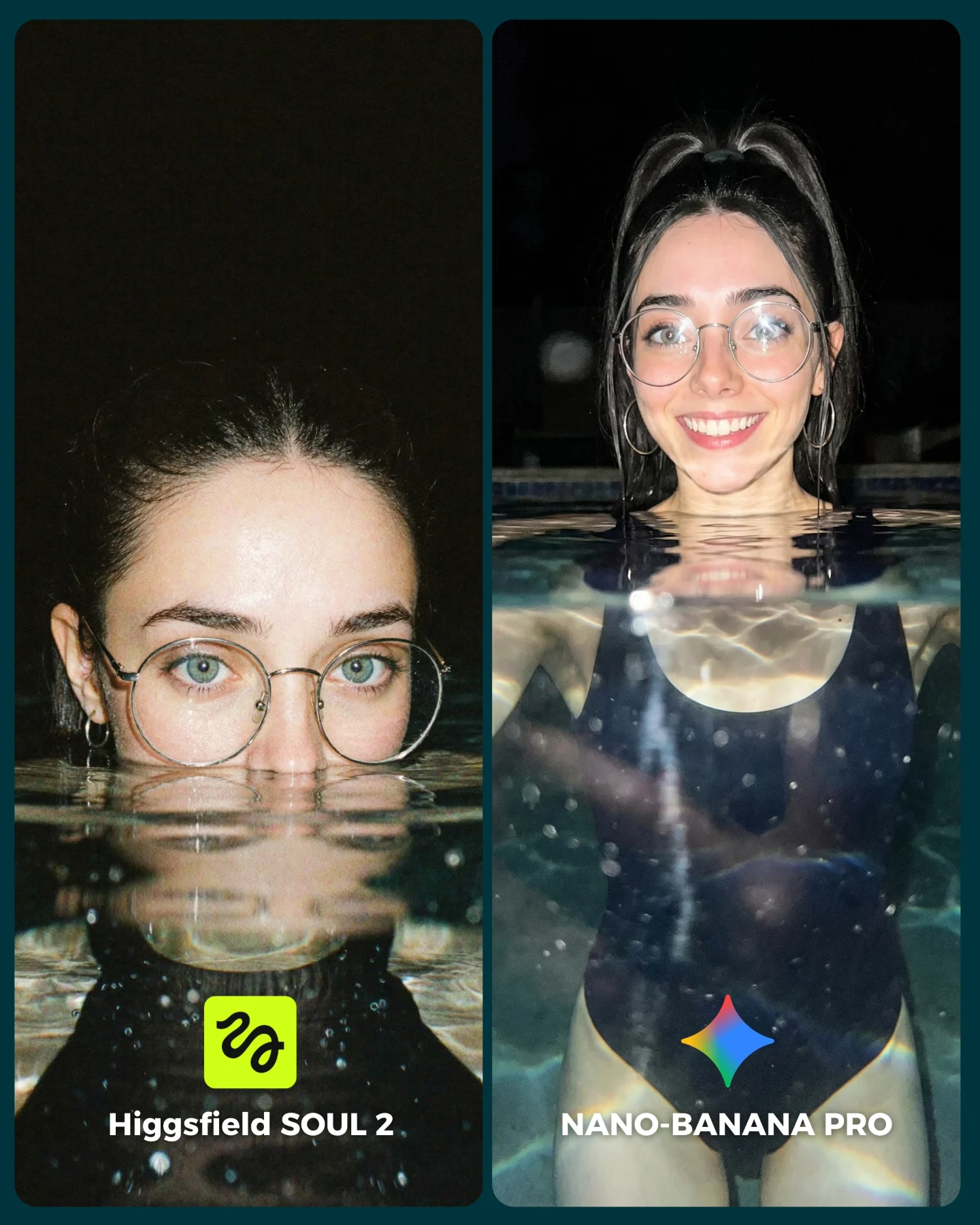
soy_aria_cruz: SOUL 2 vs Nano Banana Water Realism AI
[Subject]
A split-screen comparison image featuring the same young adult woman in a swimming pool at night. She has fair skin, large round metal glasses, hoop earrings, dark hair pulled back tightly or in high tied sections, and a bright expressive face. In the left panel, only the upper face and glasses rise above the waterline, creating a dramatic half-submerged close-up. In the right panel, more of the body is visible above the water, showing a dark one-piece swimsuit and a friendly smile.

[Environment]
Nighttime pool scene with a nearly black background, strong flash-lit subject, reflective water surface, visible ripples, underwater light scatter, and floating particles or droplets. The pool water should feel deep and glassy with realistic reflections and refraction. Keep the setting minimal so the viewer focuses on water realism and facial detail.

[Composition/Camera]
Vertical two-panel comparison layout with rounded corners and a thin divider between panels. Left panel is a tighter close-up portrait dominated by face and waterline. Right panel is a medium portrait showing upper torso in water. Both panels should align visually as a model-comparison graphic. Bottom labels identify the models: "Higgsfield SOUL 2" on the left with a small neon-green icon, and "NANO-BANANA PRO" on the right with a multicolor diamond icon.

[Lighting]
Direct flash or strong frontal night lighting that creates crisp highlights on skin, bright reflections on the glasses, luminous specular highlights on the waterline, and a glossy wet-skin look. Preserve strong contrast against the dark background while keeping the face readable.

[Style/Rendering]
Photoreal AI comparison graphic focused on water realism, skin texture, flash portrait aesthetics, and high-contrast nocturnal mood. The result should feel like a creator benchmark post comparing image generators on a difficult refraction-heavy scene.

[Detail constraints]
do not remove the split-screen comparison, preserve the same woman in both panels, keep the glasses, waterline crossing the face or torso, dark night background, one-piece swimsuit on the right, and the model-name text labels at the bottom. Water realism and reflective distortion must remain central.

[Negative prompt]
daylight pool, beach scene, multiple people, no glasses, dry skin, no waterline, missing reflections, underwater camera only, cartoon water, anime, broken facial symmetry, distorted eyes behind glasses, random pool toys, text missing, over-smooth skin, different woman in each panel

[Suggested parameters]
- aspect ratio: 4:5 vertical overall
- lens/focal length: 50mm portrait with flash feel
- depth of field: shallow-medium
- steps: 32-40
- CFG/style strength: 5.5-7.0
- sampler: DPM++ 2M Karras or Euler a
- seed suggestion: 90734126

[Delta prompt strategy]
1. If the waterline looks fake, append: "realistic water refraction crossing the face, crisp reflective surface tension"
2. If the split comparison disappears, append: "two vertical benchmark panels side by side with rounded corners"
3. If the night mood weakens, append: "dark nighttime pool background with flash-lit subject"
4. If the glasses deform, append: "large round metal glasses with realistic reflections and correct lens shape"
5. If the left panel becomes too open, append: "tight close-up with only eyes, glasses, and upper face emerging above water"
6. If the right panel loses body context, append: "upper torso visible in water, dark one-piece swimsuit, smiling toward camera"
7. If the water becomes too clean, append: "tiny suspended particles, ripples, and specular highlights in the pool"
8. If labels vanish, append: "bottom comparison labels for Higgsfield SOUL 2 and NANO-BANANA PRO"
9. If the image becomes too glamorous, append: "benchmark-style realism test, flash portrait honesty, not luxury resort imagery"
10. If likeness drifts between panels, append: "the same woman appears in both panels with matching face and glasses"
Video
GLOBAL LOCK: Subject is Natalia Dyer, an American actress with an oval face, high cheekbones, large expressive brown eyes, and fair skin with natural warmth. Her hair is dark brown, long, and wavy, styled into two thick, loose braids falling over her shoulders. She wears a dark, high-collared cloak/coat. Her expression is neutral, serene, and slightly melancholic, looking directly at the camera. The camera is a static Medium Close-Up (MCU) with a cinematic 35mm lens feel. High-fidelity skin textures and realistic lighting are mandatory.

[00:00–00:01]
Subject is centered in a grand, atmospheric gothic cathedral. Background features intricate stone arches and stained glass windows. Lighting: Misty, volumetric light beams (God rays) filter through the windows, creating a teal and orange contrast. Subject's face is softly lit by the ambient glow. Motion: Subtle dust motes dancing in the light beams.

[00:01–00:02]
Subject is centered in a vast golden hour meadow. Background features tall, dry grass and a distant horizon under a setting sun. Lighting: Warm, intense amber backlighting creating a soft rim light on her hair and cloak. A subtle lens flare peeks from the corner. Motion: Very slight swaying of the grass in the background.

[00:02–00:03]
Subject is centered in a dense autumn forest. Background is filled with vibrant orange and red maple leaves. Lighting: Dappled sunlight filtering through the canopy, creating soft patches of light on her face. Shallow depth of field with a creamy bokeh effect on the leaves. Motion: A few leaves slowly falling in the background.

NEGATIVE PROMPT: 
Facial distortion, changing eye color, changing hair style, inconsistent facial features, cartoonish look, plastic skin, extra limbs, blurry face, text, watermark, logo, flickering lighting, sudden jumps in subject position, robotic movement, oversaturated colors, low resolution.
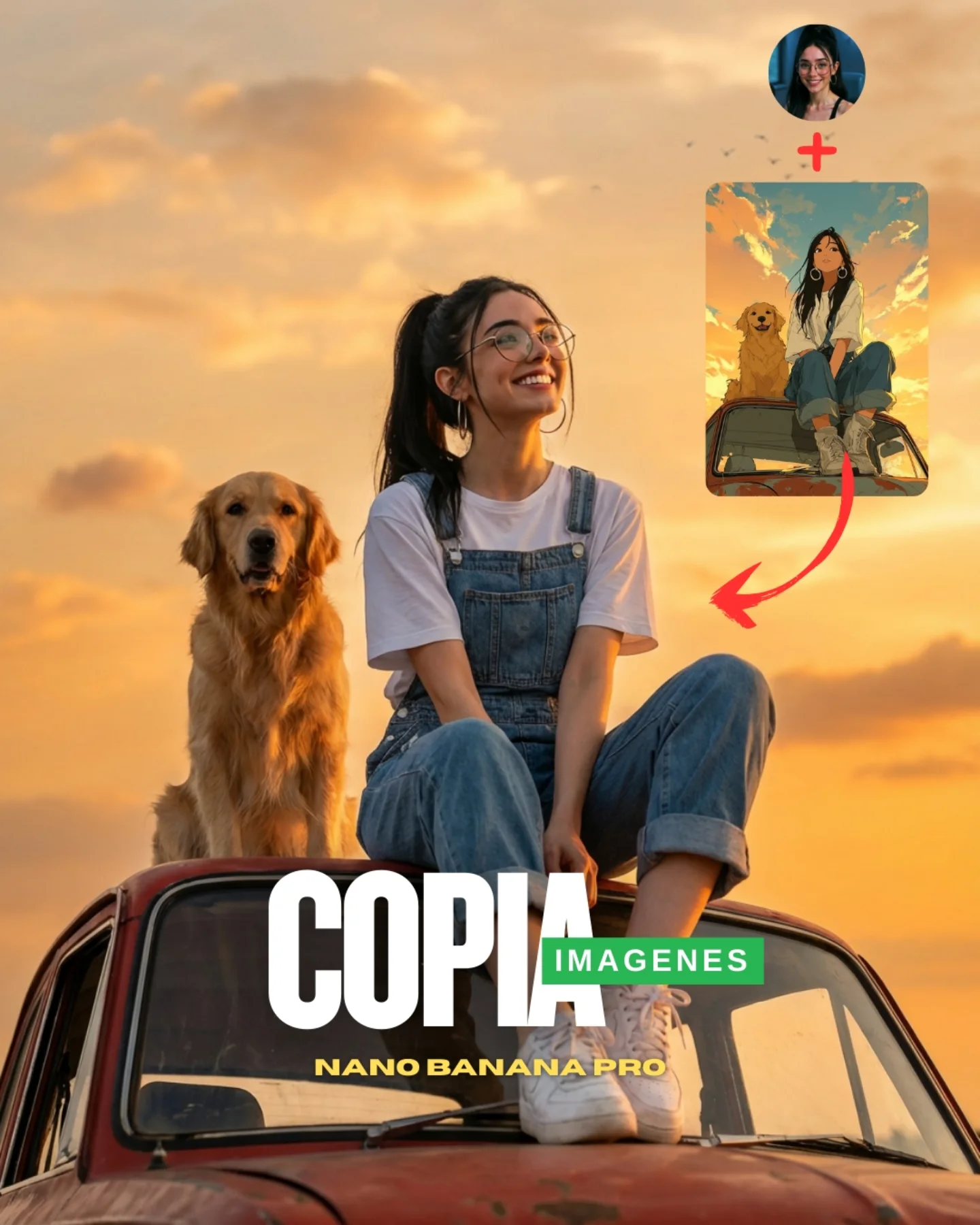
soy_aria_cruz: Copy Any Image Sunset Car Roof Golden Retriever Guide
[Subject] A young woman and a golden retriever posed on top of an old car at sunset. The woman sits on the roof of the car in the center-right foreground, smiling upward toward the left with a joyful relaxed expression. She has fair skin, large round wire-frame glasses, long black hair pulled into a high ponytail, and silver hoop earrings. She wears a plain white short-sleeve T-shirt under blue denim overalls with rolled-up pant legs and white sneakers. One knee is bent up, the other leg folds across the roof naturally, with hands resting loosely near her knees. To her left sits a golden retriever with warm golden fur, upright posture, relaxed open mouth, and friendly expression. Keep exactly one woman and one dog.

[Environment] Outdoor open-air scene during golden-hour sunset. The sky fills most of the background with soft warm orange, peach, and pale gold clouds, no buildings or trees visible. The pair are seated on the roof of an older red-brown vintage car with worn paint, dark windshield frame, and rounded roofline visible in the lower half of the frame. This specific social-media cover image also includes an instructional overlay in the upper right: a small circular profile photo of the same woman, a red plus sign beneath it, a small rectangular anime-style reference image showing a girl and dog on a car, and a red curved arrow pointing down toward the realistic main scene. Large promotional text overlays appear across the lower middle: big white “COPIA”, smaller green “IMAGENES”, and yellow “NANO-BANANA PRO”. Keep these overlay elements because they are visibly part of the provided image.

[Composition/Camera] Vertical 4:5 or near-vertical social-media cover composition. The woman and dog are centered on the car roof, framed from full seated body and dog body upward with lots of sky around them. Camera angle is slightly low, looking up enough to make the subjects silhouette cleanly against the sky. The car hood and windshield occupy the lower foreground, while the sky dominates the upper two-thirds. The instructional inset cluster lives in the upper right corner and should remain separate from the main subjects. Preserve the poster-like social post layout with subject stack in the center and bold text overlay low in the frame.

[Lighting] Soft golden-hour sunlight from the right-front or low side direction, bathing skin, denim, dog fur, and the car roof in warm amber light. Shadows remain soft and gentle, with no harsh midday contrast. The sky should glow warmly behind the subjects, and the dog’s fur should catch rich honey highlights. Keep a dreamy sunset realism without losing facial clarity.

[Style/Rendering] Hyper-real lifestyle photography with social-media promotional layout. The main central scene should feel like a realistic cinematic sunset portrait, while the upper-right inset intentionally looks like a stylized anime or illustration reference card. Clean skin texture, realistic denim folds, detailed dog fur, warm nostalgic car texture, and smooth cloud gradients. The full frame should read as a creator tutorial cover image showing “reference image plus realistic result,” not as a plain untouched photograph and not as a magazine editorial.

[Detail constraints] Do not remove the tutorial overlay elements. Keep the circular profile image, plus sign, anime-style inset card, and red arrow in the upper right. Keep the large word “COPIA”, the green “IMAGENES” box, and “NANO-BANANA PRO” near the lower center. Maintain exactly one woman sitting on the car roof and one golden retriever at her left. Preserve the sunset sky, vintage red car, denim overalls, white T-shirt, glasses, ponytail, and warm golden-hour mood. Do not convert the scene into a clean landscape photo without graphic overlays.

Negative prompt: extra people, extra dogs, cat, city skyline, trees, grass field, indoor studio, cloudy gray sky, midday sun, dark night scene, modern SUV, convertible, leather fashion outfit, missing glasses, blonde hair, anime-only main scene, painterly sunset, warped dog anatomy, deformed hands, missing overlay card, missing text, random logos, watermark clutter.

Suggested parameters: aspect ratio 4:5 vertical; lens 35-50mm equivalent lifestyle framing; aperture look f/4 to f/5.6 for broad subject sharpness; steps 30-40; CFG/style guidance 6.5-8; sampler DPM++ 2M Karras or realistic lifestyle sampler; seed suggestion 145829367.

Delta prompt strategy:
1. If the tutorial overlay disappears: "add upper-right social-media tutorial overlay with profile icon, red plus sign, anime reference card, and curved red arrow"
2. If the main scene loses realism: "hyper-real sunset lifestyle photo of a woman and golden retriever on a vintage car roof"
3. If the dog drifts: "golden retriever sitting upright on the left side of the car roof, friendly open-mouth expression"
4. If the outfit changes: "white T-shirt under blue denim overalls, rolled cuffs, white sneakers"
5. If the sunset gets too intense: "soft warm golden-hour sky with peach and orange clouds, gentle contrast"
6. If the car becomes too modern: "old red vintage car with rounded roofline and worn paint"
7. If the pose changes too much: "young woman seated on the roof with one knee up, smiling upward with relaxed posture"
8. If the text layout is lost: "large white COPIA text, green IMAGENES label, yellow NANO-BANANA PRO text near the bottom center"
9. If the image becomes too editorial: "creator tutorial cover image, social-media promotional layout, not a luxury campaign"
10. If the inset looks realistic instead of illustrated: "small anime-style reference image in the upper right, clearly different from the main realistic scene"
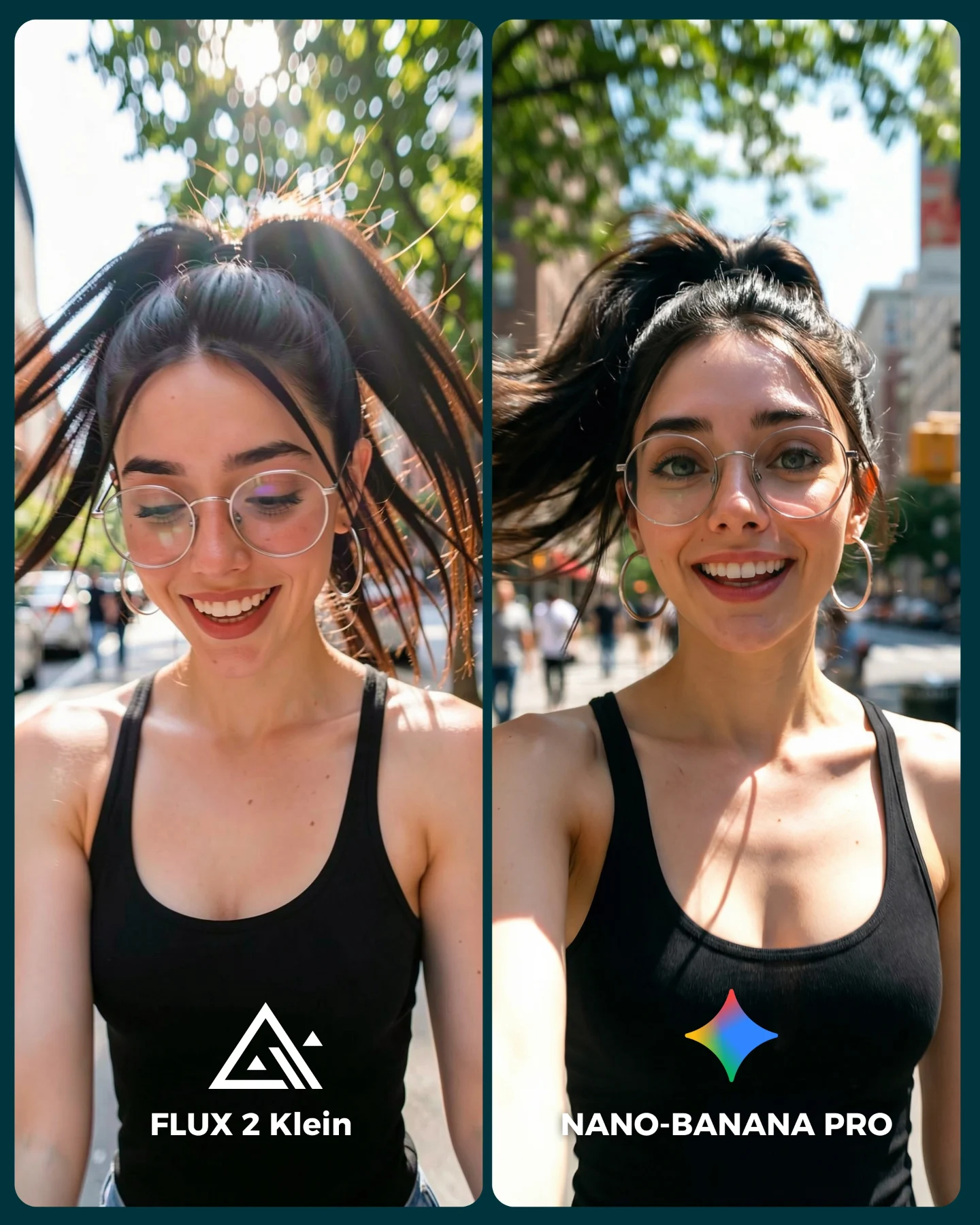
soy_aria_cruz: Flux vs Nano Banana Selfie AI Art

[Subject] A side-by-side split-screen comparison of the same young adult woman recorded outdoors in bright daytime. She has a slim build, light skin, dark hair tied into a high ponytail flying outward with motion, large round wire-frame glasses, hoop earrings, and a fitted black sleeveless athletic tank top. Left panel: she looks slightly downward with a soft smile, eyes partly lowered, in a candid sunny walking or jogging moment. Right panel: she faces the camera directly in a close selfie with a friendly open smile. In both panels her face is naturally lit by strong sunlight and her ponytail arcs dramatically behind her.

[Environment] Sunny city street with trees overhead, bright sky filtering through leaves, and soft urban buildings and traffic signals in the blurred background. The left panel feels more shaded by foliage with sun flares coming through the trees; the right panel is more direct and open, with a clearer urban daytime street behind the subject. Both panels share the same outdoor city-walk or light-exercise context.

[Composition/Camera] Vertical two-panel split layout separated by a narrow divider. Both sides are close smartphone portraits from chest-up framing. Left side is slightly more top-lit and downward-gazing, while the right side is a classic arm-extended selfie with direct eye contact. Bottom comparison labels identify the models: “FLUX 2 Klein” on the left and “NANO-BANANA PRO” on the right, with a colorful sparkle icon above the right-side text.

[Lighting] Strong natural daylight with warm highlights, sun filtering through tree leaves, and soft bright bokeh in the background. The left panel includes more dappled backlight and flare; the right panel has more direct front-side sunlight on the face. Contrast is lively but still flattering, typical of outdoor summer selfie conditions.

[Style/Rendering] Photoreal creator-style outdoor selfie comparison, bright social-media realism, everyday fitness/lifestyle content, natural skin texture, phone-camera framing, slight motion energy in hair, clean vibrant urban daylight look.

[Detail constraints] Preserve the side-by-side comparison, the black tank top, round glasses, hoop earrings, high ponytail, bright tree-lined city street, and the bottom model labels. Keep the two expressions distinct: candid downward smile on the left and direct happy selfie on the right. Do not add extra foreground people, hats, or heavy workout gear.

Negative prompt: indoor gym, sports bra only, sunglasses, no glasses, static studio portrait, cloudy moody weather, extra people beside the subject, no split layout, cartoon style, harsh over-retouching, dramatic fashion makeup, text overlays beyond the comparison labels.

Suggested parameters: aspect ratio 4:5 vertical; lens 28mm to 35mm smartphone selfie feel; medium depth of field; 22-32 steps; CFG/style strength 5.5-7; sampler DPM++ 2M Karras or equivalent; seed suggestion around 617284531.

Delta prompt strategy:
1. Split-screen disappears -> append: side-by-side two-panel smartphone selfie comparison with narrow divider and bottom labels.
2. Ponytail loses motion -> append: high ponytail lifted and swinging outward in bright outdoor movement.
3. Glasses vanish -> append: large round wire-frame glasses visible in both panels.
4. Outfit changes -> append: fitted black sleeveless athletic tank top, minimal styling.
5. City environment becomes generic park -> append: sunny tree-lined city street with soft buildings and traffic lights in the background.
6. Left panel loses its candid angle -> append: subject glancing slightly downward with a gentle smile in bright dappled sunlight.
7. Right panel stops reading as selfie -> append: direct arm-extended selfie with friendly smile and eye contact.
8. Lighting becomes flat -> append: strong natural daylight with leaf-filtered highlights and bright bokeh.
9. Image becomes polished ad campaign -> append: casual creator-style social media selfie realism, natural and approachable.
10. Labels disappear -> append: FLUX 2 Klein text on left and NANO-BANANA PRO text on right at the bottom.
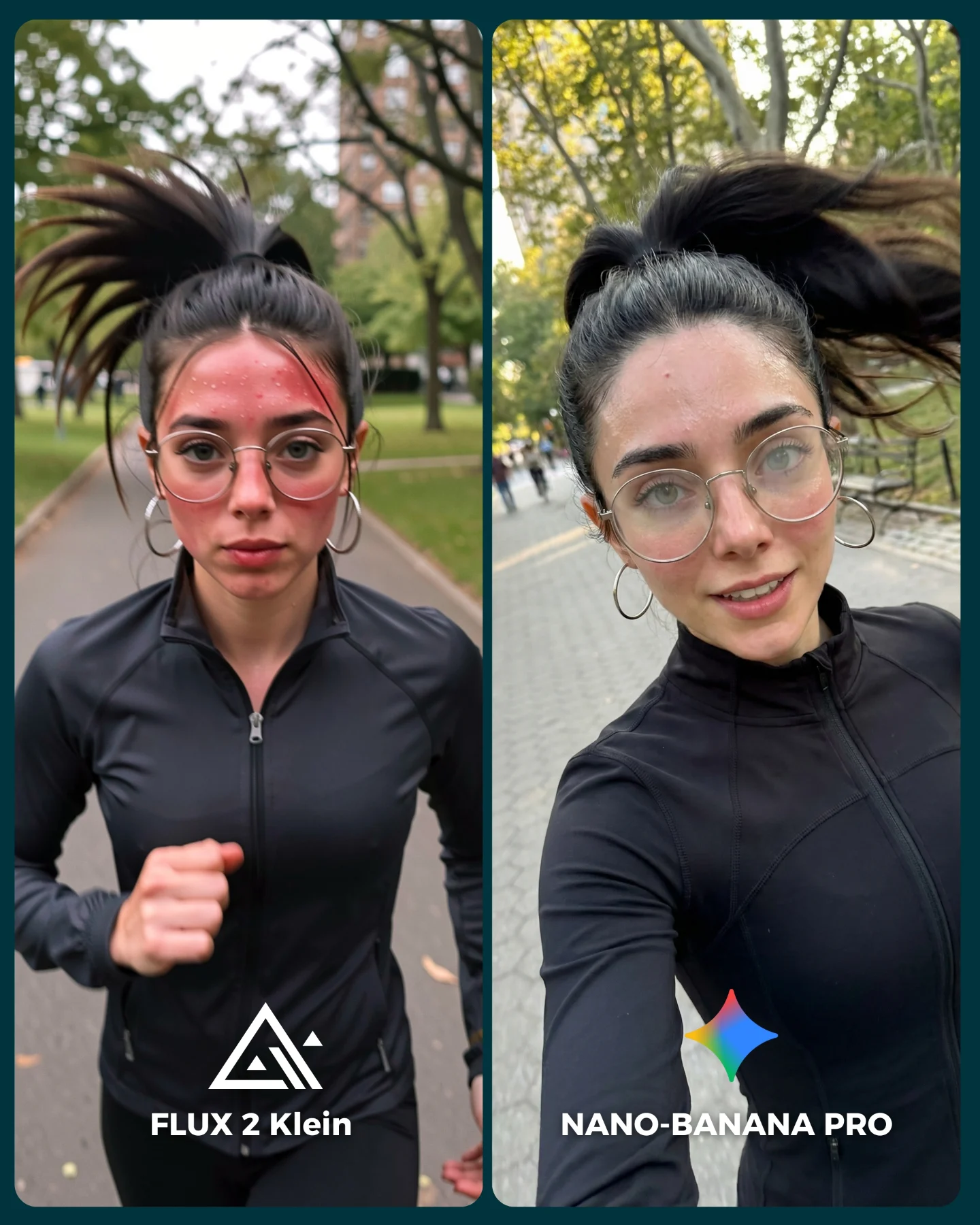
soy_aria_cruz: Running Selfie Model Comparison AI Photo

[Subject] A split-screen comparison showing the same young adult woman jogging outdoors in a park. She has a slim athletic build, light skin, dark hair tied in a high ponytail flying upward with motion, large round wire-frame glasses, hoop earrings, and a black fitted long-sleeve zip-front athletic top. Left panel: she faces forward with a serious concentrated expression, visible redness or flushed skin across the cheeks and forehead, and one arm pumping up in a running motion. Right panel: she records a close selfie while jogging, smiling gently with a more relaxed expression, still wearing the same glasses and black running top.

[Environment] Daytime urban park or tree-lined walkway with paved paths, green grass, leafed trees, and soft city-park background blur. The two panels show slightly different path textures and angles but the same general outdoor jogging environment. Light is natural and mild, likely late afternoon or soft daytime with no harsh shadows.

[Composition/Camera] Vertical two-panel split layout separated by a narrow divider. Left side is a front-facing medium shot captured while running, with the subject centered on a park path and torso visible. Right side is a close arm-extended running selfie, slightly angled downward and to the side, with the subject filling most of the frame. Bottom labels identify the comparison: “FLUX 2 Klein” on the left and “NANO-BANANA PRO” on the right, with a small colorful icon above the right text.

[Lighting] Soft natural daylight, evenly illuminating the face and clothing. The outdoor light is diffused enough to keep skin details visible without harsh contrast. Motion in the hair and subtle environmental blur communicate running movement more than aggressive shutter blur.

[Style/Rendering] Photoreal social-media fitness selfie comparison, casual sports realism, natural skin texture, smartphone capture aesthetic, slight motion energy, clean outdoor portrait with everyday creator-content feel rather than polished campaign imagery.

[Detail constraints] Keep the split-screen comparison with one running portrait on the left and one jogging selfie on the right. Preserve the high ponytail, round glasses, black zip athletic top, park background, and the bottom model labels. Do not add extra people in the foreground, gym equipment, or dramatic fitness branding.

Negative prompt: indoor gym, sports bra, tank top, sunglasses, no glasses, static studio pose, marathon bib, bright midday harsh sunlight, extra runners in foreground, cartoon style, over-smoothed skin, heavy motion blur, missing split layout, text overlays beyond the comparison labels.

Suggested parameters: aspect ratio 4:5 vertical; lens 35mm to 50mm smartphone portrait feel; medium depth of field; 22-32 steps; CFG/style strength 5.5-7; sampler DPM++ 2M Karras or equivalent; seed suggestion around 384517269.

Delta prompt strategy:
1. Split-screen layout collapses -> append: side-by-side two-panel comparison with narrow vertical divider and bottom labels.
2. Ponytail loses motion -> append: high ponytail whipping upward from running movement.
3. Glasses disappear -> append: large round wire-frame glasses clearly visible in both panels.
4. Outfit changes -> append: fitted black long-sleeve zip-front running top with minimal branding.
5. Park setting turns generic city street -> append: tree-lined urban park walkway with grass and soft outdoor background.
6. Left panel loses exertion cues -> append: forward-facing run with flushed cheeks and focused expression.
7. Right panel stops reading as selfie -> append: close arm-extended jogging selfie with relaxed smile and smartphone perspective.
8. Lighting becomes too harsh -> append: soft diffused daytime natural light with even facial exposure.
9. Image becomes polished commercial fitness ad -> append: casual creator-style running content, realistic and social-media native.
10. Labels disappear -> append: comparison text at the bottom, FLUX 2 Klein on left and NANO-BANANA PRO on right.
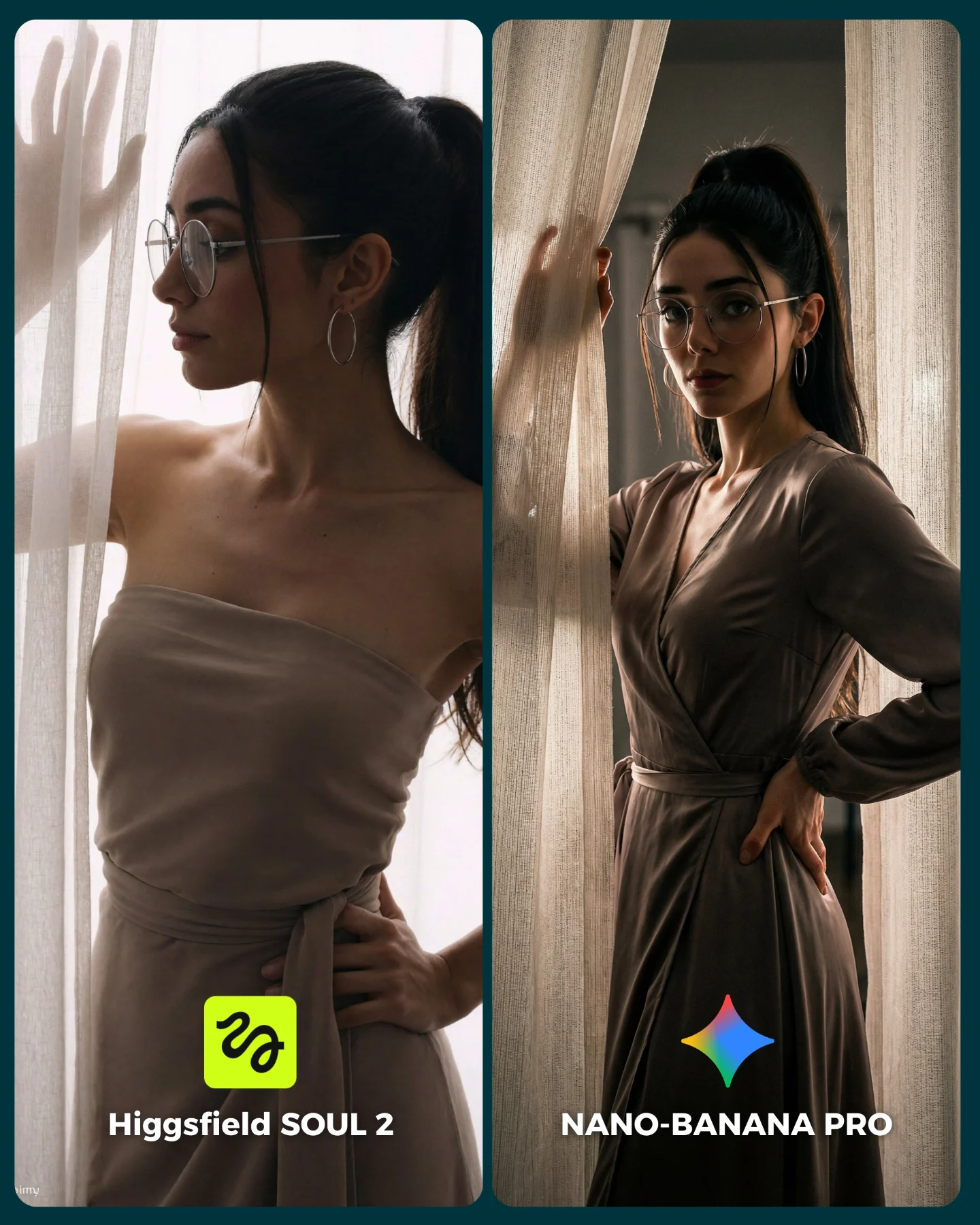
soy_aria_cruz: SOUL 2 vs Nano Banana Pro AI Art

[Subject] A split-screen comparison image with two vertical fashion-portrait panels separated by a dark teal divider. Both panels show the same young woman with fair skin, long black hair tied in a high ponytail, large silver hoop earrings, thin round eyeglasses, and refined neutral makeup. She wears a soft taupe-beige dress. In the left panel, she is shown in side profile by a sheer curtain, wearing a strapless or off-shoulder draped dress with one hand touching the curtain and the other resting at her waist. In the right panel, she faces more toward camera in a three-quarter pose, wearing a long-sleeve wrap-style version of the same taupe dress, one hand on the curtain and the other on her hip. Her expression on the right is more direct and editorial.

[Environment] Soft indoor portrait scene beside tall cream sheer curtains with warm filtered daylight passing through. Background should remain minimal, elegant, and softly shadowed, with the curtain texture acting as the main environmental element. The setting should feel like a luxury editorial interior without visible clutter.

[Composition/Camera] Two-panel vertical comparison cover for social media. Left panel is a softer side-profile portrait emphasizing translucency, skin softness, and subtle pose. Right panel is a more defined three-quarter fashion portrait emphasizing dress structure, body proportions, and direct gaze. Keep both panels consistent in subject identity and color palette while showing slightly different pose and garment interpretation. Add bottom labels: “Higgsfield SOUL 2” on the left with its neon-green icon and “NANO-BANANA PRO” on the right with a colorful star icon.

[Lighting] Diffused window light through sheer curtains, very soft shadows, warm neutral tones, flattering skin highlights, gentle contouring, no harsh sunlight or flash. The left side should look lighter and more ethereal, while the right side should feel more contrasty and sculpted but still soft.

[Style/Rendering] Hyper-real high-end fashion comparison image, elegant window-light editorial aesthetic, realistic skin, realistic cloth folds, refined portrait anatomy, luxurious but understated styling, clean benchmark graphic for AI-image-model comparison.

[Detail constraints] Preserve the split-screen layout, same woman across both panels, taupe-beige dress, eyeglasses, hoop earrings, ponytail, curtain interaction, and bottom model labels with icons. Do not add furniture, extra people, bold accessories, or dramatic background decor.

Negative prompt: single-panel portrait, outdoor scene, harsh sunlight, heavy jewelry, busy interior, missing glasses, different hair color, bright saturated dress, fantasy glow, neon room, extra people, text errors, distorted hands, malformed dress folds, watermark.

Suggested parameters: aspect ratio 4:5, split-screen composite, portrait lens around 50-85mm, shallow-to-medium depth of field, 28-38 steps, CFG 6.5-8, sampler DPM++ 2M Karras or similar, style strength low to medium, seed suggestion 906134228.

Delta prompt strategy:
1. If the split layout disappears: “two vertical comparison portrait panels with a center divider”.
2. If curtain lighting weakens: “soft sheer curtains with diffused daylight filtering through”.
3. If the left panel loses side profile: “left panel shows a calm side-profile pose touching the curtain”.
4. If the right panel loses direct editorial energy: “right panel shows a three-quarter fashion pose with one hand on hip”.
5. If the taupe dress changes color: “muted taupe-beige draped dress with elegant folds”.
6. If glasses disappear: “thin round eyeglasses visible in both panels”.
7. If icons or labels vanish: “bottom labels: Higgsfield SOUL 2 left, NANO-BANANA PRO right, each with a small icon”.
8. If the background becomes cluttered: “minimal interior with curtains as the only major environmental element”.
9. If skin looks overprocessed: “natural editorial skin texture with soft window-light realism”.
10. If the woman identity drifts between panels: “same woman, same face, same hairstyle, same accessories across both outputs”.
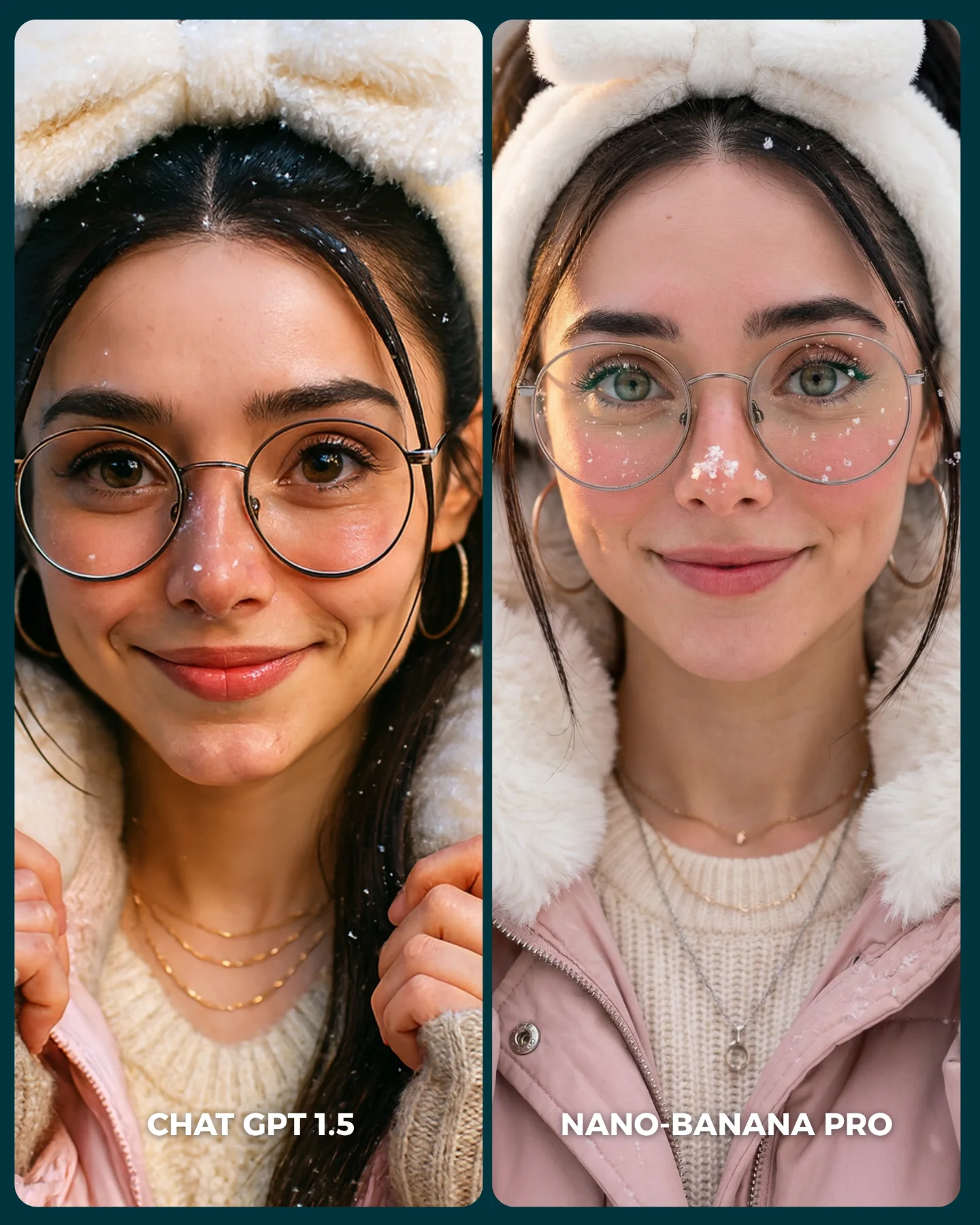
soy_aria_cruz: Winter AI Portrait Comparison AI
[Subject] A side-by-side comparison image featuring the same young adult woman in a cozy winter portrait look, presented as two nearly matching close-up panels. She has light-to-medium skin, large round clear eyeglasses, dark brown to black hair with center part and loose face-framing strands, hoop earrings, soft natural makeup, and a gentle closed-mouth smile. She wears a fluffy animal-ear hood or plush winter hood framing the head, layered over a cream knit sweater and pale pink winter jacket. Small snow flecks or frost-like particles appear on the hood and hair. The subject remains front-facing and centered in both panels.

[Panel structure] Left panel is labeled "CHAT GPT 1.5" near the bottom in white text. Right panel is labeled "NANO-BANANA PRO" near the bottom in white text. Both panels show the same subject and outfit but with slightly different rendering quality, skin finish, and detail handling. The comparison layout is essential and should be preserved as a two-column split image with a thin divider.

[Wardrobe and materials] Plush cream or off-white hood with rounded ear shapes, pale pink puffer-style winter jacket, cream knit sweater underneath, layered delicate gold necklaces, and clear glasses. The hood and jacket should look soft and cozy. Skin should appear natural and lightly cold-flushed. On the right panel, subtle white frost freckles or snow specks on the cheeks and nose may appear more stylized and refined.

[Props/Objects] No handheld props. The only graphic elements are the two labels at the bottom of each panel. Backgrounds are soft, wintry, and minimally visible, with a teal outer frame or border around the full comparison card. No clutter, no scenery emphasis, and no extra people.

[Environment] Soft winter portrait environment, likely outdoors or lightly snow-dusted, but the background is blurred and secondary. The image functions more as an AI comparison card than as a narrative scene. The mood should stay clean, calm, and beauty-focused.

[Composition/Camera] Vertical split-screen comparison card with two equal portrait panels. Tight close-up or chest-up framing in both panels, face centered, eyes toward the camera. The subject fills most of each panel. The overall card has rounded-corner panels and a cool-toned surrounding background. Preserve the direct visual comparison format.

[Lighting] Soft flattering portrait light, bright enough to show skin texture and glasses clearly. Lighting remains even and gentle across both panels, with a cozy winter glow. No harsh flash. Slight warmth in the skin tones balanced with cool winter ambience.

[Color palette] Pale pink, cream, off-white, soft skin tones, black hair, subtle winter blue-green background accents, and white text labels. The palette should feel soft, clean, and feminine with a cold-weather beauty aesthetic.

[Style/Rendering] Realistic AI-comparison social graphic, polished portrait imagery designed for feed comparison, no cartoon styling. The output should clearly resemble a split-card comparison between two generators, with minor qualitative differences across panels but the same core prompt subject.

[Detail constraints] Keep exactly one woman repeated in two side-by-side panels with the same styling. Preserve the glasses, plush ear hood, pink jacket, cream sweater, and bottom text labels "CHAT GPT 1.5" and "NANO-BANANA PRO". Do not turn it into a single portrait or remove the comparison-card structure.

Negative prompt: single image only, different people in each panel, no glasses, no hood ears, no labels, busy background, full-body shot, studio backdrop, harsh flash, anime render, cartoon illustration, text in wrong positions, extra accessories dominating face, sunglasses, neon colors, watermark, brand logos other than the comparison labels, distorted split layout.

Suggested parameters: aspect ratio 4:5 vertical with two equal portrait columns, portrait lens feel around 50mm to 85mm equivalent, shallow-to-moderate depth of field, 28 to 36 steps, CFG/style strength 5.5 to 6.5, sampler DPM++ 2M Karras or similar natural-photo sampler, seed suggestion 361994 for stable twin-panel composition and subject consistency.

Delta prompt strategy:
1. If the split layout disappears: "two equal side-by-side portrait panels for AI comparison"
2. If labels disappear: "bottom text labels: CHAT GPT 1.5 on left, NANO-BANANA PRO on right"
3. If subject identity changes: "same woman with round glasses, center-part hair, and gentle smile in both panels"
4. If winter styling weakens: "plush cream animal-ear hood, pale pink jacket, cream knit sweater"
5. If glasses disappear: "large round clear eyeglasses clearly visible in both panels"
6. If background gets busy: "soft minimal winter blur, secondary to the face"
7. If the comparison stops reading as a tool demo: "clean AI comparison card graphic with rounded portrait panels"
8. If right panel loses extra refinement: "slightly cleaner winter detailing and subtle frost freckles on the right panel"
9. If color shifts too strong: "soft pale pink, cream, and cool winter tones"
10. If image becomes too editorial: "feed-friendly AI comparison post, straightforward portrait comparison"
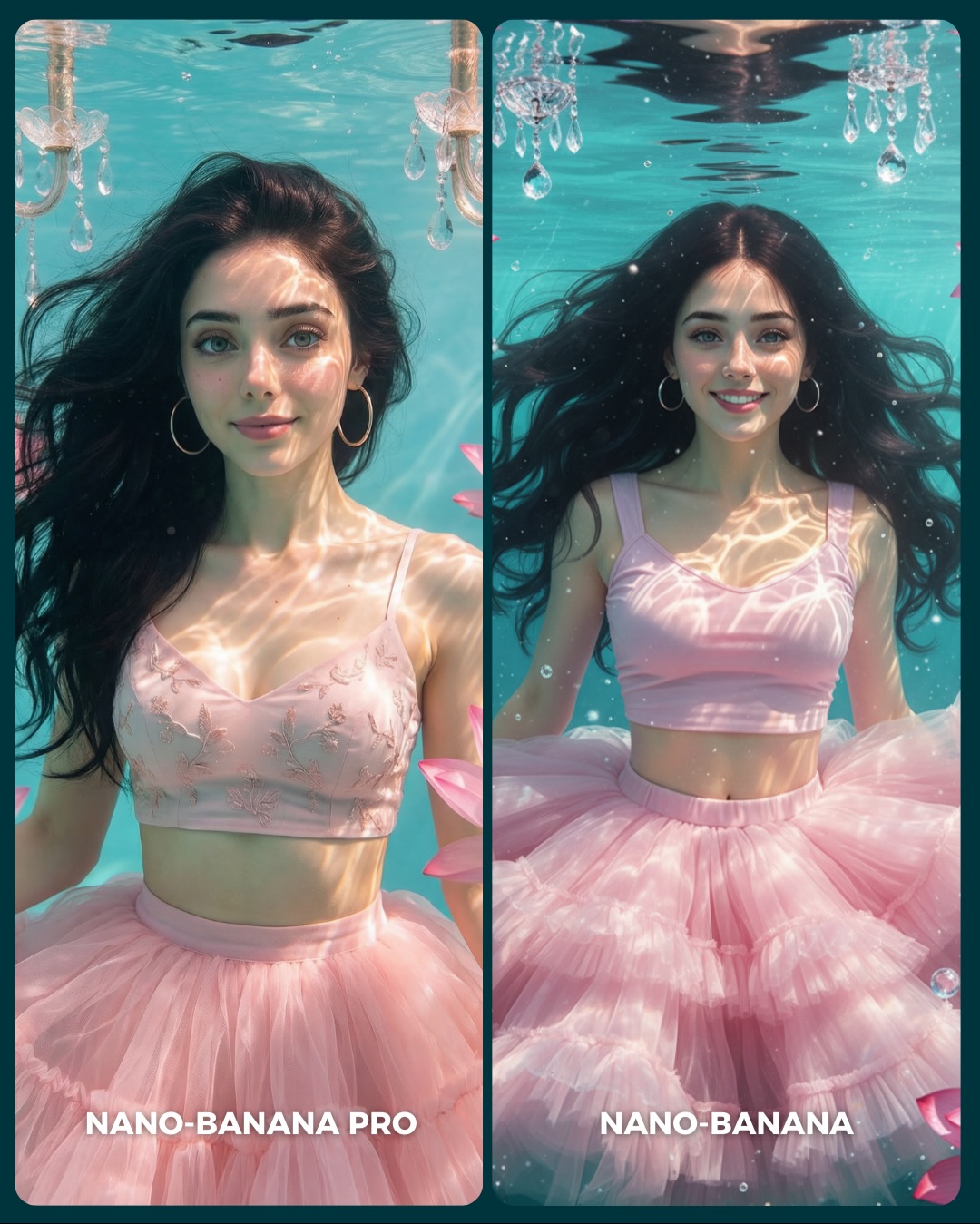
Underwater Pink Dress Comparison AI Image Prompt
[Subject] A side-by-side underwater portrait comparison of the same young woman shown in two similar but not identical images. She has fair skin, long dark brown to black hair floating freely in the water, large silver hoop earrings, bright blue-green eyes, and soft youthful facial features. She wears a pale pink outfit that combines a delicate pastel pink crop top or bralette and a voluminous layered pink tulle skirt resembling a ballerina or fairy-tale dress. In the left panel, her expression is calm and serene with lips closed, head slightly angled, and a more editorial stillness. In the right panel, she smiles more brightly, eyes more animated, and the pose feels slightly more buoyant and playful. Keep the woman’s identity and styling consistent across both panels.

[Environment] Both panels take place underwater in a clear turquoise-blue pool or water tank. The water surface is visible near the top, with shimmering wave distortions. Decorative chandelier elements hang from above and appear submerged or partially visible near the upper corners, adding a surreal luxury-fantasy mood. Sun-like caustic light patterns ripple across the woman’s skin and clothing. A few soft pink flower petals float near the frame edges. Small air bubbles are visible in the right panel. The overall image is presented as a vertical social-media comparison cover with two rounded portrait cards side by side, separated by a dark teal divider. White lower labels read “NANO-BANANA PRO” on the left and “NANO-BANANA” on the right.

[Composition/Camera] Overall layout is a two-panel split comparison. Each panel is a vertical rounded-rectangle portrait card. The woman is centered in both, framed from around waist to slightly above the head, floating upright underwater. The left image is slightly tighter and more composed, while the right image is a touch wider or more playful, revealing more of the tulle volume and water motion. The top waterline and chandelier fragments should remain visible. Keep the side-by-side benchmark structure intact and balanced.

[Lighting] Bright diffused underwater lighting with strong caustic reflections dancing over the face, shoulders, and pink fabric. The water should glow aqua and clean, while the subject remains well separated from the background. Light is soft but directionally patterned by the water surface. Maintain a dreamy, luminous underwater atmosphere without becoming murky. The right panel can feel slightly more vibrant, but both should remain believable in the same overall setup.

[Style/Rendering] Hyper-real fantasy-lifestyle underwater photography with a social comparison aesthetic. Highly detailed wet hair strands, realistic skin under water refraction, soft tulle textures, subtle bubbles, and elegant chandelier crystals. The image should feel like a benchmark between two high-end image generations, not a painting and not a mermaid fantasy illustration. Preserve a polished but still photoreal underwater look.

[Detail constraints] Do not collapse the comparison into one image. Keep the two-panel rounded-card layout with dark teal divider and the lower white labels “NANO-BANANA PRO” on the left and “NANO-BANANA” on the right. Preserve the same woman in both images, the pink top and fluffy tulle skirt, floating dark hair, hoop earrings, waterline at the top, chandelier crystal details, and underwater caustic lighting. Do not add fish, full mermaid tail, scuba gear, or poolside elements.

Negative prompt: single portrait only, different women in each panel, mermaid tail, fish swarm, scuba mask, snorkel, pool ladder, murky water, muddy green tones, missing chandelier, missing tulle skirt, no earrings, blonde hair, harsh flash, anime mermaid style, oil painting, extra text, watermark clutter, warped hands, distorted eyes, melted dress.

Suggested parameters: aspect ratio 4:5 overall comparison; lens 35-50mm equivalent underwater portrait feel; aperture look f/4 with broad subject clarity; steps 30-40; CFG/style guidance 6.5-8; sampler DPM++ 2M Karras or photoreal fantasy sampler; seed suggestion 662149305.

Delta prompt strategy:
1. If the split-screen disappears: "two vertical rounded portrait cards side by side with a dark teal divider and white generator labels at the bottom"
2. If the underwater mood weakens: "clear turquoise underwater scene with visible waterline, bubbles, and light caustics on skin and fabric"
3. If the dress loses volume: "pale pink layered tulle skirt blooming underwater around the waist and hips"
4. If the subject identity changes between panels: "same young woman in both panels with long dark floating hair and silver hoop earrings"
5. If the chandelier detail disappears: "submerged chandelier crystal elements hanging near the upper corners under the water surface"
6. If the panels feel identical and flat: "left panel calm editorial expression, right panel brighter smile and more playful buoyancy"
7. If it becomes too fantasy-like: "photoreal underwater portrait, not mermaid art, not illustration"
8. If caustic lighting is missing: "shimmering water-light reflections across face, shoulders, and pink clothing"
9. If text labels vanish: "bottom white labels reading NANO-BANANA PRO on the left and NANO-BANANA on the right"
10. If the water turns dark or dirty: "clean luminous aqua water with soft pastel atmosphere"
soy_aria_cruz: Fantasy Costume AI Portrait
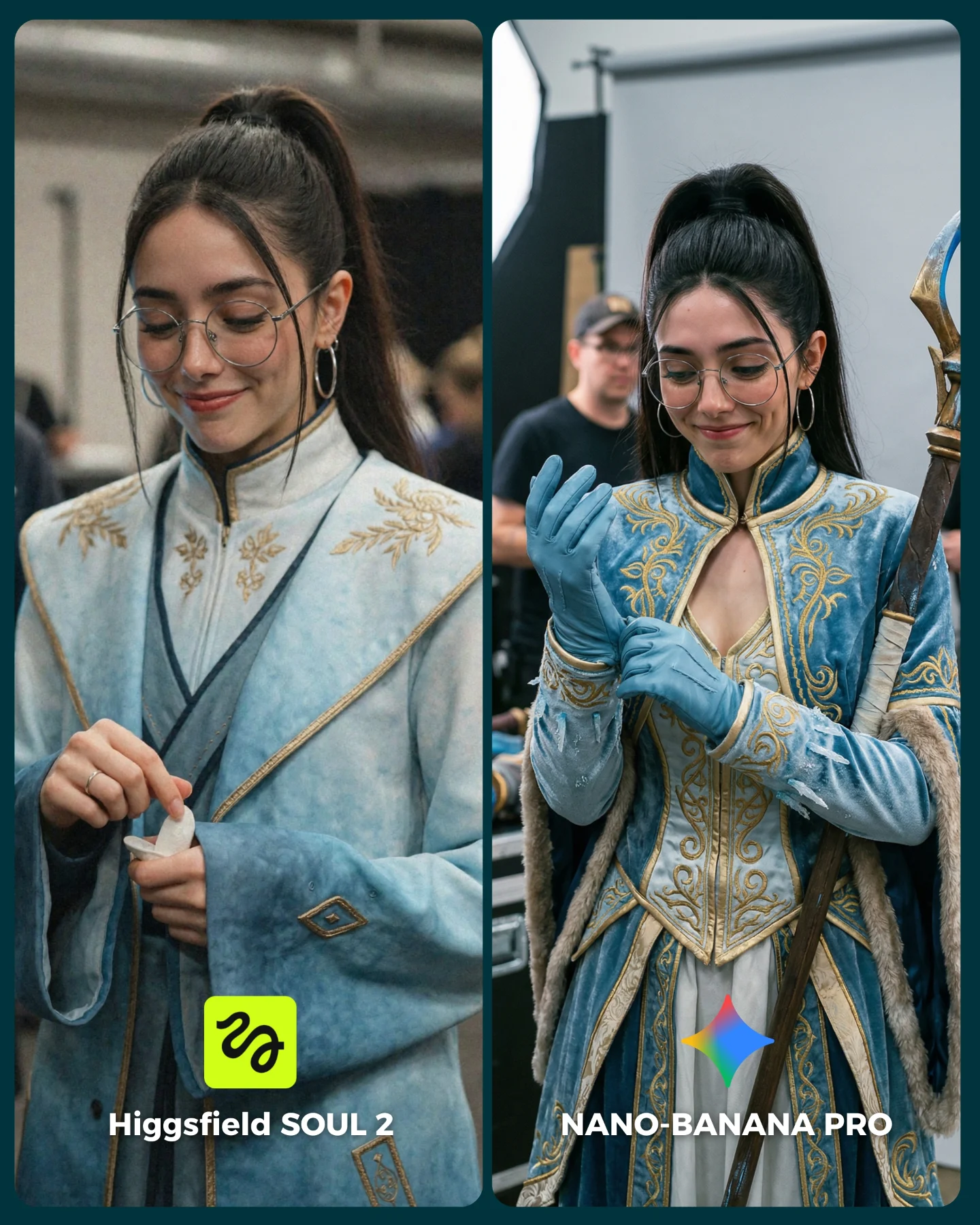
[Subject] A split-screen comparison image featuring the same young woman styled as a fantasy or historical-costume character in two similar behind-the-scenes portraits. She appears in her early 20s with light-to-medium skin tone, long dark brown to black hair in a high ponytail, thin round silver eyeglasses, medium silver hoop earrings, and a soft closed-mouth smile while looking downward. In both panels she wears an ornate pale blue costume with gold embroidery and structured fantasy detailing. The left panel shows a simpler robe-like version: high collar, wide sleeves, soft pale-blue fabric, gold trim and floral embroidery, and a calm candid hand gesture as she handles a small prop or adjusts something in her hand. The right panel shows a richer, more elaborate warrior-princess or mage-inspired costume: fitted bodice with gold filigree, high collar, layered sleeves, blue gloves, textured fabric panels, and a staff held at the right edge of the frame. Her left hand adjusts a glove, creating a more believable preparation moment.

[Clothing & materials] Left panel outfit: pale-blue robe with subtle watercolor texture, embroidered gold botanical motifs near the chest and shoulders, dark trim lines, wide flowing sleeve cuffs, soft costume fabric. Right panel outfit: pale-blue and gold fantasy armor-dress hybrid with structured bodice, embroidered scrollwork, layered panels, long sleeves with fitted blue gloves, faux fur or textured trim, metallic or gilded detailing, and a polished cosplay-quality finish.

[Props/objects] Left panel includes a small white item in her hand, possibly tissue or costume accessory. Right panel includes a tall staff or prop weapon along the right border with blue-and-gold detailing. Both panels have blurred production or convention-style background figures and structures. Bottom labels read “Higgsfield SOUL 2” on the left and “NANO-BANANA PRO” on the right, with a bright green logo badge in the left panel and a multicolored star icon in the right panel.

[Environment] Indoor event, set, or backstage convention environment. Left panel background is warmly blurred and busy, suggesting a hallway or gathering space. Right panel background clearly resembles a shoot or studio prep area with a white backdrop, visible light stand or support pole, and blurred crew or attendees behind the subject. Both feel candid and documentary rather than polished fantasy poster compositions.

[Composition] Vertical 4:5 split-screen layout with two rounded-rectangle portrait panels on a dark teal outer background. Medium close-up framing from mid-torso to above the head. The subject is centered in each panel, slightly turned downward. Similar facial angle and expression across both sides make costume realism and production handling easier to compare. Bottom labels are integrated within each panel.

[Lighting] Soft indoor event lighting. Left panel has diffused ambient light with a warm-neutral cast and smooth skin rendering. Right panel has cleaner, slightly brighter production light with better definition in fabric texture, embroidery, and glove surface. No dramatic fantasy lighting effects; keep it realistic and candid.

[Color palette] Pale icy blue, muted teal, warm gold embroidery, natural skin tones, dark hair, silver accessories, neutral blurred backgrounds, dark teal outer border, bright green logo on the left, white labels and multicolor star icon on the right.

[Image style] Photorealistic AI comparison graphic focused on cosplay/fantasy-costume realism. The left output should feel acceptable but flatter and simpler. The right output should feel more intricate, premium, and believable, with stronger garment construction and more natural behind-the-scenes context. Clean side-by-side testing format.

[Subject] Two side-by-side portraits of the same woman in pale-blue fantasy costume, glasses, and hoop earrings. She looks downward with a small smile in both panels. The left side features a simpler embroidered robe and a small hand-held item; the right side shows a more elaborate blue-and-gold costume with gloves and a staff, adjusting one glove.
[Environment] Indoor event or studio-prep space with blurred people, production elements, and neutral backgrounds.
[Composition/Camera] Vertical 4:5 split-screen comparison with rounded panels, matched medium-close framing, bottom labels naming each model version.
[Lighting] Soft realistic indoor light, slightly richer detail and clarity on the right panel.
[Style/Rendering] Photoreal fantasy-costume benchmark graphic, candid backstage realism, clean comparison presentation.
[Detail constraints] Keep exactly two panels of the same character. Preserve the high ponytail, glasses, hoop earrings, pale-blue costume palette, gold embroidery, and bottom labels. Do not add fantasy backgrounds, magical effects, or extra characters in focus.

Negative prompt: fantasy castle background, glowing magic spell, sword fight, outdoor medieval set, extra characters sharp in frame, missing glasses, missing ponytail, wrong costume color, red armor, no embroidery, no staff on right, no gloves on right, extra props, perfect studio beauty retouch, cartoon cosplay, anime rendering, extra hands, distorted fingers, removed labels

Suggested parameters:
- Aspect ratio: 4:5
- Lens / focal length: 50mm to 85mm portrait equivalent
- Depth of field: moderate, subject sharp and background softly blurred
- Steps: 32-42
- CFG / style strength: 6.5-8
- Sampler: DPM++ 2M Karras or equivalent
- Seed suggestion: 621437

Delta prompt strategy:
1. If the comparison layout breaks: “two rounded vertical comparison panels side-by-side on a dark teal background”
2. If the costume loses detail: “pale-blue fantasy costume with intricate gold embroidery and structured decorative trim”
3. If the left side becomes too ornate: “left panel simpler robe-like embroidered garment with wide sleeves”
4. If the right side is not richer: “right panel more elaborate fitted fantasy costume with gloves, gold filigree, and staff”
5. If the backstage realism disappears: “blurred event or studio-prep background with crew and equipment”
6. If glasses or earrings vanish: “thin round glasses and medium hoop earrings in both panels”
7. If the hand actions drift: “left hand holding a small white item; right hand adjusting a blue glove”
8. If the right-side staff is missing: “tall blue-and-gold staff visible at the right edge”
9. If the mood turns into epic fantasy poster: “candid behind-the-scenes portrait, natural smile, no magical VFX”
10. If labels are missing: “bottom labels reading Higgsfield SOUL 2 and NANO-BANANA PRO”
Anime Generator From Photo

Why photo to anime is a workflow problem

When a user uploads a real photo, the main question is not just whether the result looks anime. The real test is whether the tool can keep the subject recognizable, preserve facial features, and apply style without breaking the original composition.

That is why photo based anime tools need a clean workflow. The best ones make it easy to upload a selfie, group photo, pet shot, or landscape, choose a style, adjust the intensity, and compare the before and after result before exporting.

This page is built for that kind of comparison. It helps users judge whether a tool is simple enough for casual use and strong enough to handle different photo types without losing identity or visual consistency.

Key Insight: The best anime photo converters do not just apply a filter; they preserve the subject while giving users clear control over style strength and output quality.

Takeaway: Compare tools by how well they balance face preservation, style flexibility, and a simple upload first workflow.

What a good upload to anime flow should include

Upload: A direct photo upload step with no prompt engineering required.

Style: A visible choice between subtle anime styling and a stronger full anime transform.

Adjust: A strength or intensity control that lets users tune how far the image moves from the original photo.

Preview: A before and after view that makes it obvious what changed and what stayed intact.

Export: A simple finish step that does not hide the final image behind a complicated paywall flow.

How to compare converters before you commit

Face preservation: The subject should still look like the same person or pet after conversion.

Photo type handling: Check portraits, group photos, pets, and scenery because each one stresses the model differently.

Style range: A strong tool should handle light anime filters and full stylized anime looks.

Output quality: Look for clean edges, stable coloring, and a result that still feels usable after export.

FAQ

What kind of photos work best?

Clear portraits, well lit selfies, and simple compositions usually give the strongest anime conversion results.

Do I need prompts for photo to anime tools?

Most good upload tools should work without prompts. Users want a photo workflow, not prompt engineering.

Should I pick a light filter or a full conversion?

Use a light filter when you want to keep more of the original photo. Use a full conversion when you want a stronger anime identity.

What matters most when comparing tools?

Face preservation, style range, and how easy it is to move from upload to export are the most important signals.